
I Built an AI That Edits My Videos While I Sleep
Build logBy SuperZydan12 min read
- Video
- Tools
- Streaming
- Claude Code
- AI Video Editing
- YouTube Shorts
- GTA 6
Part of The AI Video Editor
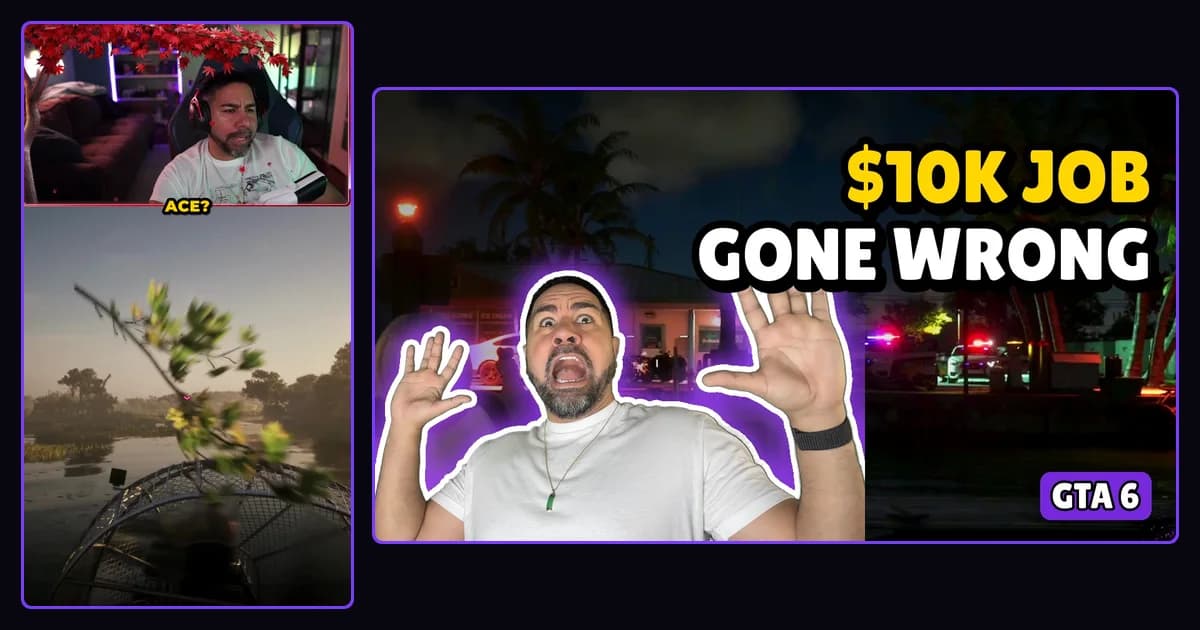
I stream a lot, and I almost never edit. Not because I don't want to, but because editing takes hours I don't have. So I built a robot to do it for me: it takes my streams, edits them into videos, Shorts and thumbnails, and has them waiting in a folder when I wake up.
This is the whole story, wins and failures both. Mostly failures, honestly. They taught me more.
The problem
Every stream is two to five hours of footage. GTA 6, Roblox with LinkNova, soulslikes, WoW. That's a lot of good moments sitting on a drive.
I also work a full-time job. Editing one long-form video by hand takes me many hours, and I just don't have that time every day. My YouTube went stagnant. I was streaming all the time, but almost nothing turned into edited videos or Shorts.
So the idea was simple: what if the PC edited my streams overnight, while I'm asleep or at work, and I woke up to finished videos?
I wanted to wake up, review, and hit post. That's it.
The idea and the first version
After I upgraded my Claude plan, I started building it in October 2026 with Claude Code in the Claude desktop app. Claude wrote the code. I gave direction and feedback, and said "no, not like that" a lot.
I set three rules on day one:
- It runs on my own PC. RTX 4090, i9-13900K, 64 GB of RAM. Everything that can run locally does.
- Free and open-source tools first, and only ones whose licenses allow commercial use.
- It never posts anything without my approval.
The build order was Shorts first, then long-form videos, then a "fun layer" of effects, then packaging: thumbnails, titles and uploads.
The first commit was October 20, 2026. Today it's about 190 commits, around 38,000 lines of Python, over 220 automated tests and more than 80 pipeline modules. That's a lot of project for about a month.
From the first commit to now
Here's how it grew, one step at a time.
Oct 20
The shorts machine
Replay clips go in, and 62 to 90 second vertical Shorts come out. Webcam on top, gameplay below, captions with speaker labels. A watcher starts with Windows.
Oct 22
Long-form pacing
Light punch-in zooms, pop-up text and chapter zoom-outs. Game art pulled from Roblox and Steam.
Oct 24
Multi-recording long-forms
It can stitch several recordings into one video. The first one was a three-part Warrior Cats session.
Oct 24 to 29
AI art thumbnails
Thumbnails became illustrated art of me, styled to each game, inspired by Dr Disrespect's thumbnails. I trained a likeness LoRA on my photos to make them. I'll come back to how that went in section 8.
Oct 28
Effects, round two
Cam zooms on big reactions, text behind me in the webcam, and sound effects.
Oct 31
Smart camera
The editor finds where my webcam sits in the footage by itself. It also makes death montages for boss games.
Nov 1
The art director
An Opus "art director" reviews every finished video and thumbnail frame by frame, against a checklist: faces cut off, unreadable text, black screens, layout and audio loudness.
Nov 6 to 9
Formats
A co-op split layout for Shorts with LinkNova. Boss-fight Shorts. Timed-run Shorts with an on-screen timer.
Nov 7
The big rule: never wait for me
No approval steps. Claude makes the best call, and I fix things the next day. The whole point is that it finishes overnight.
Nov 10
Reliability
Config and state files can't get corrupted mid-save anymore. Heartbeats, a GPU lock and a watchdog arrive too (that's section 5).
Nov 18
Signature touches
Every Short opens with a quick zoom-out, 115% down to 100% in under half a second. And no more extra text files per Short.
Nov 19 to 23
GTA 6 week, the real stress test
Two-hour story edits with mission-name zooms and "Too Spicy for YouTube" cards. Pixelation that tracks the camera. Music beds under every fast-forward. And a fake Twitch chat pop-up for a troll moment, which is my favorite thing it's ever done:
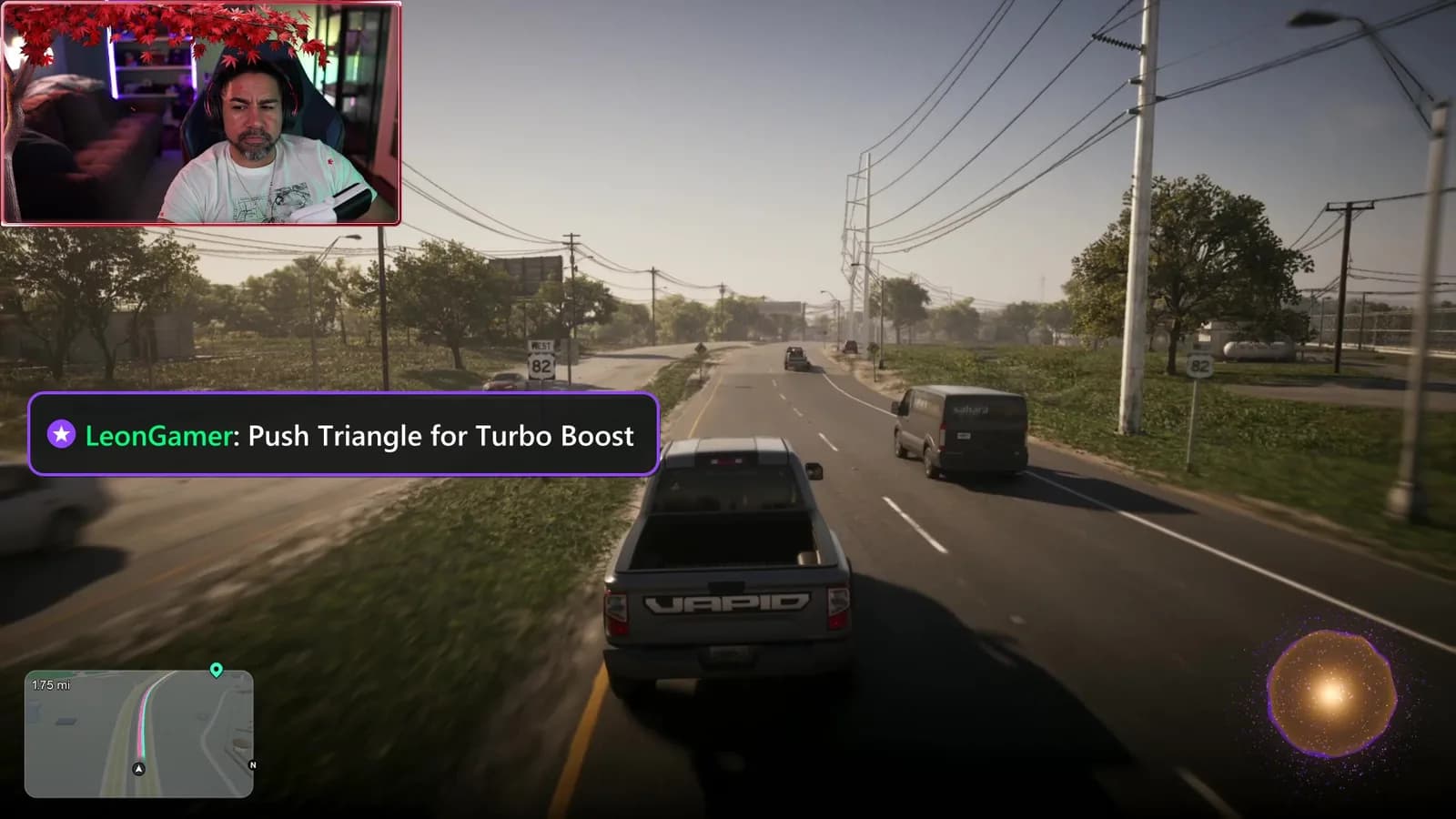 The fake Twitch chat pop-up the editor added for the Turbo Boost troll
Nov 22
The supervisor
Overnight jobs finally finish with no chat window open. This one took three tries, so it gets its own section.
Nov 23
The photo-pack thumbnails
The AI art is replaced by real photos of me, cut out and retouched. Also coming up in section 8.
How it works, step by step
Here's the whole trip from a stream to a finished video.
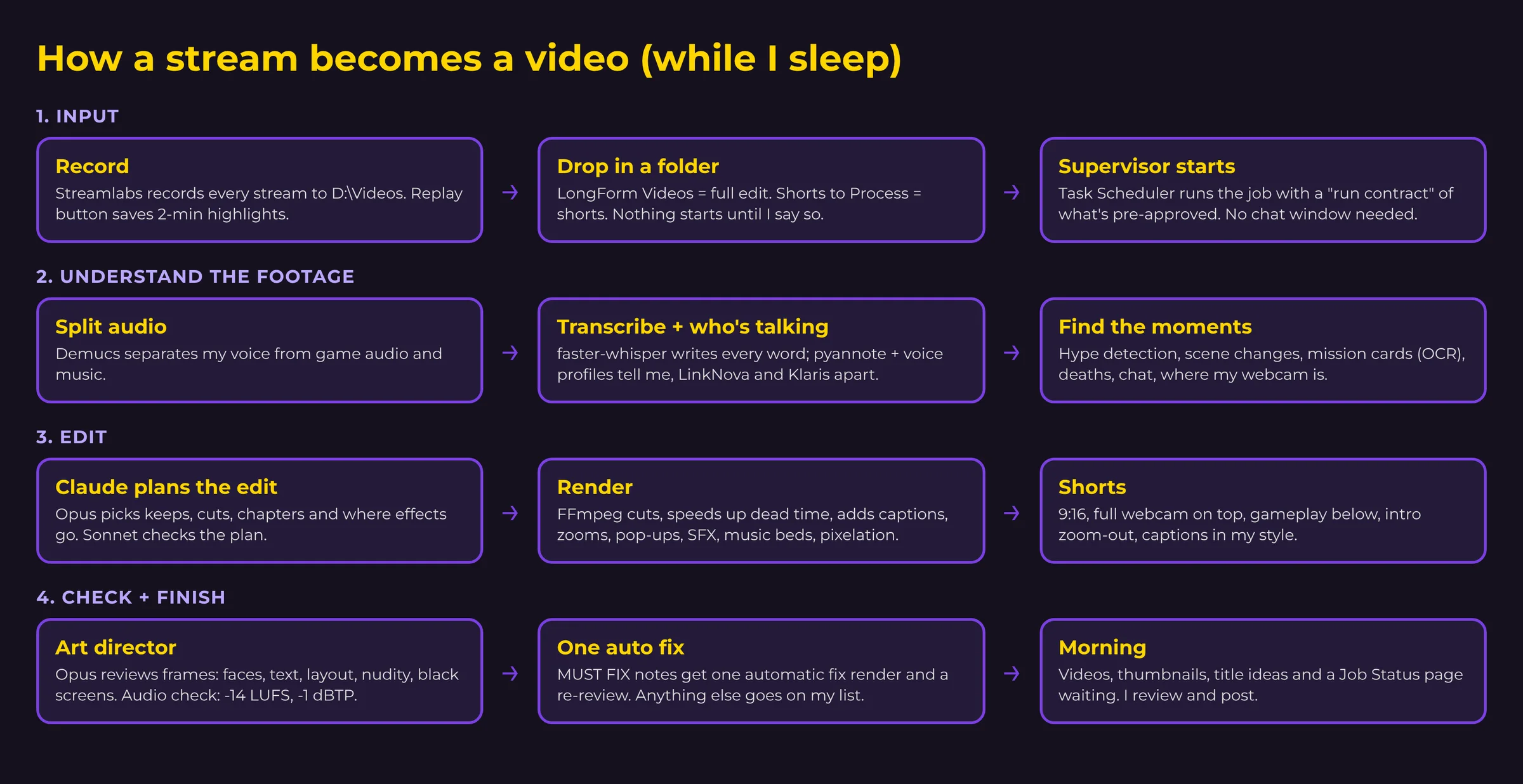 How a stream becomes a video. Tap it to zoom in.
1. Record. Streamlabs records every stream. My Replay button saves 2-minute highlights.
2. Drop it in a folder. D:\Videos\LongForm Videos gets a full edit. D:\Videos\Shorts to Process gets Shorts. I decided that nothing starts on its own. I start a job when I'm done using the PC.
3. Split the audio. Demucs separates my voice from the game audio and music. I record everything as one mix through Elgato Wave Link, so the AI has to pull it apart afterward.
4. Transcribe and identify speakers. faster-whisper writes down every word. Speaker diarization with pyannote, plus saved voice profiles, tells apart me, LinkNova and Klaris, my AI assistant's voice.
5. Find the moments. Hype detection from volume and reactions. Scene changes, deaths and boss attempts. Mission cards read with OCR, chat activity, and where my webcam is.
6. Claude plans the edit. Opus writes the edit plan: what to keep, what to cut, the chapters, and where every effect goes. Sonnet handles the smaller decisions like trimming Shorts, hooks, captions and titles.
7. Render. FFmpeg does the cuts, speed-ups, captions, cam punch-ins, pop-up text, freeze frames, sound effects, music, pixelation and the TOO SPICY cards.
8. Shorts. They're 9:16, with my full webcam box on top and gameplay below. Captions are in my style: Montserrat Black, white with a black outline, yellow and purple accents. Every Short gets the intro zoom-out, and face zooms only happen when a face is actually visible.
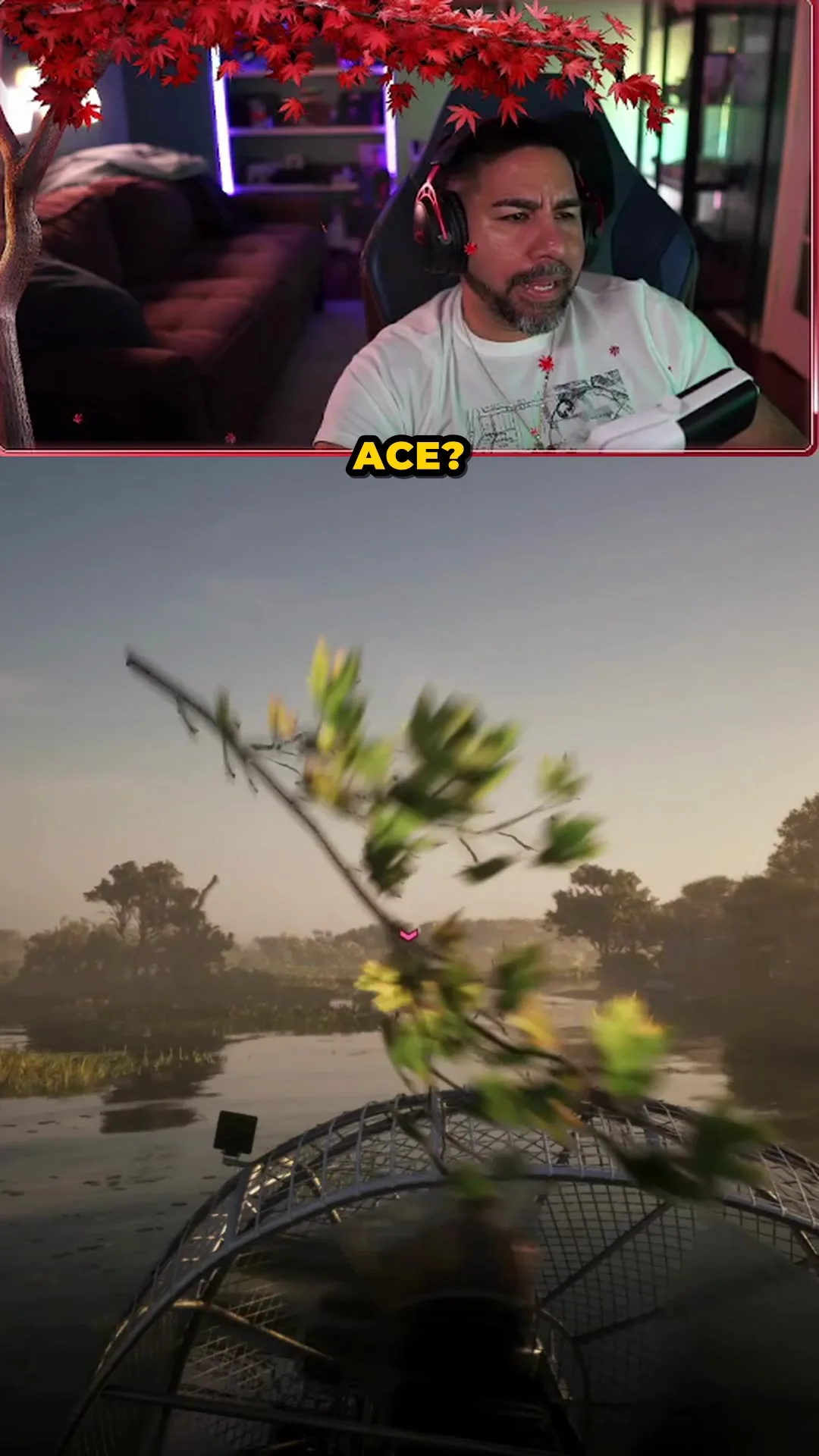 Shorts layout: full webcam on top, gameplay below, captions in my style
9. Quality check. The art director reviews frames. The audio check targets -14 LUFS with a true peak under -1 dB, and verifies that every sound effect is actually heard.
10. One automatic fix. If there are MUST FIX notes, it does one fix render and one re-review. Anything left goes on my list.
11. Morning. I open Job Status.md, or text "status" from my phone. I watch the video, pick a title and post.
Here's a full long-form it edited from one of my GTA 6 streams, "My First Hours in GTA 6... Did I Ever Find the Shoe Store?":
And two Shorts it made:
The hardest part: finishing overnight
Making edits was the easy bit. Making it actually finish overnight took three attempts.
The problem: I'd go to bed with a job running and wake up to find it stuck at 3 AM.
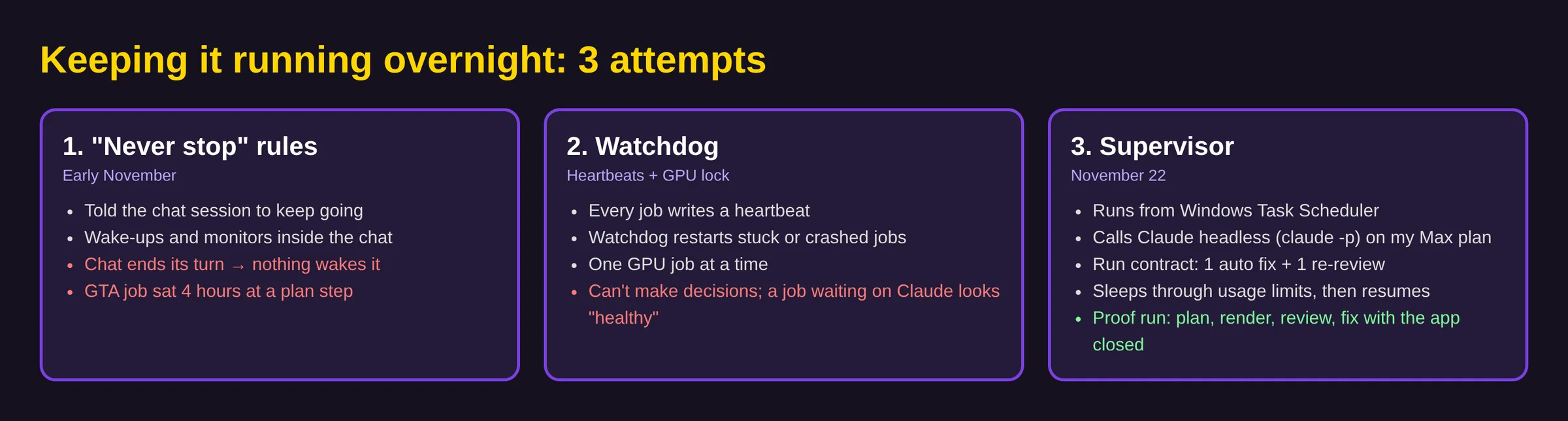 Three attempts at keeping it running overnight (swipe to see it all)
Attempt 1: "never stop" rules
I told the Claude chat session to keep going no matter what. It didn't work. A chat only works while it's in the middle of replying. When it finishes a turn, nothing wakes it back up. One GTA job sat waiting at a plan step for 4 hours.
Attempt 2: the watchdog
Every job writes a heartbeat, and only one job can use the GPU at a time. A watchdog restarts anything that crashes or freezes. That helped a lot with crashes.
But a job politely waiting for Claude looked "healthy" to the watchdog, so it waited forever.
Attempt 3: the supervisor (Nov 22)
This was a design change, not another patch. I took the chat window out of the loop completely.
- A background supervisor runs from Windows Task Scheduler.
- When a job needs a decision, the supervisor calls Claude headless (
claude -p) on my Max plan. - When I start a job, it gets a run contract that says what's pre-approved: one automatic fix render and one re-review.
- It sleeps through usage limits and resumes. It runs at full speed, and only my own "stop" pauses it.
- It survives a Windows restart and resumes after I sign in.
The proof: a test job ran end to end with the Claude app closed: plan, render, review and fix. Every Claude call was logged as using my subscription, not API billing. The next night, the real GTA job finished by itself.
Every fix that tried to keep the chat awake failed. The fix that worked removed the need for a chat at all.
The stack
One card per tool. Free and open-source ones are marked.
Claude
Opus 5.5 · Sonnet 5.5 · Fable
The brain and the coder, through Claude Code. Opus plans edits and reviews them, Sonnet handles trims, checks and titles, and Fable took the hardest design problems, like planning the supervisor.
FFmpeg
Free / open-source
Every cut, render and audio measurement.
Demucs
Free / open-source
Separates voice, game audio and music.
faster-whisper
Free / open-source
Transcription and caption timing.
pyannote + voice profiles
Free / open-source
Who's talking: me, LinkNova or Klaris.
Z-Image + a likeness LoRA
The AI art thumbnails, the earlier thumbnail system.
ACE-Step
Apache 2.0
Original music beds for the fast-forwards.
MOSS + a CC0 SFX bank
Whooshes, booms and dings.
CLAP and earshot
Free / open-source
Check that the music fits and that sound effects are actually audible.
BiRefNet, rembg, MediaPipe
Free / open-source
Background removal and face mapping for the photo-pack thumbnails.
Windows Task Scheduler
Hosts the supervisor and the watcher.
Streamlabs + Elgato Wave Link
Recording and audio.
Lilita One + Montserrat Black
The fonts: Lilita One for hooks, Montserrat Black for captions.
Audio: music, SFX and loudness
Audio is where a video goes from "a screen recording" to "a video", so I made some firm rules:
- My voice comes first. Game audio is ducked under my voice.
- Every sped-up section gets a music bed, so it's never silent. It uses ACE-Step originals or CC0 tracks, nothing copyrighted.
- Sound effects are placed on reactions and actions, and an automatic check confirms each one is actually heard.
- Final loudness is -14 LUFS with a true peak under -1 dB, which is YouTube's target.
- Some game radio music stays in GTA videos on purpose. Those are Content ID claims, not blocks.
Thumbnails: from AI art to real photos
Version 1: AI art
Illustrated versions of me themed to each game: a samurai for Phantom Blade Zero, a Vice City poster for GTA. I trained a LoRA on my likeness photos, with a likeness score gate (0.66 minimum) so the images had to actually look like me.
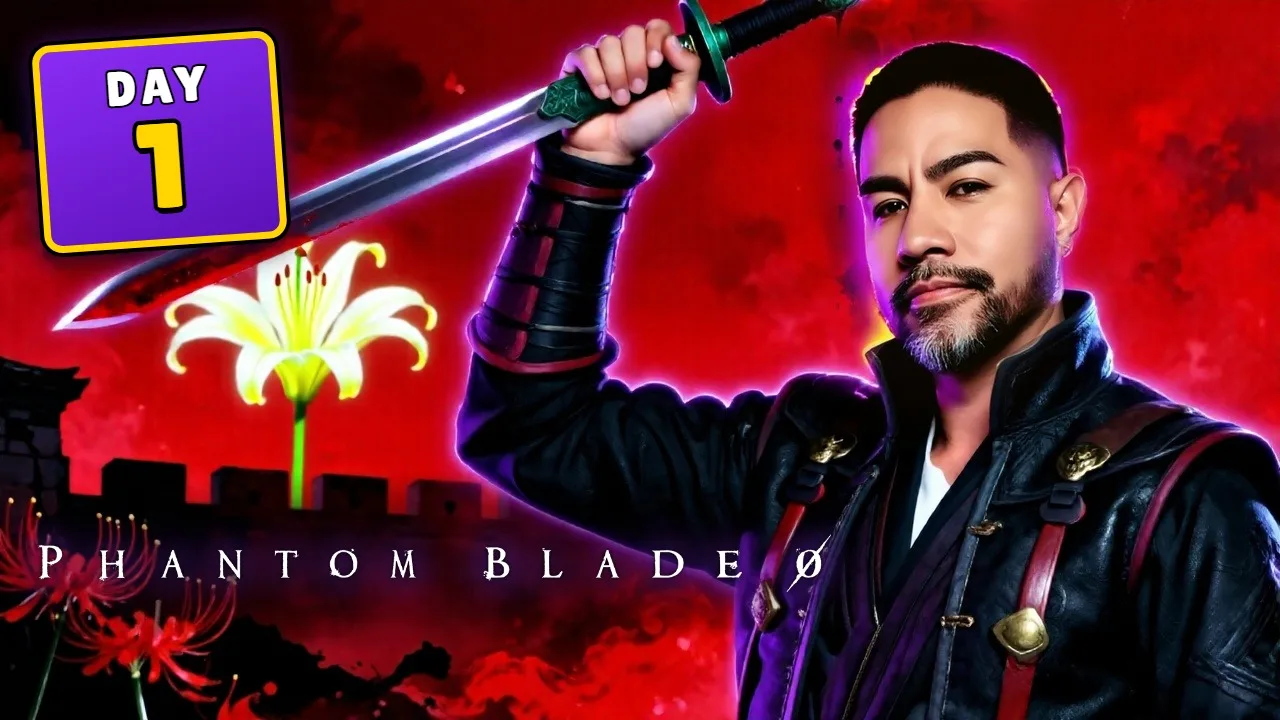 Version 1 thumbnails: AI art of me, styled to the game
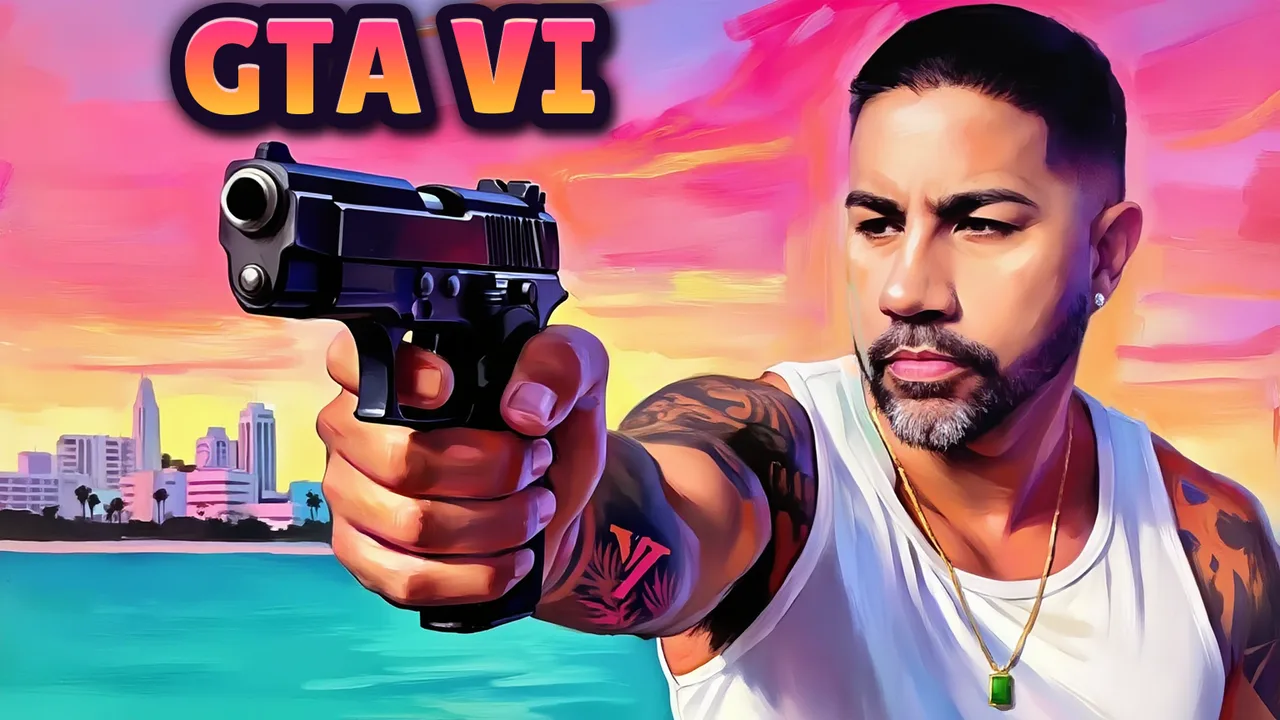 GTA 6 stream art from the likeness LoRA
They looked cool. They were also a pain:
- Generation was slow, about 20 minutes a round on the GPU.
- The likeness gate rejected a lot of images.
- When I changed my haircut, the LoRA no longer matched me. One GTA run made 16 images and none passed.
Version 2: the photo pack (Nov 23)
So I tried the opposite. I shot about 90 expressions and poses on a green screen in a white shirt. The editor kept the best 41.
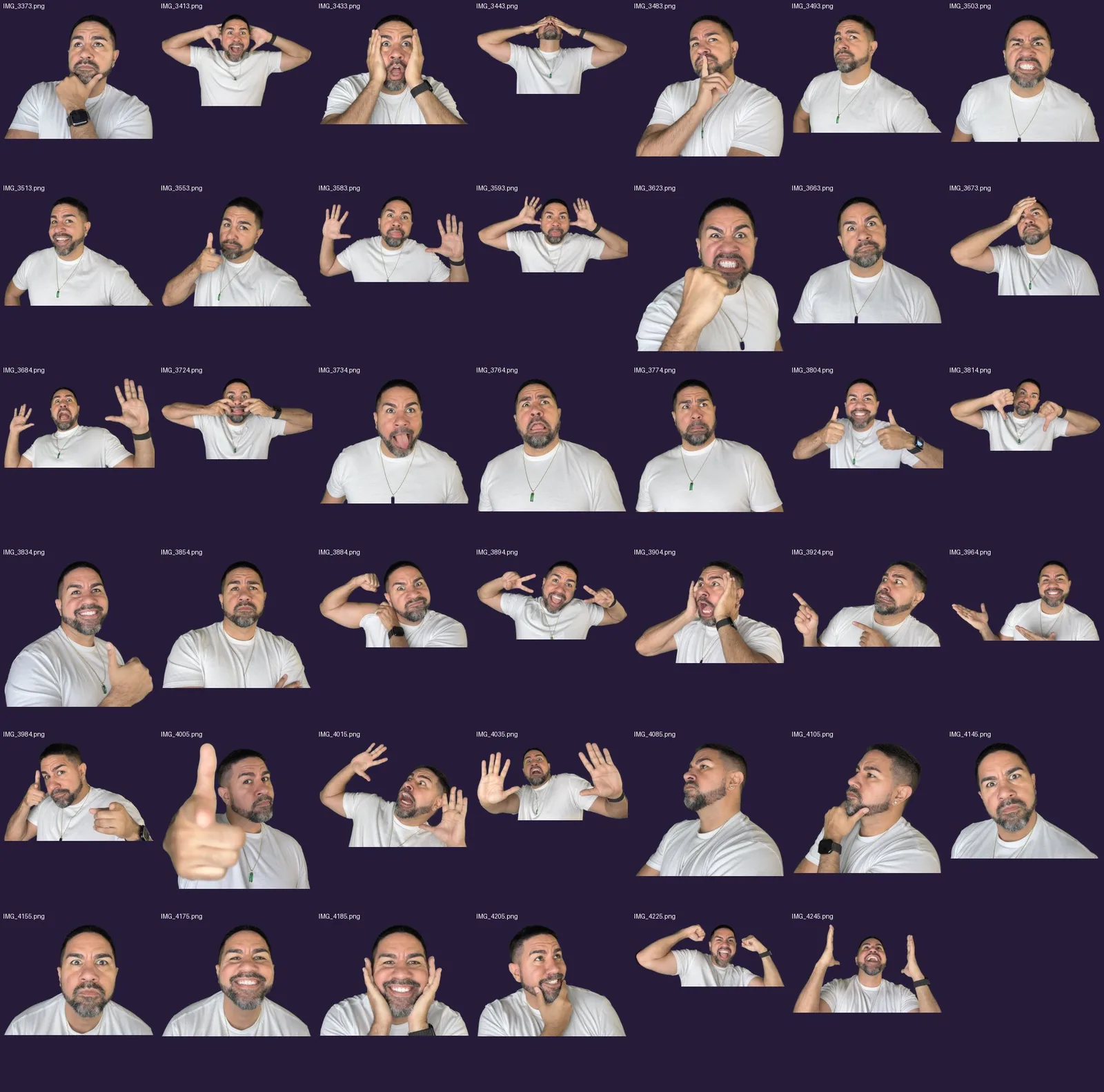 41 expressions, cut out and retouched automatically
Each one is cut out cleanly, with the green spill removed and my jade pendant kept. Skin is lightly smoothed, Snapchat-style but not plastic. Teeth are whitened only inside my mouth, using a face-mesh map of my lips. The first version whitened my beard too, which taught me a lesson.
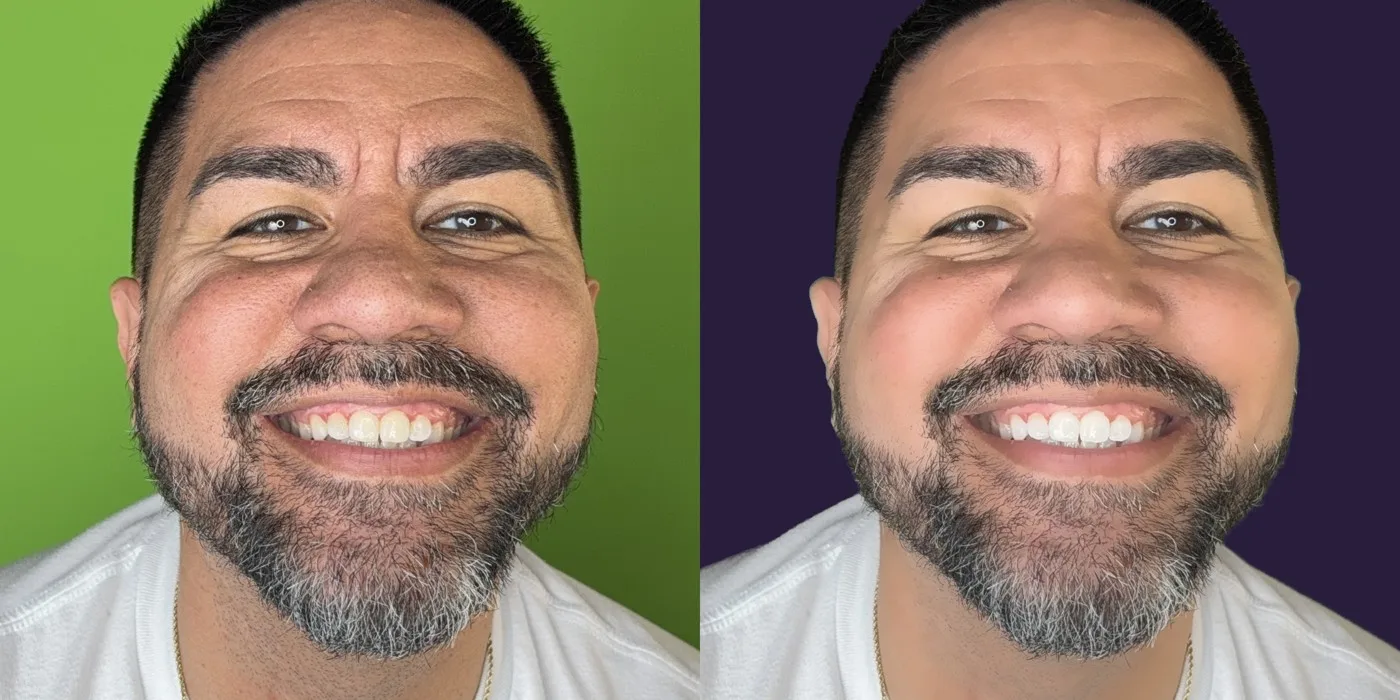 Before and after: background removed, skin smoothed, teeth whitened
The result: a thumbnail gets built in seconds. The editor picks the expression that fits the hook and a strong frame from the video.
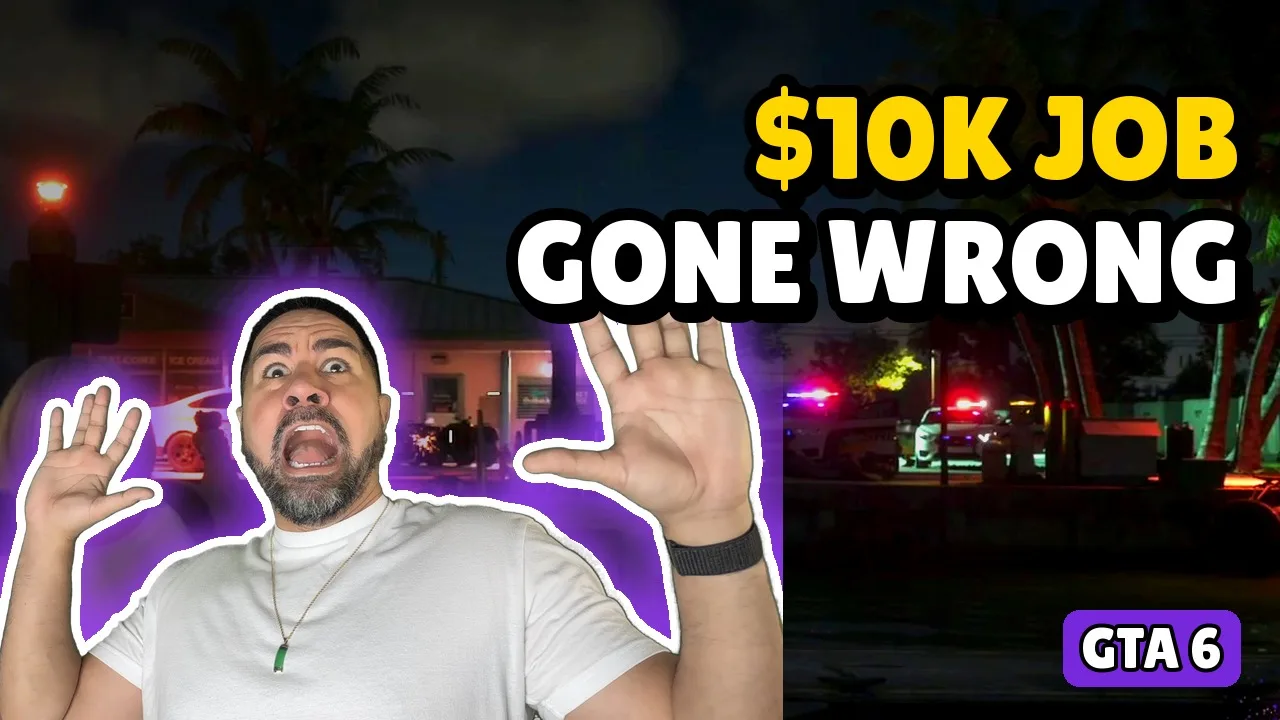 Version 2 thumbnail: real photo plus a frame from the video, built in seconds
The rules that make it mine
A robot that edits your videos needs rules, or it will do things you don't like. These are the ones I set.
What I learned
- AI is great at the repetitive 80%. Taste is still my job, so I review everything.
- Make it tell you when it's unsure, and give it one clear list of what's pre-approved.
- Test the boring parts. Overnight reliability mattered more than any fancy effect.
- Real beats generated, at least for my face.
What's next
I have a few things lined up:
- A cleaned-up public version, or a guide, for other streamers. Maybe a video series about building it.
- Auto-posting to YouTube and Instagram, only after I approve.
- The new photo-pack thumbnail system becomes the default.
If you want to see what the robot makes, here's where to find me:
Thanks for reading. If you build something like this, tell me what broke. I'd love to hear it.