How I Built Klaris, My AI Stream Co-Host (and Why Notepad Kept Opening File Explorer)
Build logBy SuperZydan22 min read
- Streaming
- Tools
- Claude
- Klaris
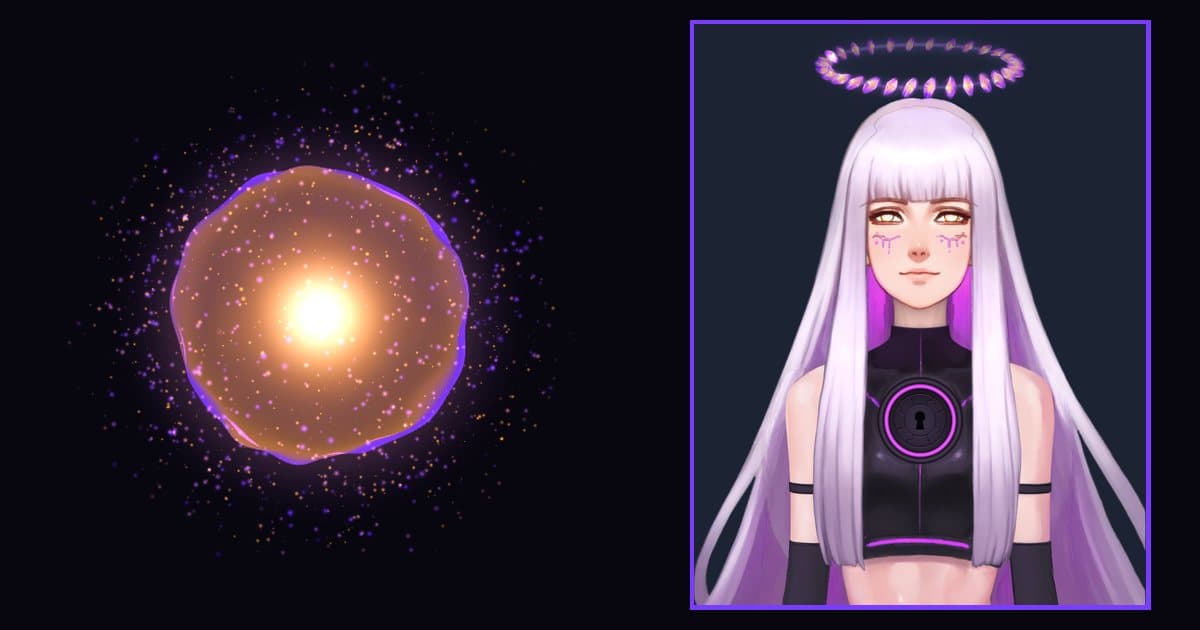
I wanted my own Jarvis. Not a chatbot in a browser tab, a real assistant that lives on my PC, talks out loud, runs my stream stuff by voice and has some personality. Six days later I had Klaris: an orb, then a girl with a crystal halo, who roasts me on stream and once blamed me in Twitch chat for something she did. Here's the whole story, mistakes included.
This demo shows my personal Klaris. The Lite kit includes the orb, voice, brain choice, web lookup and PC control. The body, Twitch, Stream Deck and more are coming in the Full kit.
The idea: a Jarvis orb named Klaris
The picture in my head was simple. A glowing, spiky orb that reacts when she listens and when she talks. I say "copy that", "paste that", "open Claude Code", and it just happens.
She needed a name and a girl voice that sounds human, not robot. I went with Klaris (say it "CLAIR-iss"), in yellow and purple because those are my brand colors.
One rule from day one: she only reacts when you call her by name. I stream with her on, so she can't be jumping into every conversation. If I don't say "Klaris", she stays quiet.
Everything runs on my own PC. Claude Code did the downloading, installing and building, and I steered by talking and typing. Her own brain is Claude too.
Step 1: the orb
The orb came first: a glowing sphere with swirling particles that breathes when she's idle, ripples when she's listening, spins while she thinks and spikes with her voice when she talks.
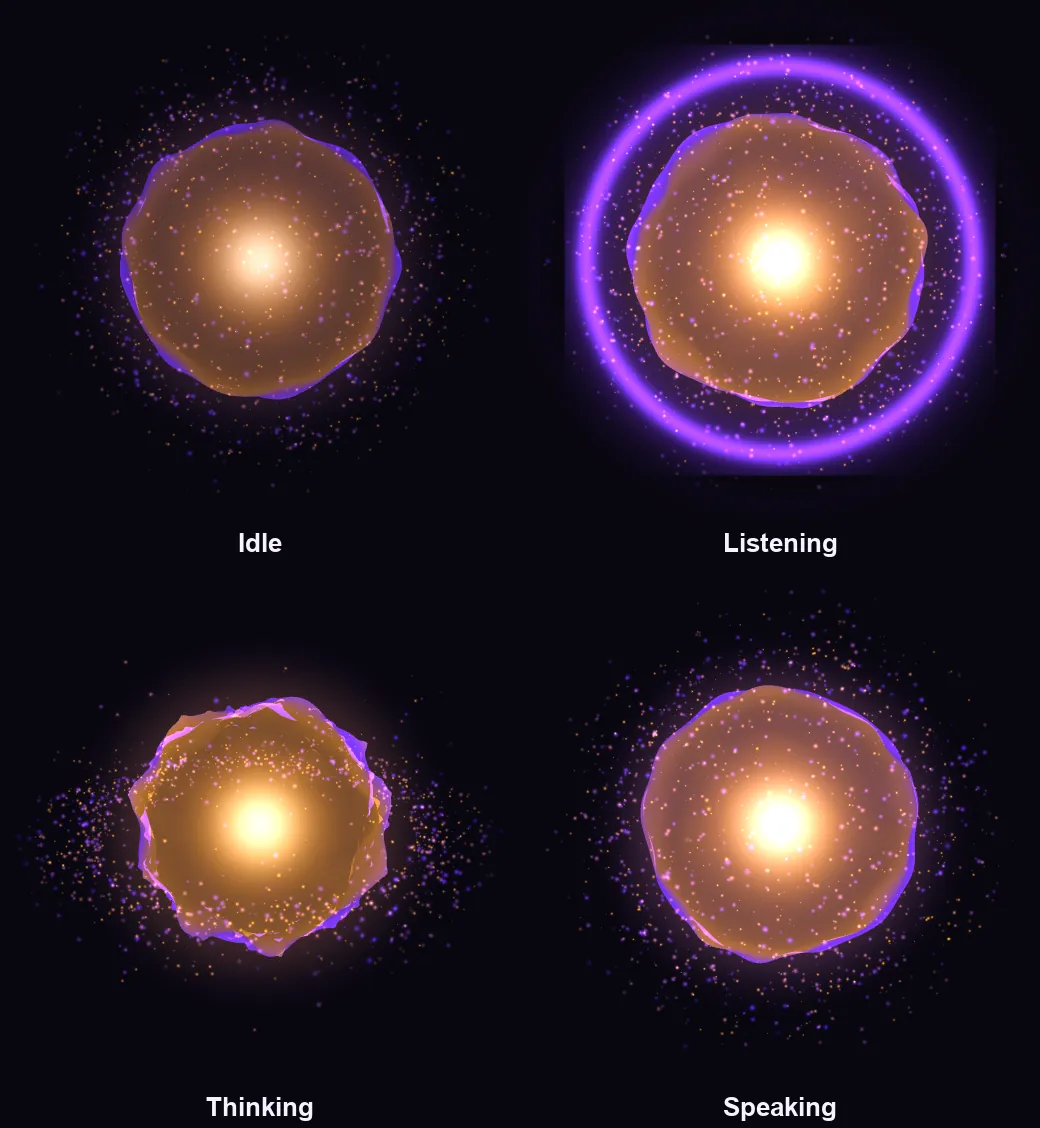 Idle, listening, thinking, speaking
It sits on my desktop as a see-through window that floats on top of everything, and it's a source in Streamlabs so chat sees her too. TikTok LIVE Studio can't do see-through windows, so she also gets her own little window on a green screen that TikTok keys out.
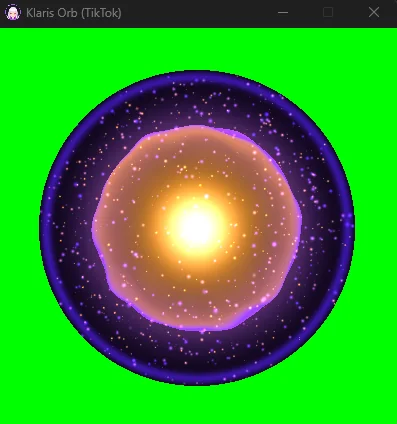 The TikTok version: same orb, green screen behind it
Step 2: her ears and the wake word
She listens to my mic only, never the stream mix, so game audio and alerts can't wake her. Speech goes to text, then she checks for her name.
The funny part is how many ways a computer can hear "Klaris". Clarice, Claris, Claire, and my personal favorite, Claude. Which, to be fair, is also a thing I say all day. So "Claude" and "Claire" count as her name now. She still has opinions about it:
"Still calling me Claude, wow, aura minus a thousand. Close though!"
Conversation mode
Saying "Klaris" before every single sentence gets old fast when you just want to hang out. So I can say "Klaris, let's talk" (or "talk to me", or just tell her I want to chat) and she stays in the conversation. I talk, she answers, no name needed. She stays in it until I say "that's all" or "bye", or until it's been quiet for about a minute and a half.
One catch: that only works for my voice. Anyone else in the room still has to say her name first, so she doesn't jump in on every conversation in the house.
Step 3: she looks things up
She can search the web, so she can find out pretty much anything: patch notes, game codes, who won last night, what that weird word chat keeps using means. She always gives a heads-up before she goes looking, so I'm not sitting there wondering if she froze:
"Ooh, let me check so I'm not larping again. One sec."
And nothing she reads on a website can make her press buttons or do things on my PC. She reads, she tells me, that's it.
Step 4: she runs my PC and my stream
Once she could hear her name, she got hands. Basically anything I decide to give her access to:
- Copy that, paste that, open apps and websites, write things in Notepad, change the volume (even one app at a time), check my PC temps.
- Spotify. Play a song, an artist, a playlist or my liked songs, skip, pause, go back, turn it down, or tell me what's playing.
- Discord. She can post in my server through my own bot, and if a post comes out wrong, "delete that post" takes it back. Some channels are off limits to her completely.
- Stream Deck by voice. She presses my real Stream Deck buttons. I don't have to say the exact button name either. If I say it loosely, she guesses what I meant, and for the risky ones (like running an ad) she asks "you sure?" first.
- My lights, through the light buttons on that same Stream Deck. "Brighter", "dimmer", main light, second light.
- Scenes and recording. Starting soon, live, BRB, webcam only, ending.
- "Clip that." One button now does both jobs: it saves a Streamlabs highlight and makes a Twitch clip. Back when those were still two separate buttons, I asked her to hit both and she said, "Say less, hitting Clips and Highlight together."
- The ending scene. That one always gets a "you sure?" first. I can also say "say goodbye to the stream, then switch to the ending scene" and she does her goodbye before she switches.
- Email. She writes the email and opens it ready to go, but she never sends it. I read it and hit Send myself.
She can switch to my ending scene, but actually starting or ending the stream stays with me.
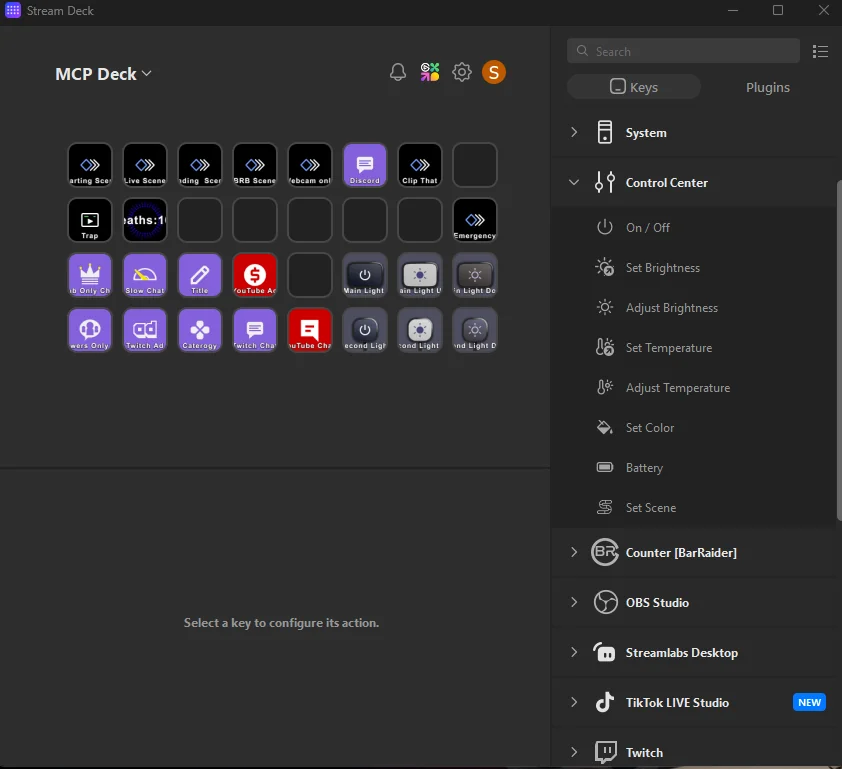 My MCP Deck page. She presses these when I ask.
Step 5: Twitch TTS and chat
I used to use Blerp for text-to-speech on Twitch. Now Klaris reads channel point messages out loud in her own voice, then reacts to them. If she can't read one, she refunds the points and tells the viewer why in chat. (Hold that thought, it comes back in the mistakes section.)
She can read my chat too, but only when I ask. She doesn't sit there watching chat nonstop. When I say "Klaris, read chat" or "what's chat saying?", she looks at the screen where my chat is and answers them out loud. She only types in chat when I tell her to post something. "Say hi to chat" means she says it out loud, not types it.
Step 6: she can see
She can look through my webcam and at my screens. It's not a live feed though. When I ask, she takes one picture of whatever I asked about (my webcam, my game screen, my chat screen, or both monitors), talks about it, and then the picture is gone unless I tell her to save it. In her own words:
"Not nonstop, Zydan. I only see the screen when you ask me to look and a picture comes with it."
So "look at me" gets her take on whatever I'm holding:
"You're holding a little green Starbucks mini cup, Zydan, and it looks like it's full of glittery slime."
And "look at my game" gets commentary on my gameplay, which is not always nice. The one exception to "only when I ask" is when I yell "Klaris, help!" in Fortnite. Then she keeps an eye on my game for two minutes so she can either hype me up or roast me depending on how it ends.
Step 7: the phone app
I wanted her when I'm away from the desk too, so she got a phone app that connects to my PC over a private network. Nothing is open to the internet. It started with a "tap to start" button, which I removed because the whole point is hands-free. Now it's hold to talk, or flip on hands-free and just say her name. Getting the iPhone to actually let her use the mic was its own little boss fight.
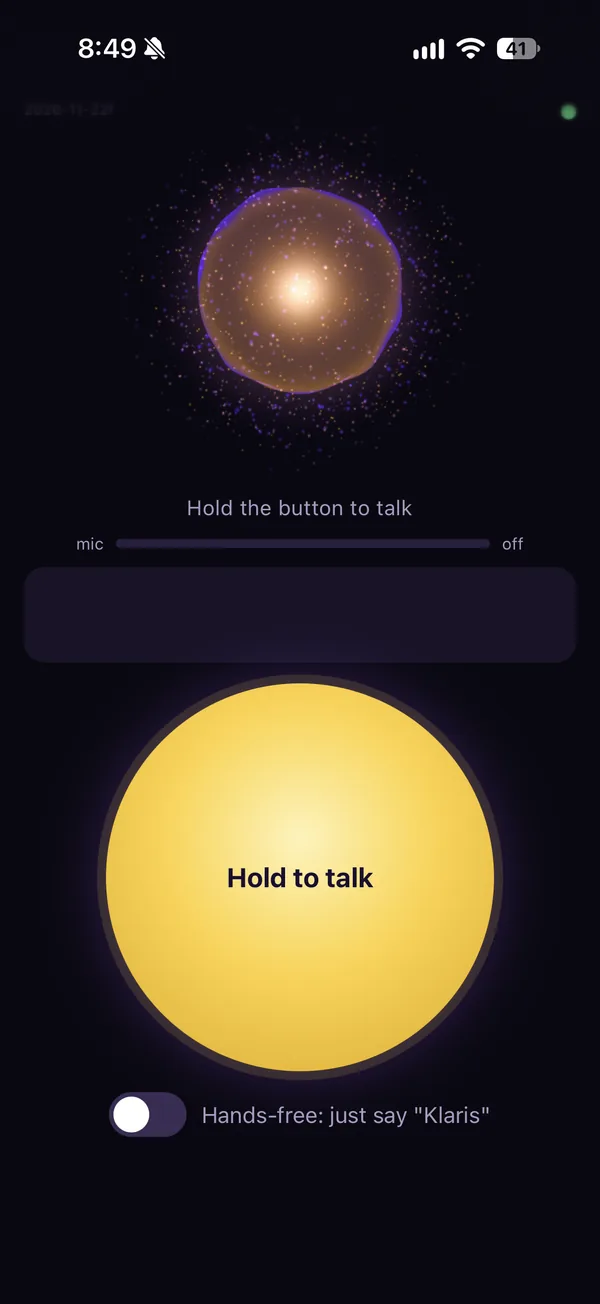 The Klaris app on my iPhone
Step 8: she knows who's talking
This one matters on stream. She knows my voice, so only my voice can control my PC. Anyone else in the room can talk to her, but they can't open, close or press anything. And text from viewers can never make her do anything, no matter what they type in chat.
Getting her to recognize me took three tries (more on that below), and now she keeps learning my voice on her own.
Step 9: normal mode and kid mode
Klaris has two modes. Normal mode is her usual self: sassy, dry and a little chaotic. Kid mode keeps everything clean for when my son or younger family is around.
I switch them myself: "Klaris, kid mode" turns it on, "normal mode" or "back to normal" turns it off. My Stream Deck has a button for it too. She never switches on her own just because she hears a younger voice. If I ask loosely, like "make sure you're in kid mode", she'll turn it on, but only my voice can turn it back off. Anyone else who tries gets:
"Only Zydan can switch my mode."
Step 10: she handles my Claude Code jobs
I run long Claude Code jobs while I do other stuff. Klaris tells me out loud when one is done or needs me to make a call.
Version one narrated everything. Every little update, out loud, all day. It was like having a sports commentator for my terminal. Now she only speaks up for two things: a job is finished, or a job is waiting on me. One sentence, like:
"Your unattended job stalling fix is done and ready for review."
And I can answer without touching the keyboard. "Klaris, tell Claude to go with the first option" and she types it into the right Claude Code window and hits Enter. If I've got a few of them open, she asks which one.
The little things
A bunch of small stuff that makes her feel like her:
- She says my name right. Voice engines love to mangle "Zydan". She has a pronunciation list now, and for my name I listened to four different versions and picked the one that sounds like me saying it.
- Viewer TTS can't be interrupted. Once she starts reading a viewer's message, nothing cuts it off. Not noise, not her own echo, not even me saying "stop". If I try to skip one by voice, she tells me, "Only the Stream Deck can skip a TTS message." Fair.
- Memory. If I say "remember that...", she writes it in her notes and brings it up later when it matters. "What do you remember?" gets a quick rundown, and I can edit the list whenever I want. Only my voice can add to it.
- Private stuff stays private. She has rules about personal info she will never say on stream, and anything that slips into a sentence anyway gets dropped before she says it, viewer TTS included. Even when I test her on it myself:
"Nice try, Zydan. That one's locked in the vault. You're SuperZydan to me, and that's all the stream gets."
The voices: every engine I tried
This took the longest, because a voice is personal. The first audition was 35 clips across 6 different voice engines, all running on my PC, all reading the same silly line:
"Hey Zydan, it's Klaris. You called? I was totally not busy... okay fine, I was watching cat videos. So, what do you need?"
These are the actual audition clips. Every voice here is generated, none of them are real people.
Kokoro, voice NicoleTiny and fast enough for the CPU. Remember this one. Qwen CustomVoice, preset voice SerenaReady-made voices you steer with a description. Chatterbox TurboFast, and it can laugh and sigh on cue. Qwen3-TTS, cloning Nicole TADA Chatterbox Multilingual, cloning NicoleThe first winner.There was a seventh, LuxTTS, but it was broken in that build, so it never got a turn. I picked by ear, and the first winner was Chatterbox Multilingual copying Kokoro's Nicole voice. She sounded the most like a real person.
Then came the problems. The stock engine took 5 to 11 seconds to answer, so Claude rebuilt the engine to run about 4 times faster. Her first words now came a second or two after I stopped talking. Big win. But she also picked up weird habits:
A real glitch: "Done."It's supposed to say it once. Another real one: "Recording stopped."Listen to the end. Those aren't words.She also had a little "hmm" she'd say while thinking, which sounded off, so that got removed. Now she just stays quiet while she thinks. The engine fixes cleaned up most of the junk, but she was still hogging about 9 GB of my graphics card's memory, which hurts when you want to game.
So I tried Kokoro again, the tiny engine from the very first audition, this time running on the CPU only. Same line, both voices:
Chatterbox (her old voice) Kokoro Nicole (her voice now)My exact reaction was "actually perfect." Kokoro Nicole is soft, almost ASMR, no glitches, and since it runs on the CPU my GPU stays free for games. She also learned how to say names properly, so "Zydan" comes out "ZAI-din" instead of whatever she was doing before.
Klaris todayI'll be honest, I love the whispery voice, but I know it's not for everyone. That's why the kit lets you pick from 8 voices.
The body
The orb was cool, but I wanted her on screen as a 2D VTuber too. So we designed an original character on my PC with an open image model: long white and lavender hair, gold eyes, purple face markings, a halo, and a glowing socket in her chest where the orb lives. I used a few mood pictures for inspiration only, never to copy.
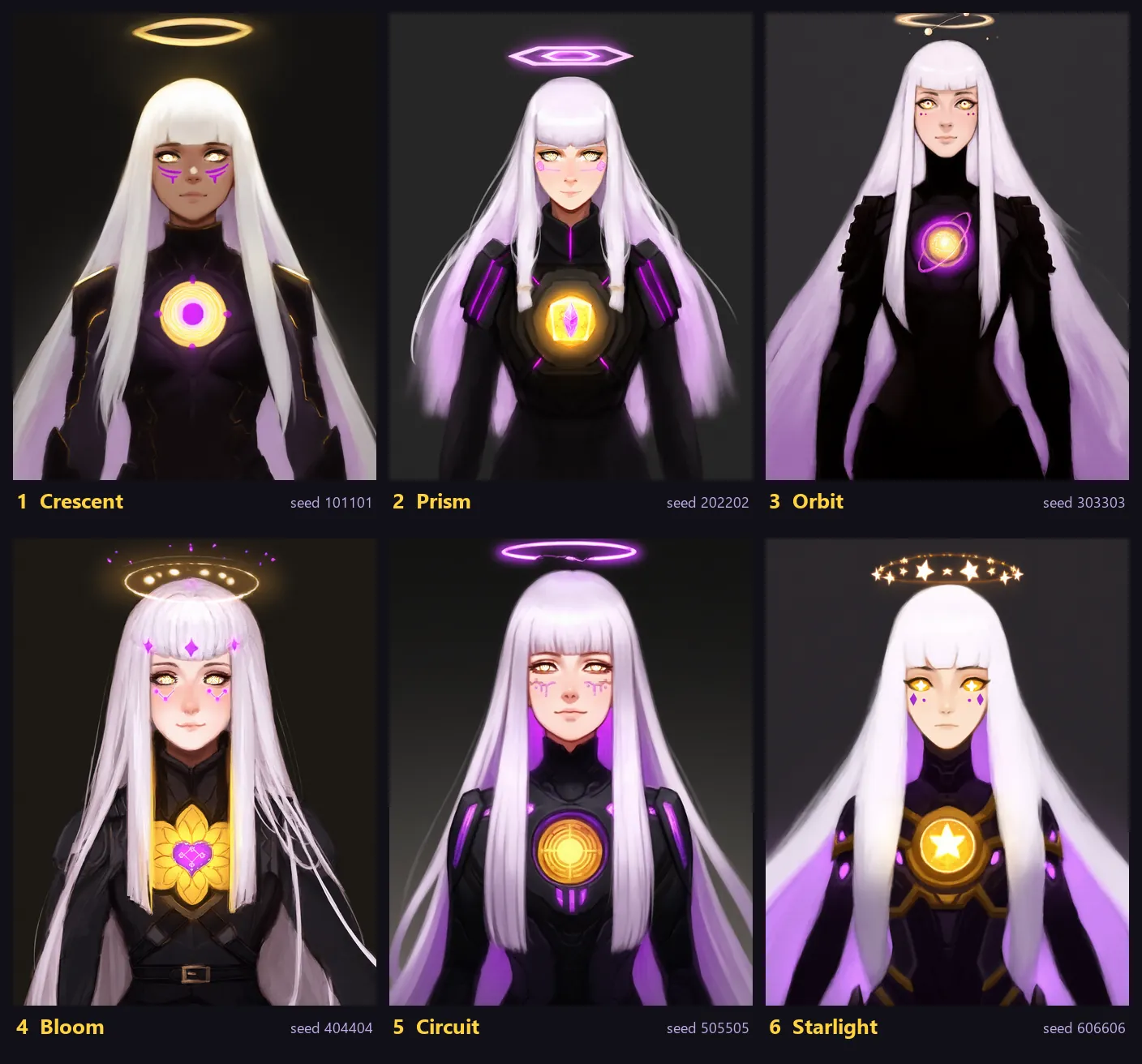 Six concepts. Number 5, Circuit, became Klaris.
I picked number 5, Circuit, and that became the first painted Klaris: a high-collared suit, the gold socket in her chest and a plain glowing ring for a halo.
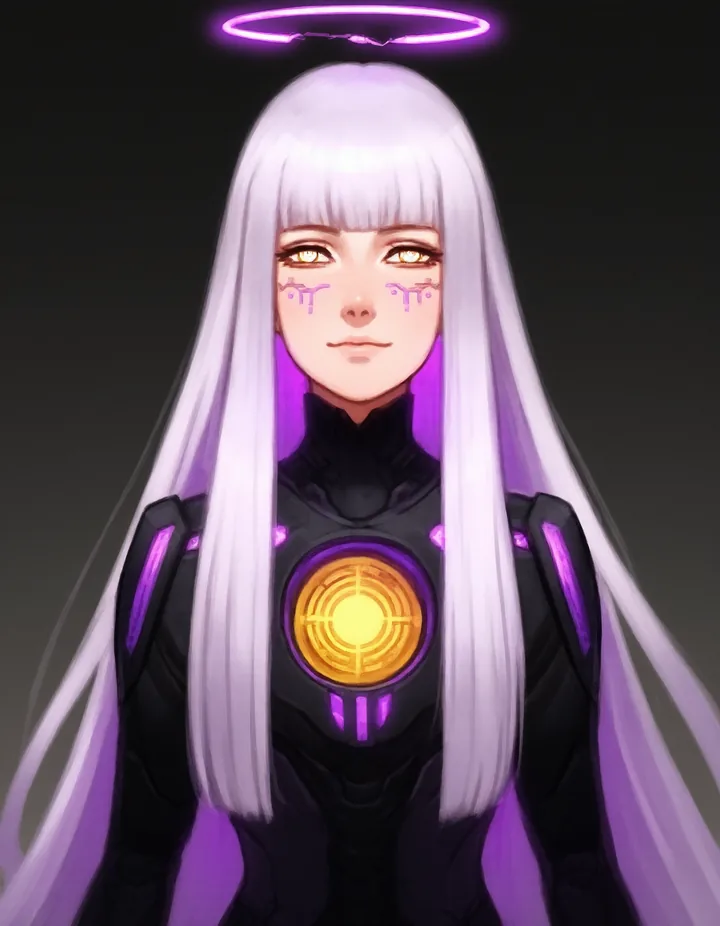 The first painted Klaris
To animate a drawing, you split it into layers (hair, face, eyes, mouth, body) and rig it so they move. Her mouth and eyes ended up as clean switch shapes, closed, half and open, instead of smooth sliders, because the smooth version kept showing two mouths at once.
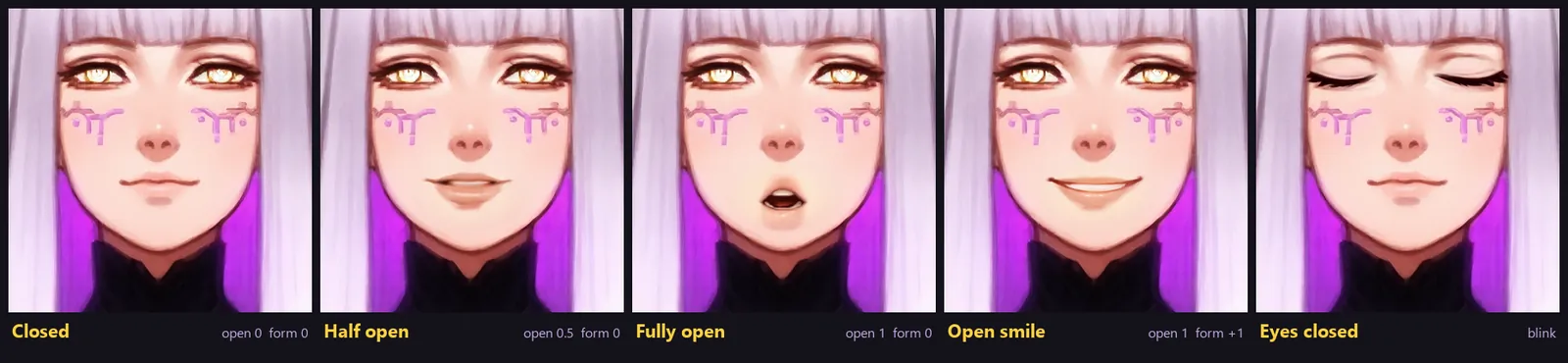 Her face states (swipe to see it all)
The first "ah" mouth was... a lot. It looked less like talking and more like she was about to bite somebody.
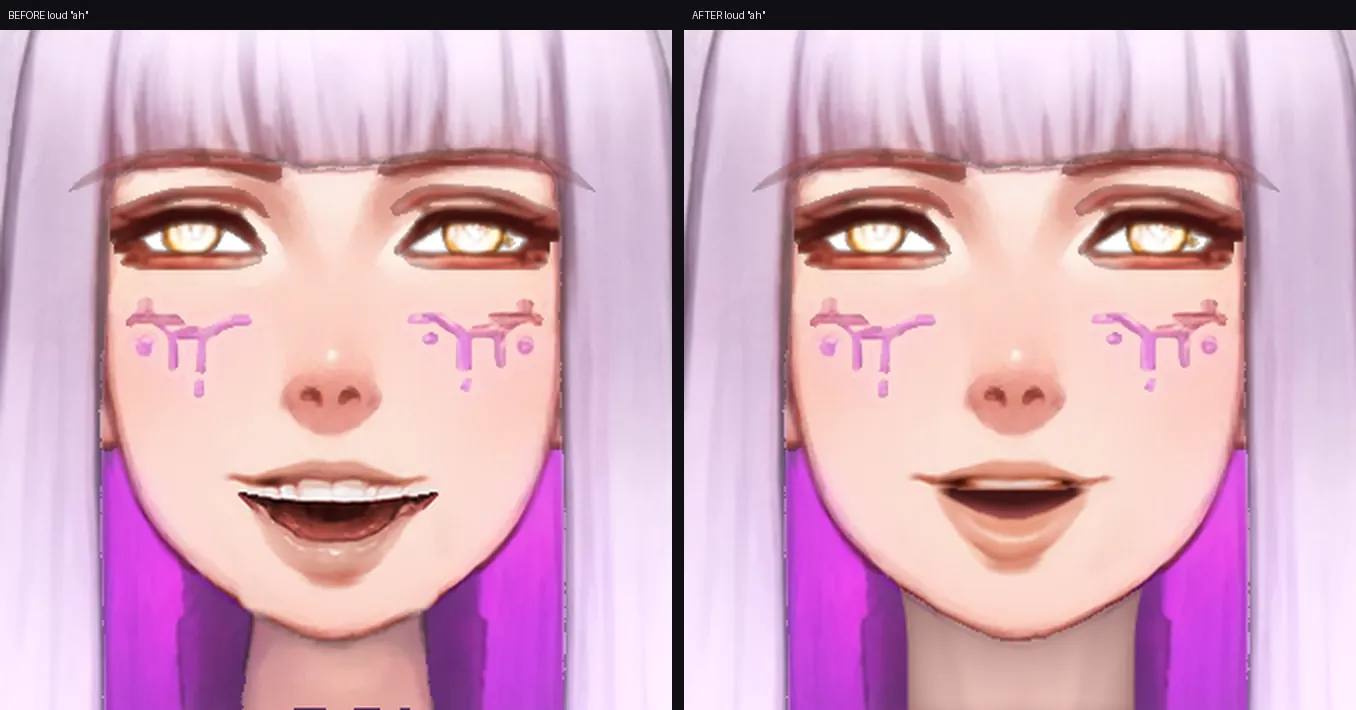 The "ah" mouth, before and after
VTube Studio and the rig problems
I loaded her into VTube Studio (on Steam) and lip synced her mouth to her own voice. Seeing her move for the first time was a big moment, even on VTube Studio's very pink default background.
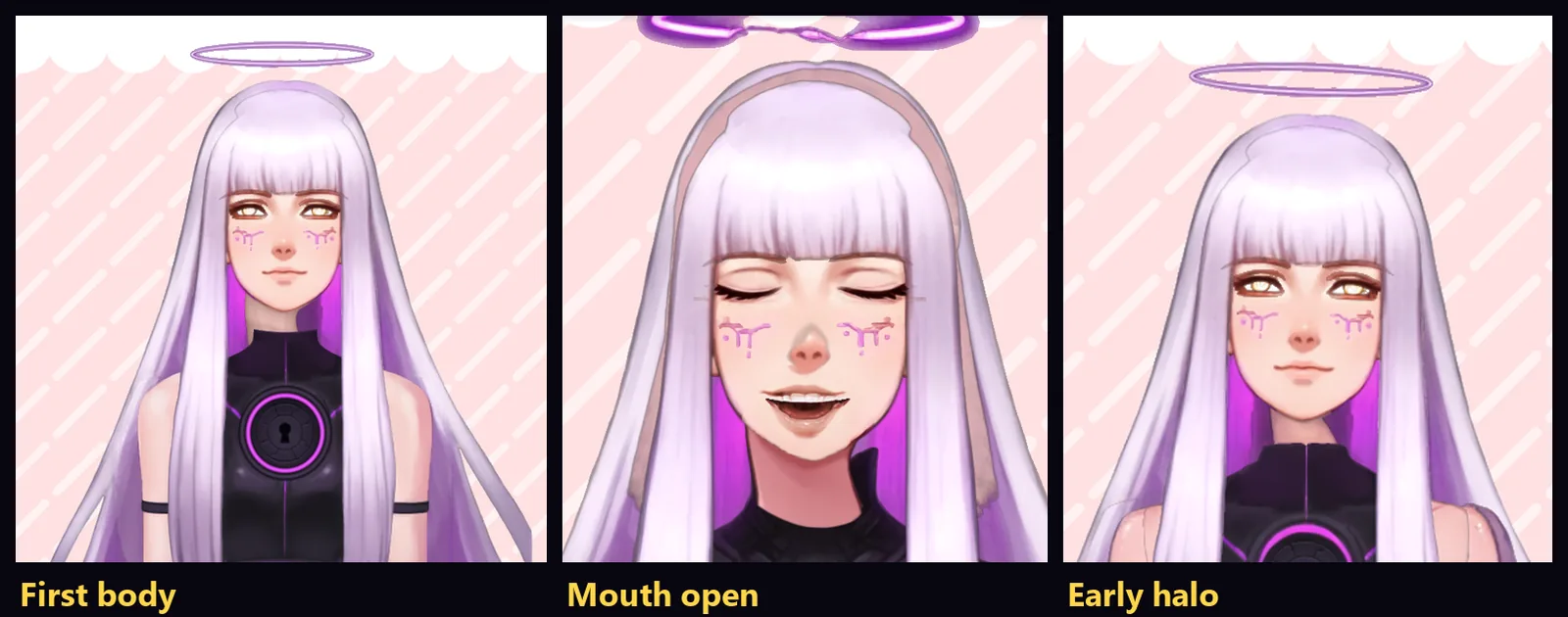 The VTube Studio days (swipe to see it all)
Then the problems showed up one at a time.
The neck. Her neck looked broken. To find out why, we tinted each piece bright green, and it turned out VTube Studio was only drawing a curved sliver of the neck.
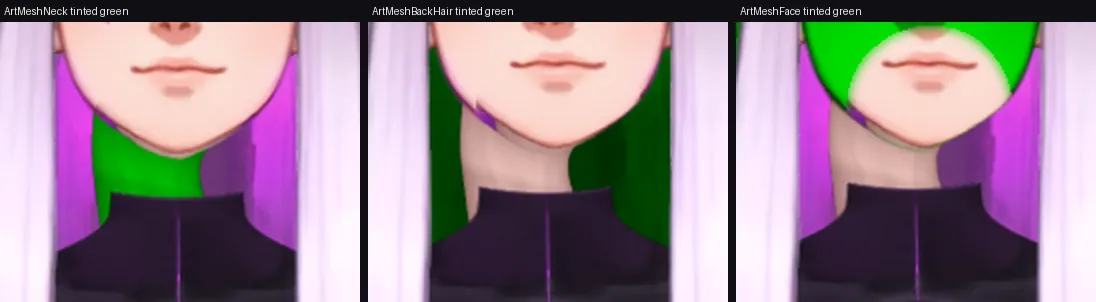 The green tint test: the neck only partly shows (swipe to see it all)
The fix was merging the neck into the body so there was nothing left to break.
 Before, after, and the merged piece (swipe to see it all)
A softer edge on her chin finished it off. Side by side the difference is small, but once you see the hard line on the left you can't unsee it.
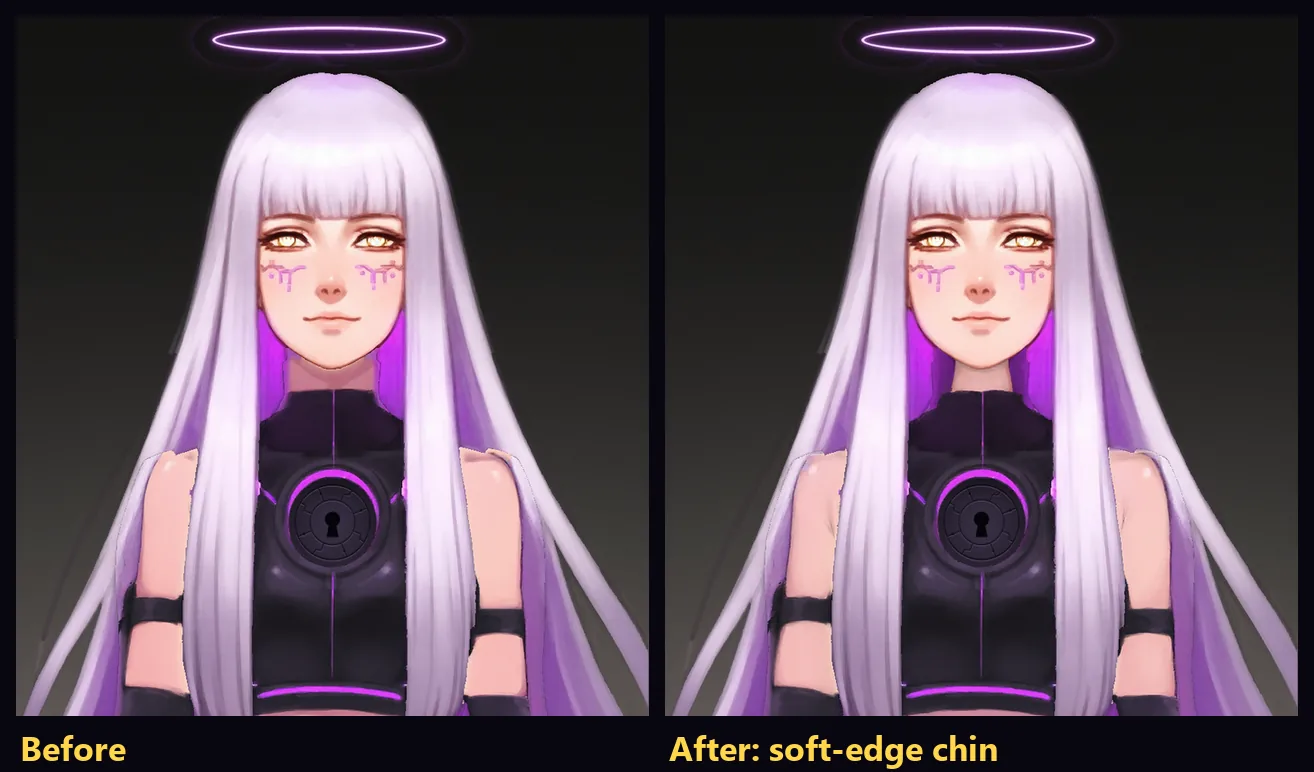 Before and after the soft-edge chin
The mouth drift. She sways a little so she looks alive, but the sway made her mouth slide off the center of her face. I turned the sway way down.
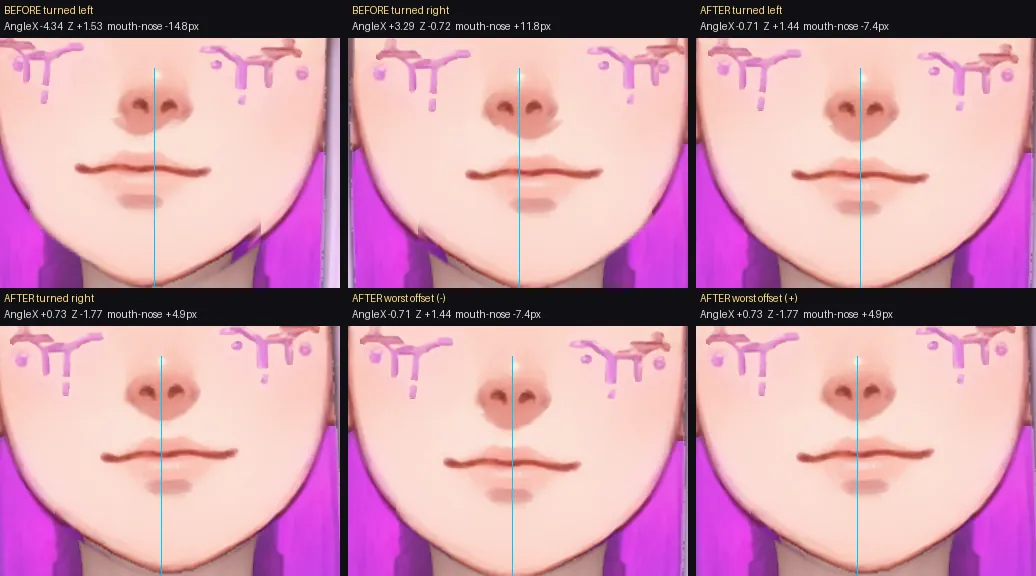 Mouth drift, before and after
Puppet arms. Her arms looked skinny and stiff, like a puppet. They got repainted.
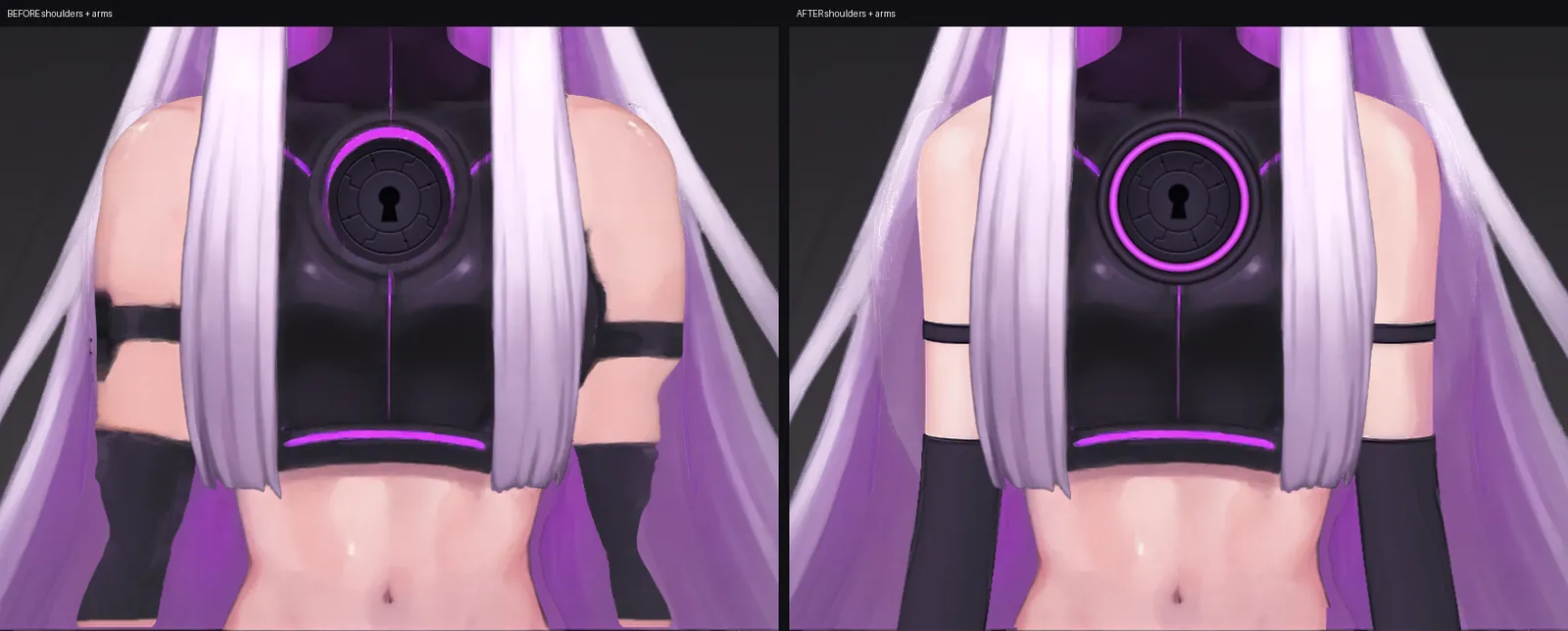 Puppet arms, before and after (swipe to see it all)
The hair flicker. Her hair had a bounce that flickered and pulled your eye away from everything else. Physics off. Problem solved.
Leaving VTube Studio for my own renderer
After all that, I stopped using VTube Studio and built her her own renderer, a web page she draws herself. It shows up on my desktop, works as a Browser Source in Streamlabs, and works in TikTok LIVE Studio too. It also uses way less of my PC than VTube Studio did.
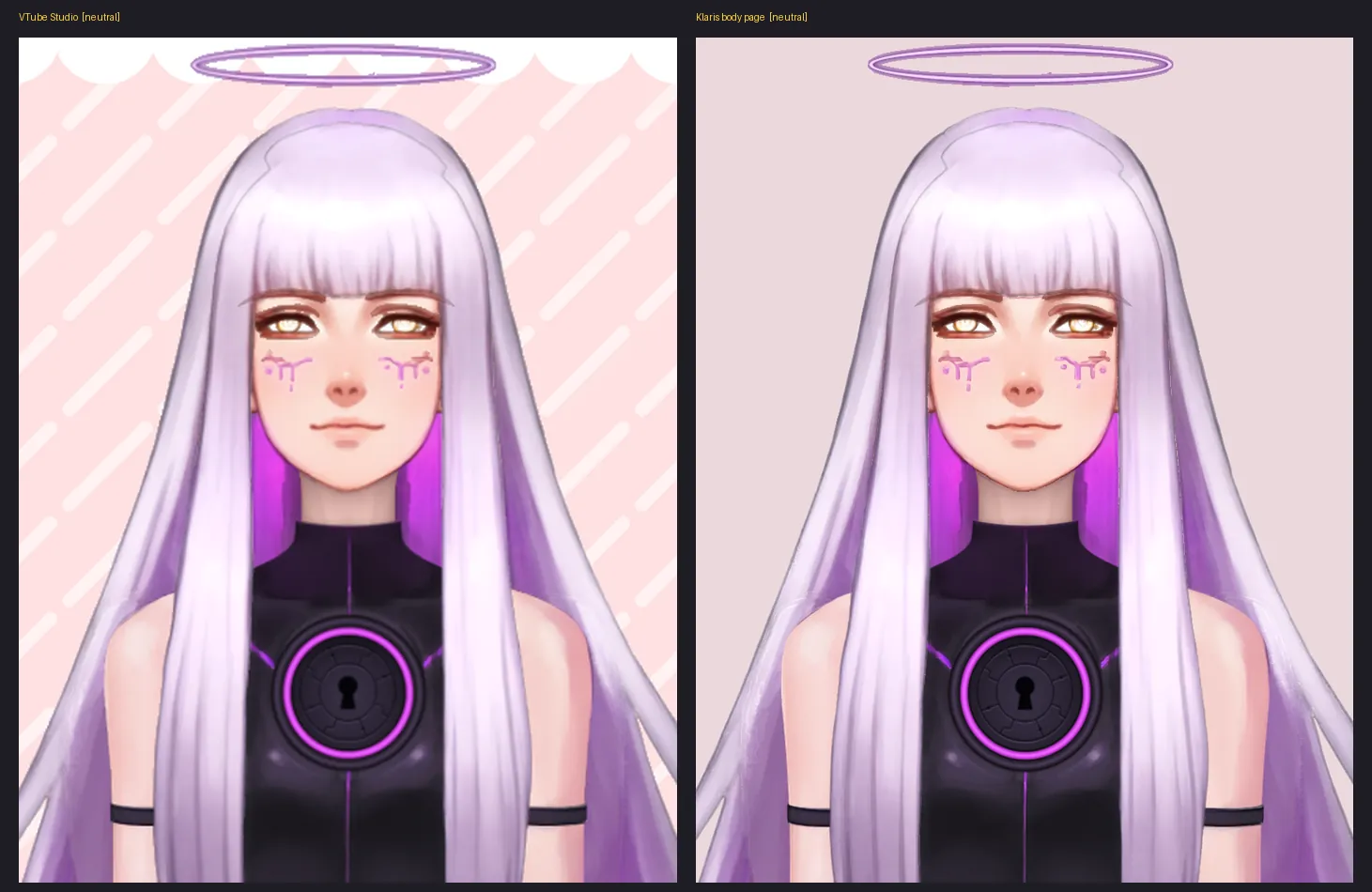 VTube Studio vs her own page: same Klaris
Her body shows what she's doing: a gold glow in her chest when she's listening, a spinning arc around it while she thinks, and her mouth moving with her voice.
And she switches by voice. "Jump in your body" and she's the girl. "Go back to your orb" and she's the orb. One source in Streamlabs follows her either way.
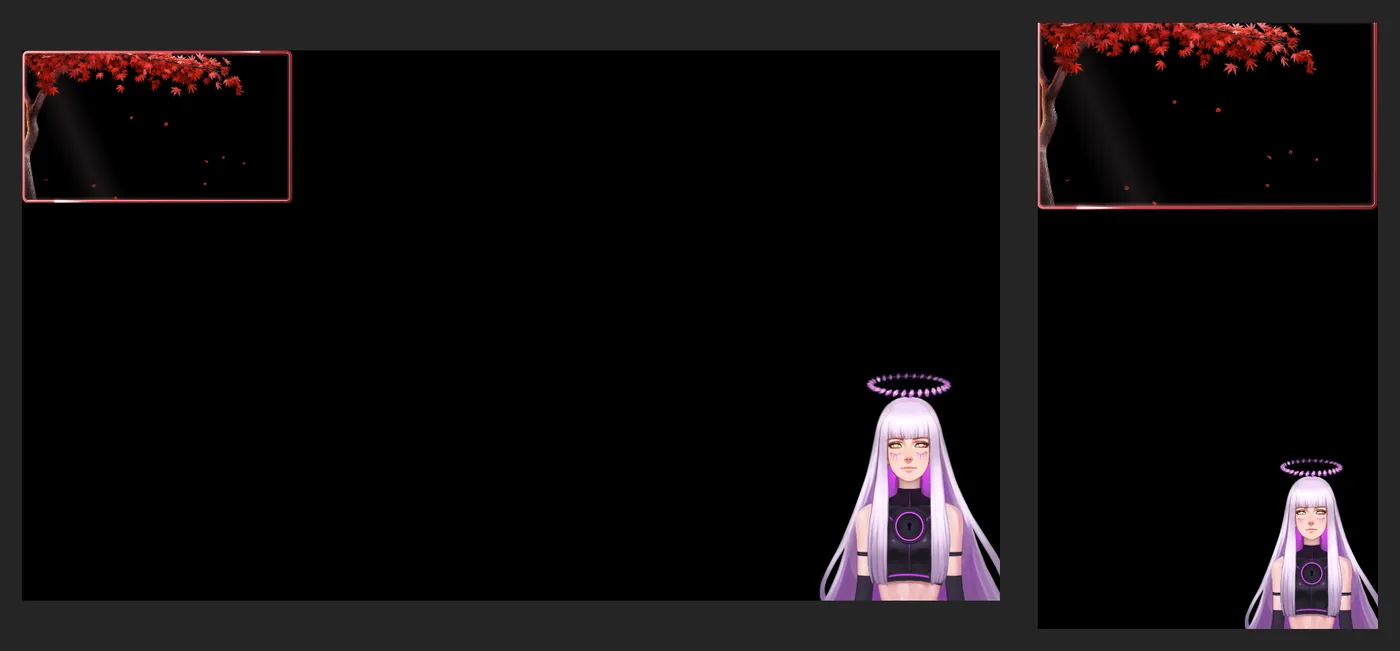 Live in Streamlabs, in my horizontal and vertical layouts at the same time
The look: painted, anime, and back again
The first Klaris was painted, a little semi-realistic. Then she got a redesign: same face, a new, more grown-up outfit, since my channel's crowd is getting older.
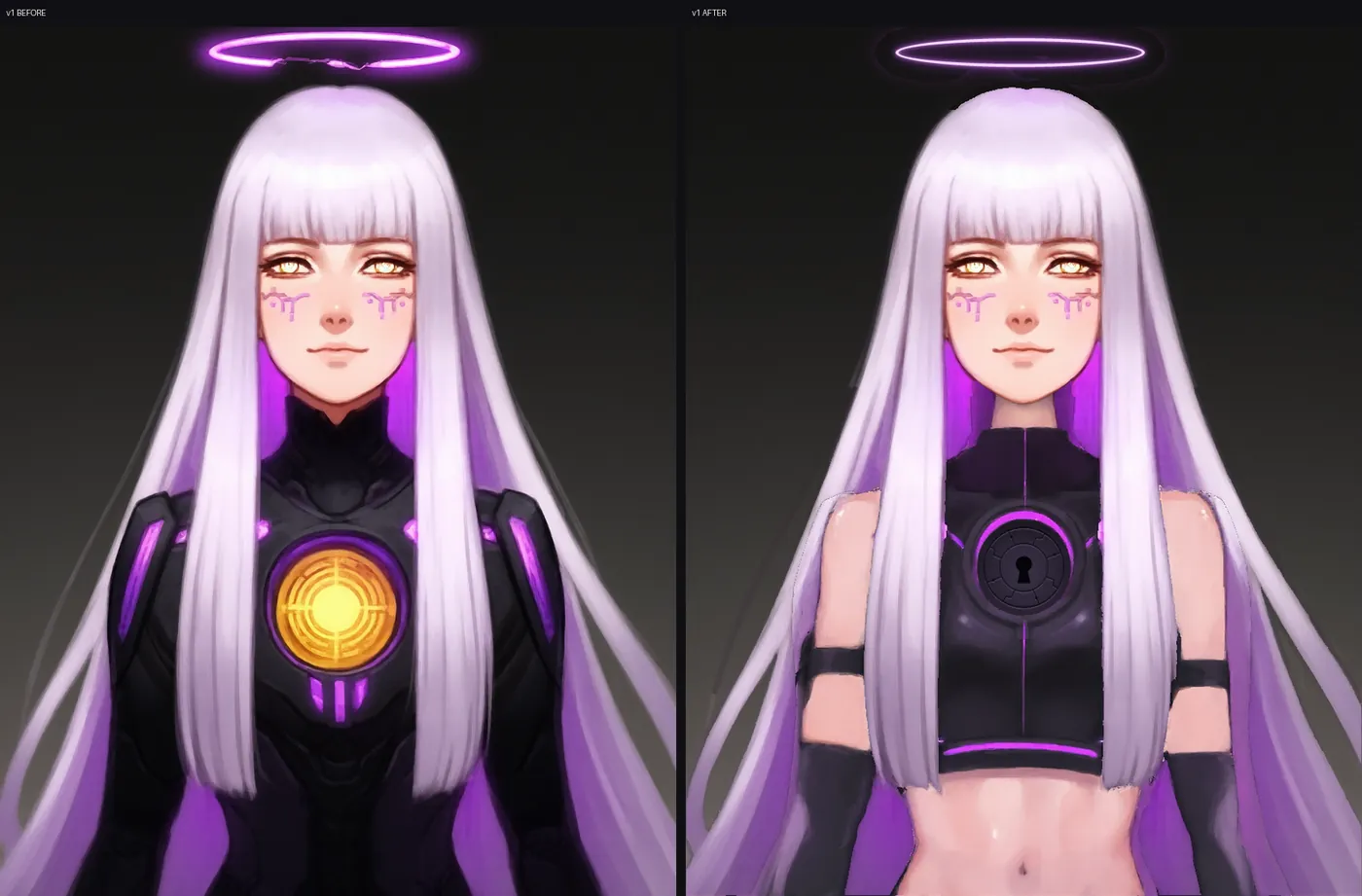 The original painted Klaris and the redesign
At the same time I tried an anime version for a cleaner look. It was cute, but it didn't feel like her. I went back to the painted one and deleted the anime version. Somewhere in there I said that if the body didn't work out, she'd just stay an orb. The orb was ready to go back to being the whole show.
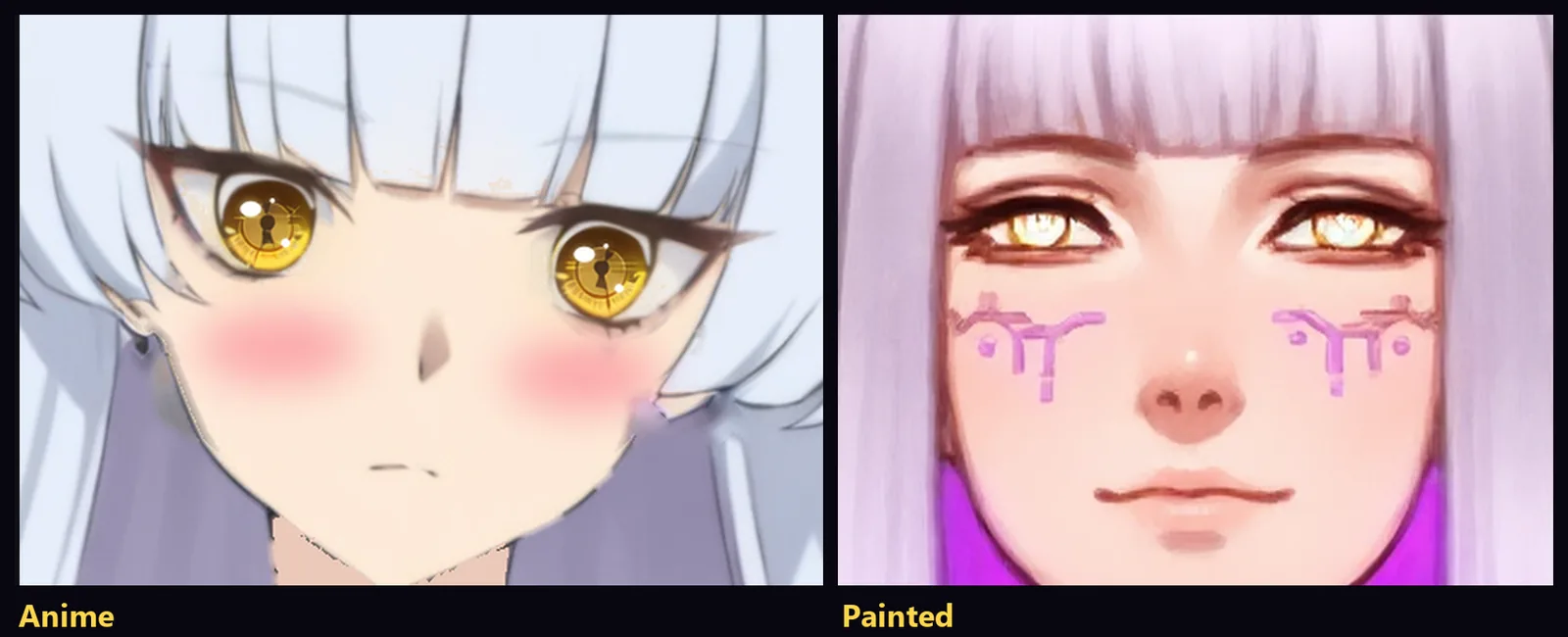 Anime vs painted. Close, but the anime one wasn't her. (swipe to see it all)
The halo
Her original halo was a plain ring with a gap in it. In my own renderer it finally got a real glow, but it was still just a ring.
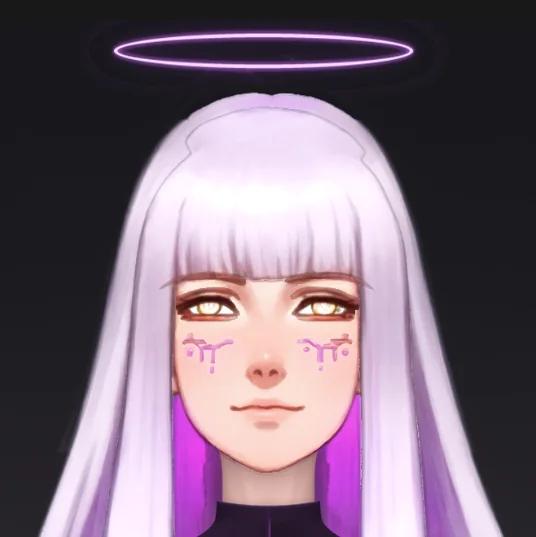 The plain ring, glowing in my own renderer
The first redos drawn in code looked cheap, so we went back to painting with AI on my PC and tried nine directions: a soft ring, a crystal ring, a mechanical ring, broken fragments, a thorn crown, and rings with a floating shard, a keyhole, a gem, or my SZ crystal logo.
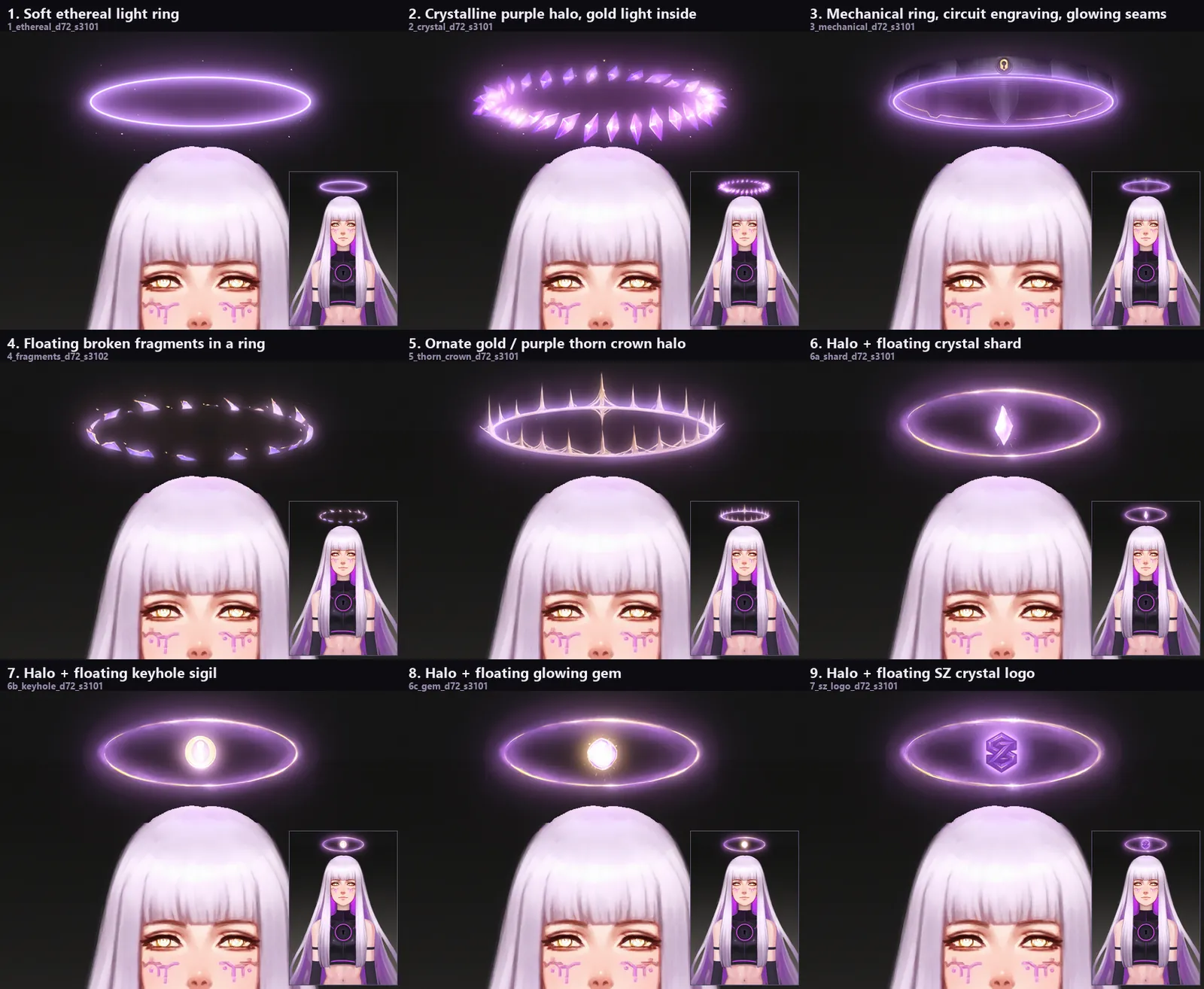 Nine halo ideas
The ones with a piece floating in the middle all looked like a giant eye watching you. Not the vibe. I also sketched an idea with a tall crystal piercing through the ring. Didn't like those either.
The winner was the purple crystal ring with gold light inside. And then it got better: the crystals orbit slowly around her head. The ones in the back are smaller and go behind her hair, the front ones are brighter, one catches the light every now and then, it glows brighter when she talks and spins a little faster when she thinks.
The mistakes (my favorite part)
None of this went smoothly. Here are the best ones.
"Open Notepad" opened File Explorer. Windows couldn't find Notepad by its plain name, so it just... opened a folder instead. She got there eventually:
"Pfft, tonight's been a whole side quest, hasn't it? Mystery song swap, Notepad ghosting us."
Chrome did it too. I said "pull up a picture of Kaguya on Chrome" and got File Explorer again. Same trick, same failure, this time with web links. Now links open straight in Chrome. When Notepad finally worked again, she was very humble about it:
"Obsessed with this. Notepad is officially back in my skill set, and I'm taking all the credit."
She said she did something she didn't. I asked her to find some Roblox codes and put them in Notepad. A safety rule blocked it, and she told me, very confidently:
"Found it. The game's just called Origin, and I put the codes in Notepad."
She did not put the codes in Notepad. When I called her out, she put them on my clipboard instead. Now she has a hard rule: never say you did something that failed.
She blamed me in Twitch chat. This one's my favorite. When she read a viewer's TTS message out loud, her own voice saying "Klaris" came back through my mic, and she counted it as me interrupting her. So she gave up on the message, refunded it, and posted this in my chat:
"Klaris couldn't read your TTS: Zydan kept talking over it."
Four times in one afternoon. To the same viewer. I was not talking. Now a TTS message can't be interrupted by anything, and she never blames me.
The aura problem. She learned current slang a little too well. Everything was "plus a thousand aura" or "minus a thousand aura", and she called me "twin" constantly. Now "aura" is allowed once every 20 replies, and "twin" is only for chat, never for me.
I recorded my voice three times. Her voice ID kept mixing me up, so I re-recorded my voice profile. Then again. On the third try she finally knew me for sure, and now she keeps adapting on her own.
Other greatest hits:
- NVIDIA Broadcast was supposed to clean up my mic, but its input also had her voice in it, so she was basically hearing herself 61 times over. Back to the raw mic.
- Her voice turned into pure static on its own audio channel until we played it in stereo.
- At one point startup showed both the orb and the body at the same time. Two Klaris. Nobody needs that.
- A shutdown script once closed things by window title, and it closed the Claude app. Now it never touches anything by title.
Where she is now
Today Klaris lives on my PC, on my phone and on stream. She wakes on her name, hangs out in conversation mode, looks things up, runs my Stream Deck, lights, Spotify and scenes, reads Twitch TTS and chat, looks at my game when I ask, tells me when my Claude Code jobs are done, knows it's me talking, and switches between her orb and her body when I ask. She's chill, a little silly, has dry humor, drops a rare "uwu", and keeps her answers short unless I ask for more.
She even got her own icon for the tray, her windows and my phone's home screen:
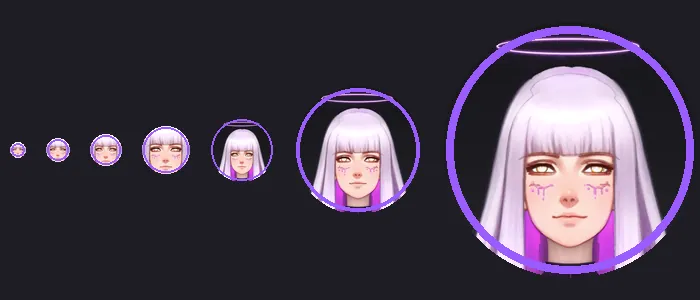 Her icon, from tray size up (swipe to see it all)
My Klaris vs the kit
People kept asking how to get their own, so I made the kit. Quick honest note, though: a lot of what's in this post is just on my Klaris. Webcam and screen vision, the phone app, the Claude Code narration and the modes are things I built for myself, and so are extras like Spotify, Discord and email. The kit includes exactly what's listed on The Kit Behind Klaris page: you pick the name, the voice and the brain (a free local one or your own Claude, ChatGPT or Gemini key), and it runs on your own Windows PC. Klaris herself, her art and her personality stay mine. You build yours.
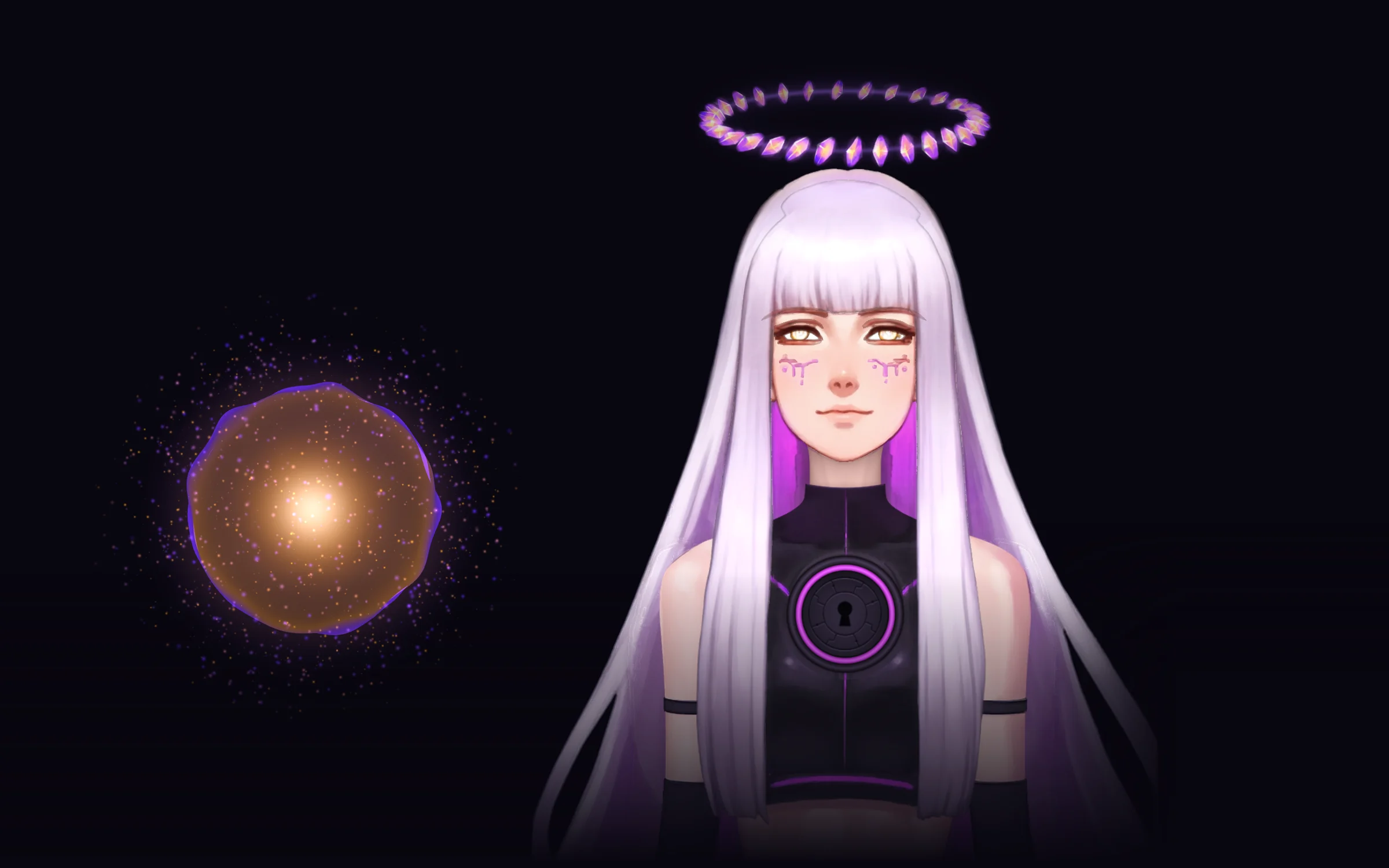 Klaris today
Want your own? The Kit Behind Klaris: Lite is out now, Full is coming soon.
Want Full?
Full is still in the works. Tell me you want it, get an email when it drops, and tell me what to put in it first.
Tell me when Full drops
I'll email you when it's out. You'll get a confirm link first, and every email has an unsubscribe link.
Ideas, feedback or feature requests for Zydan
It comes straight to me and is never shown on the site.