How I Built POW, My Own Roblox Game (and Why the Bots Kept Falling Over)
Build logBy SuperZydan18 min read
- Roblox
- Game Dev
- Claude
- POW
I can't code. Not "a little rusty." I mean I have never written a line of a game in my life.
Six weeks ago I typed "I want to make a Roblox game" into Claude Code. Today POW is live on Roblox, with five arenas, a Hot Potato mode, AI players that walk, chase and dodge, a dressing room, an AFK World, crates, finishers, leaderboards, an admin panel and a real Robux shop.
Under the hood that's about 118,000 lines of code, 2,473 automated tests and 800 saves to GitHub. I didn't write any of them. I did make every decision, test every build, play every match and argue about every button.
This is the whole story: what I built, why, what broke (a lot), and how I fixed it.
Play POW on Roblox (opens Roblox in a new tab)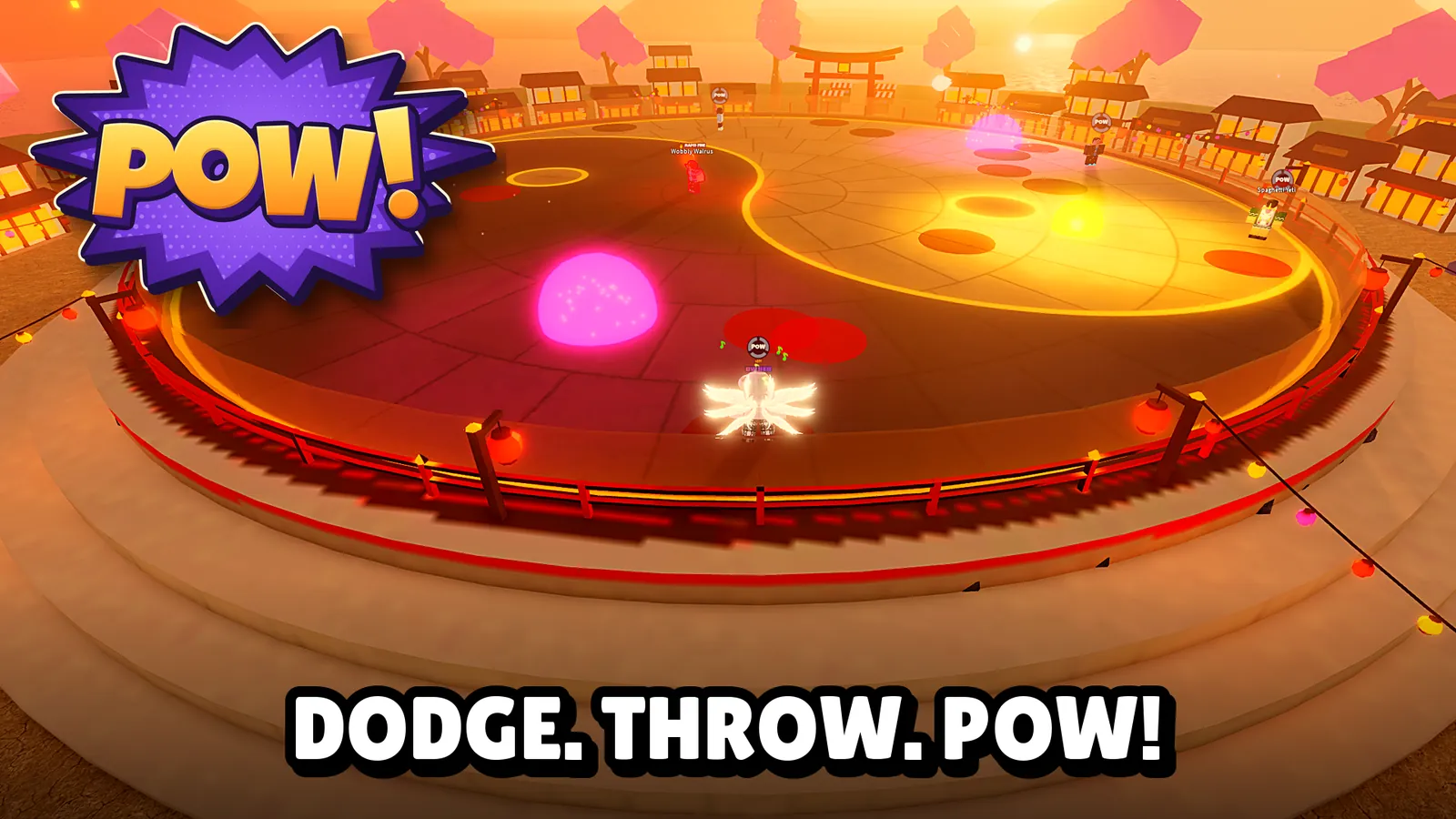 POW on launch day: Sakura Festival, mid-match.
The idea: a playground game
I wanted something simple. Simple map, simple rules, simple everything. So I went back to games we played as kids: sharks and minnows, freeze tag, hot potato, dodgeball.
The first version was called Spud, after the old playground game where someone tosses a ball up, calls a name, and everyone scatters. Four letters felt like too many hits, so it became POW:
- Throwers try to hit runners.
- Each hit spells a letter: P, then O, then W.
- Spell POW and you're out, and you join the throwers.
- Last runner standing wins.
That last rule is the heart of the game. Every knockout makes the throwing side bigger, so the pressure keeps building until one runner is dodging the whole server.
Rule I set on day one: keep it simple enough that a kid gets it in five seconds.
Step 1: setting up
I got the idea for how to set this up from SyphoDev's video on making a Roblox game with AI (go check out his channel). It showed me that Claude Code could write the game as normal files on my PC. From there I set up my own project:
- Claude Code doing the building.
- Rojo to sync the code into Roblox Studio, so the game lives in a real project folder instead of being trapped inside Studio.
- Automatic checks that run before anything gets saved: the tests, a code style checker and a "does it still build" step.
- GitHub so every change is saved and can be undone.
Then I gave Claude one rule file for the project: a plain-English list of how the game is built and what never to do. Every new session reads it first. That one file is probably the most important thing in this whole project, and a template of it is in the kit.
Step 2: the first prototype
The first playable version took one day. Grass field, a ball, throwers and runners.
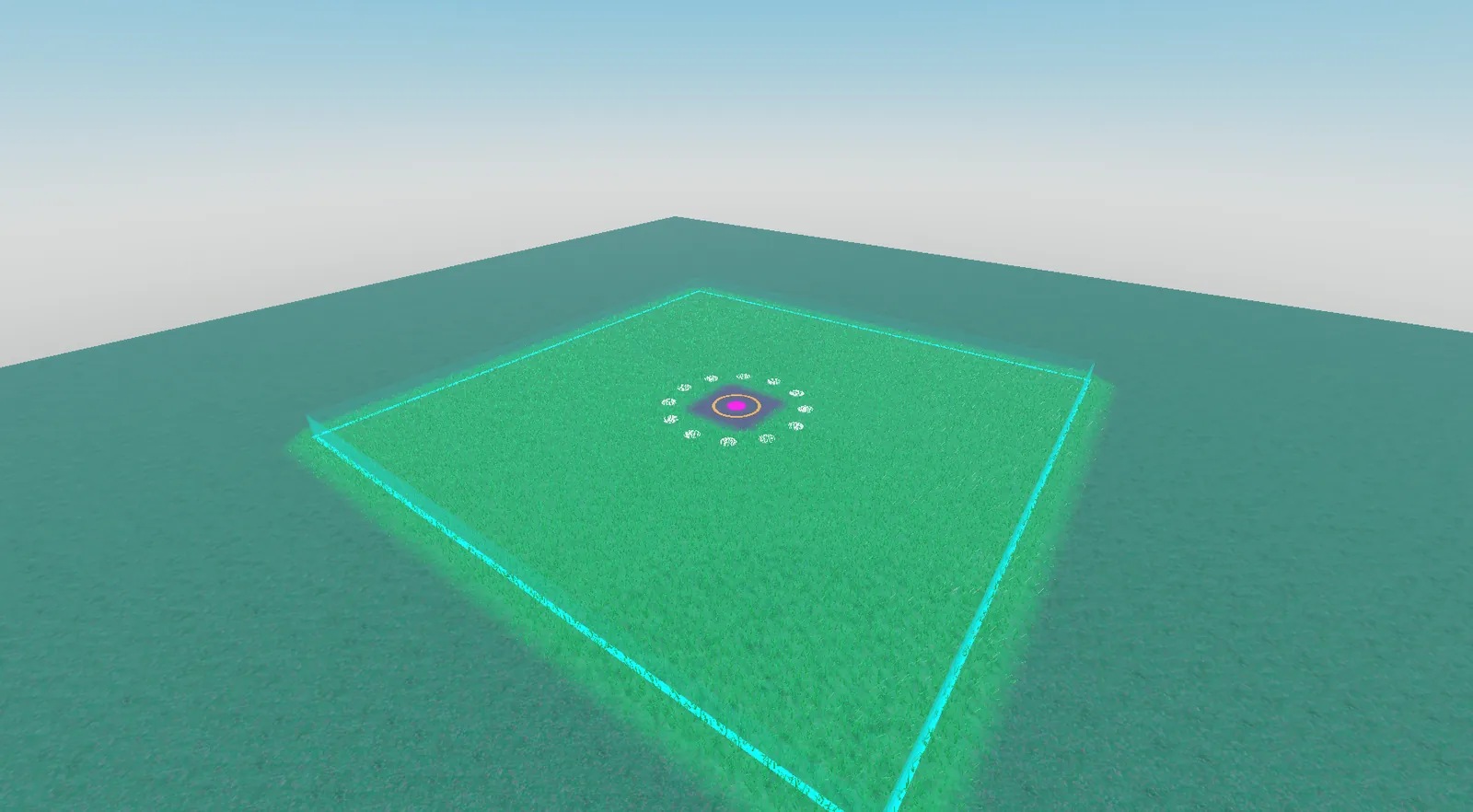
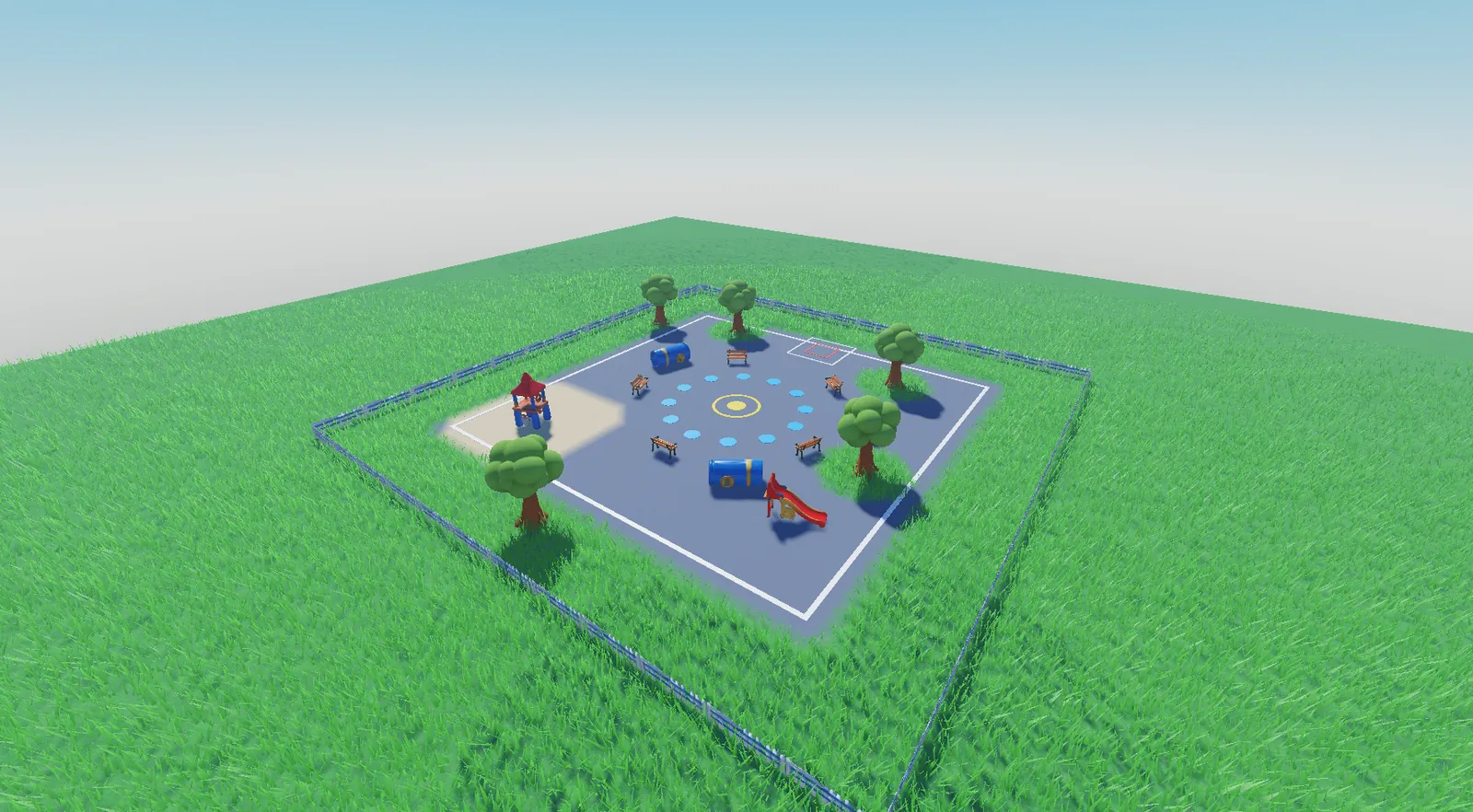
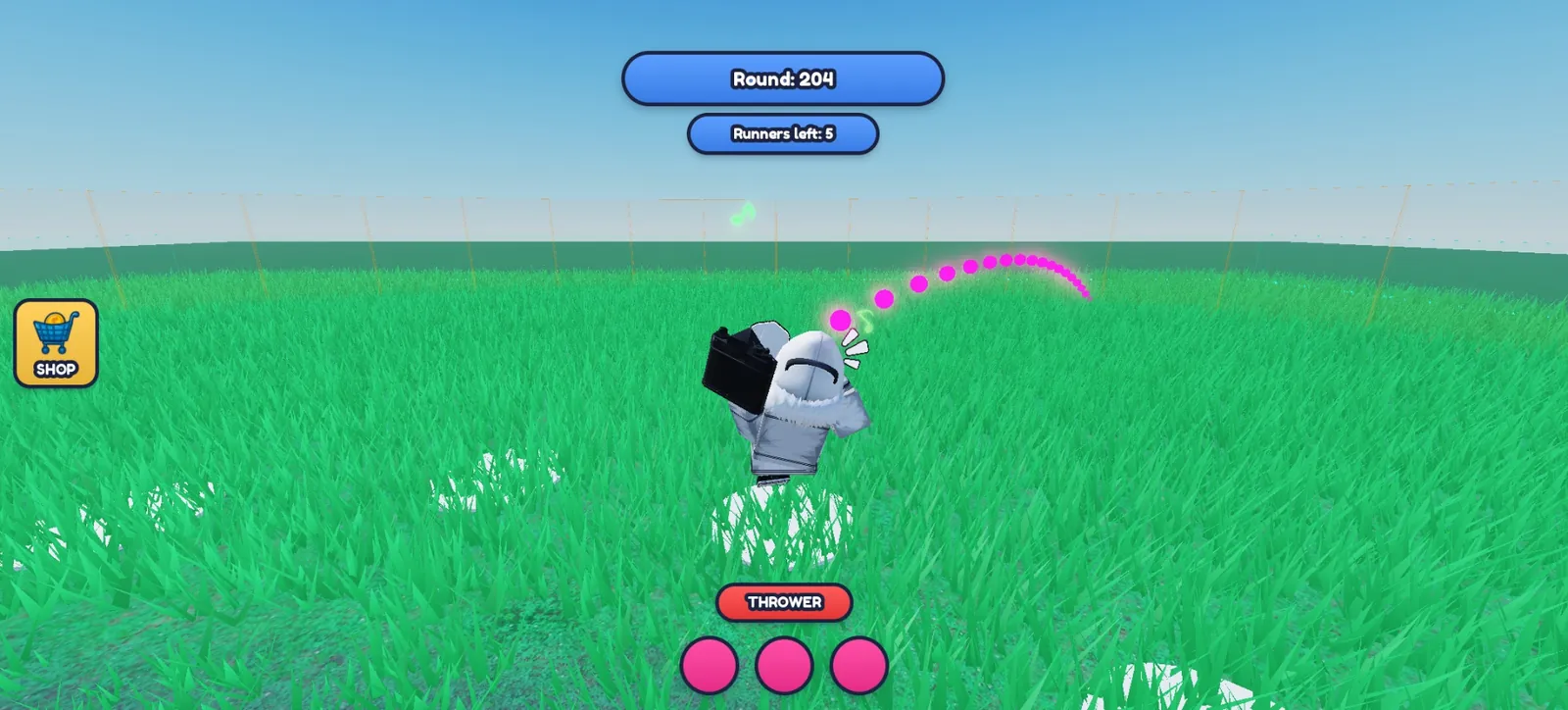
It worked. It also felt bad:
- The throws curved like a lob. I wanted them to fly straight where I aim.
- Custom animation packs made players float around like ghosts. Everyone now uses Roblox's default run and jump.
- The schoolyard props looked like a toddler playground. My audience is 10 to 16. That had to go.
So the next job was what I called the feel pass: the ball visibly in your hand, a real throw swing, a crosshair, shift lock anytime, and a ball that looks like a real dodgeball.
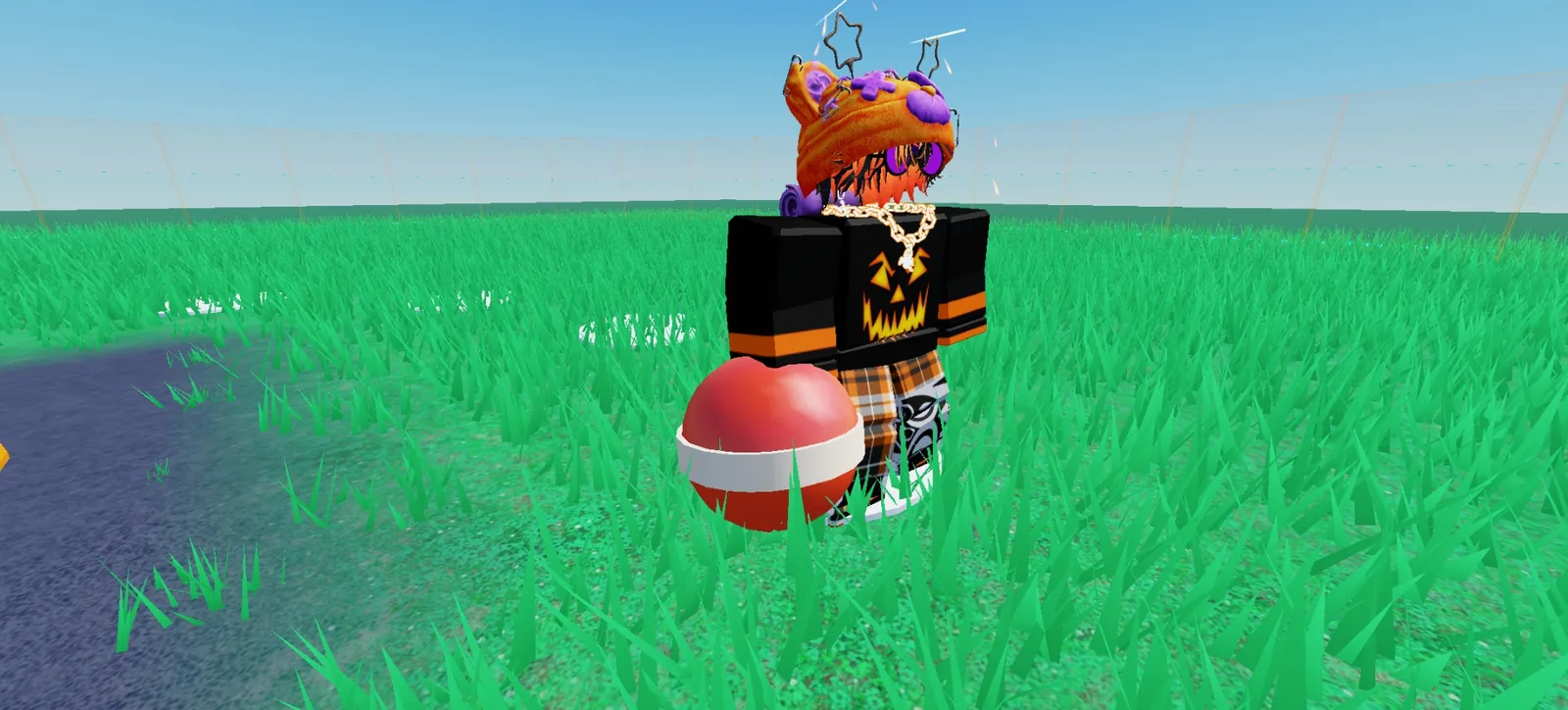
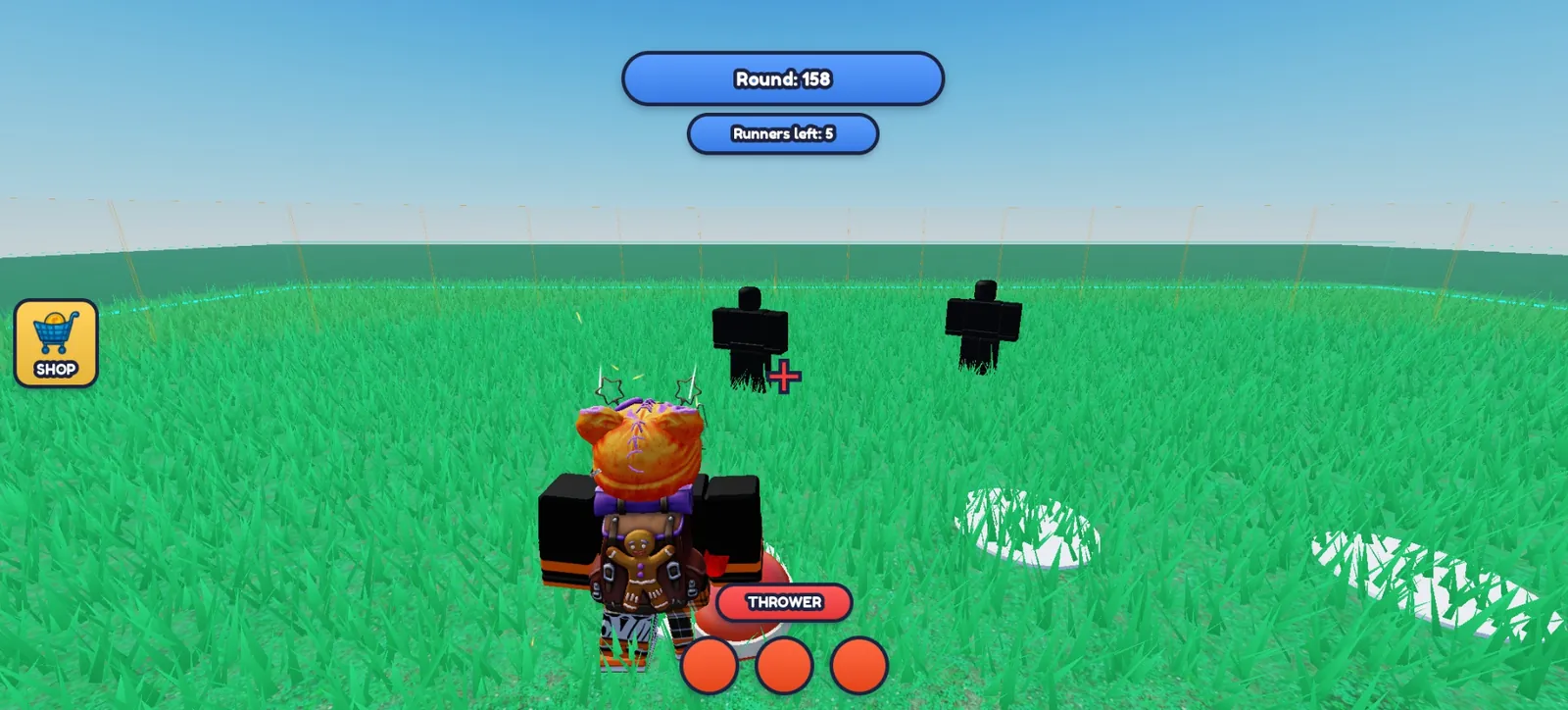
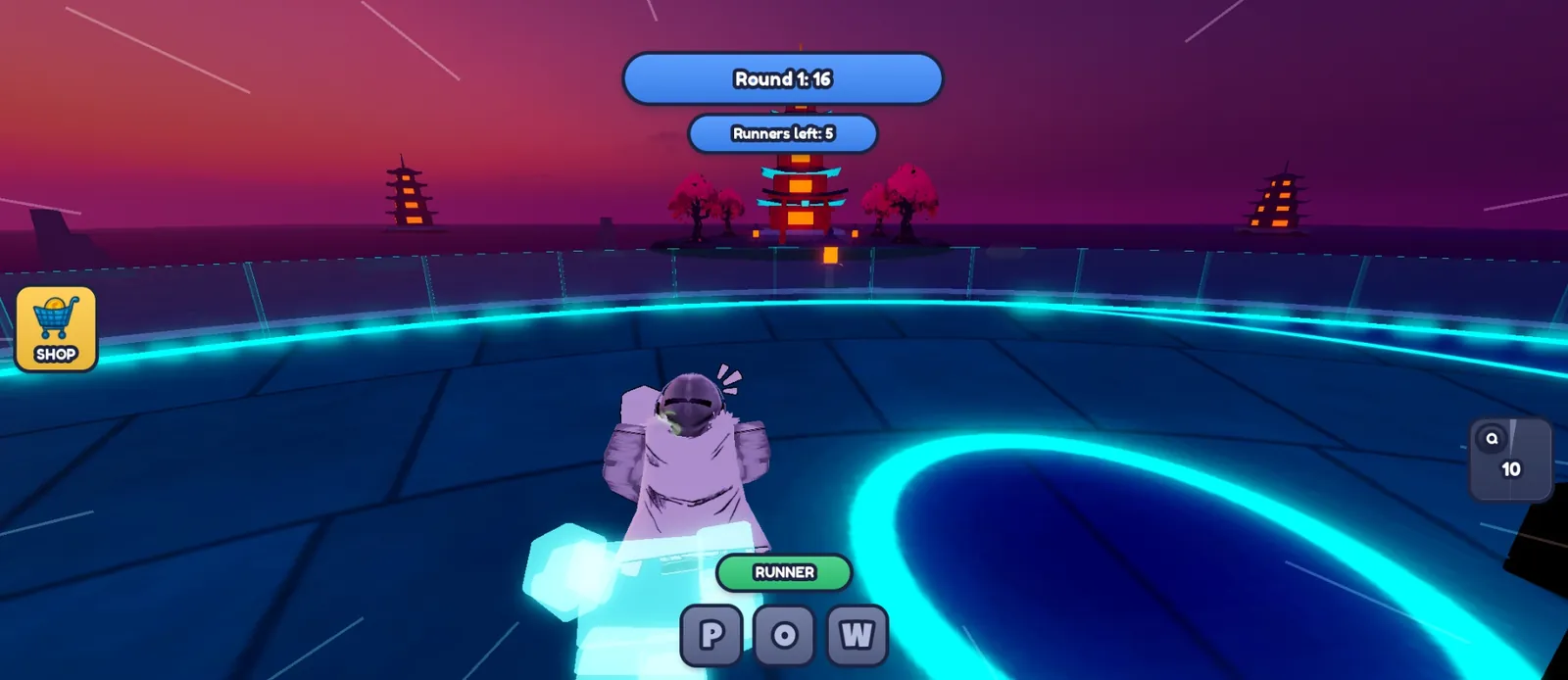
This is where I learned the most important lesson of the whole build: play it, then say exactly what feels wrong. "It feels floaty" gets you nowhere. "Runners float when they jump, force default animations" gets fixed in one job.
Step 3: how I actually work with Claude
This is the part people ask me about most, so here's my system.
One job, one prompt, one branch. Every feature or fix is a single written prompt. Claude Code works on its own copy of the project (a branch), runs every check, tests in Studio, and writes me a report. Nothing touches the real game until I say so.
Every prompt has the same shape:
- Read first: the rule file, the map of the code, the last report.
- Rules: what it must never do (never publish, never touch saved player data, test everything).
- Parts: numbered, in priority order.
- The report: what caused each bug, what changed, what it couldn't test, and a checklist for me.
The best trick: I run jobs while I'm at work or asleep. The prompt says "never wait for my answers, make the best call and list every decision at the end." I come home, read the report, play the build, and write the next prompt.
Picking the model. Small, clear fixes get a faster setting. Big or risky jobs (saving, Robux, the anti-cheat, the launch audit) get the strongest model with advisor mode turned on. Advisor mode lets the model doing the work check its plan and its hard calls with an even stronger model before it commits to them. It's like having a senior dev look over the shoulder of the one typing. For the jobs where a mistake could cost players their items, it was worth it.
I didn't learn to code. I learned to write really clear bug reports.
Step 4: the arena that started as a dragon and a tiger
POW's first real arena was supposed to be epic: a giant yin-yang floor where one half is a dragon and the other half is a tiger, facing opposite ways like a real yin-yang, on a platform floating on water at dusk.
We made a lot of versions. AI image concepts first, then options, then a dragon and tiger cut and fitted into the two halves.
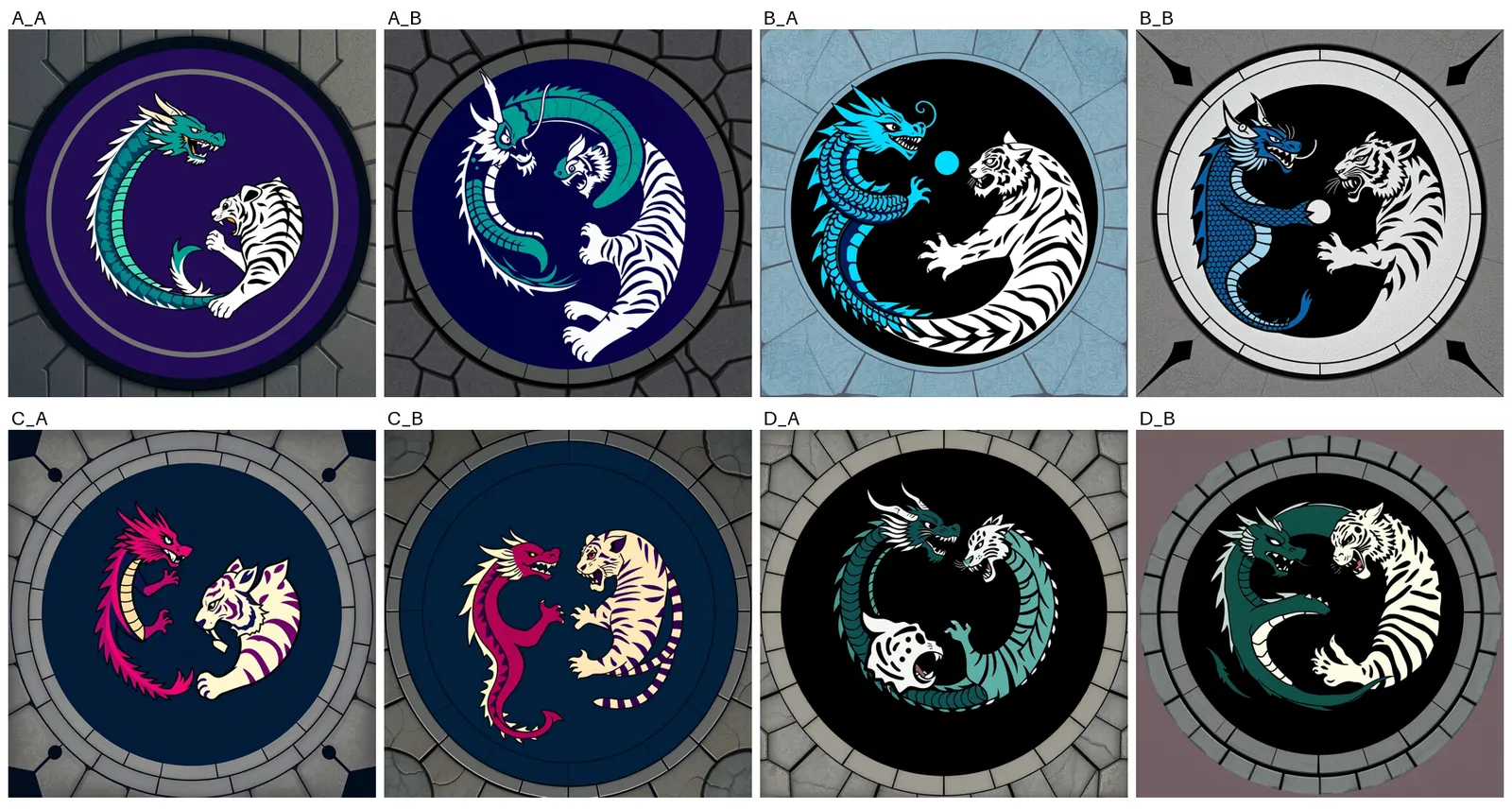
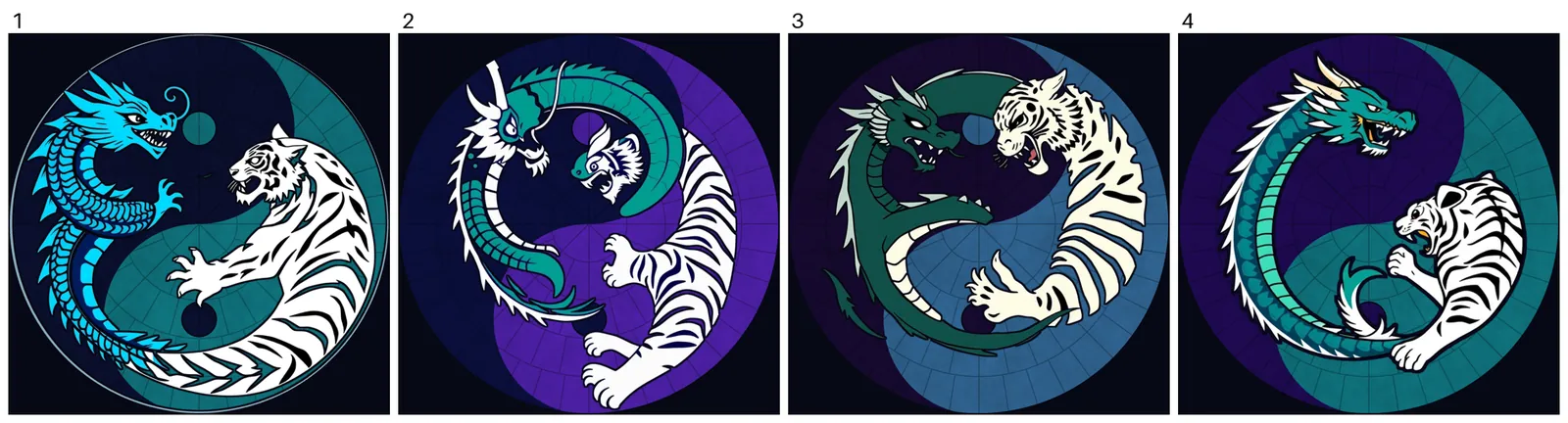
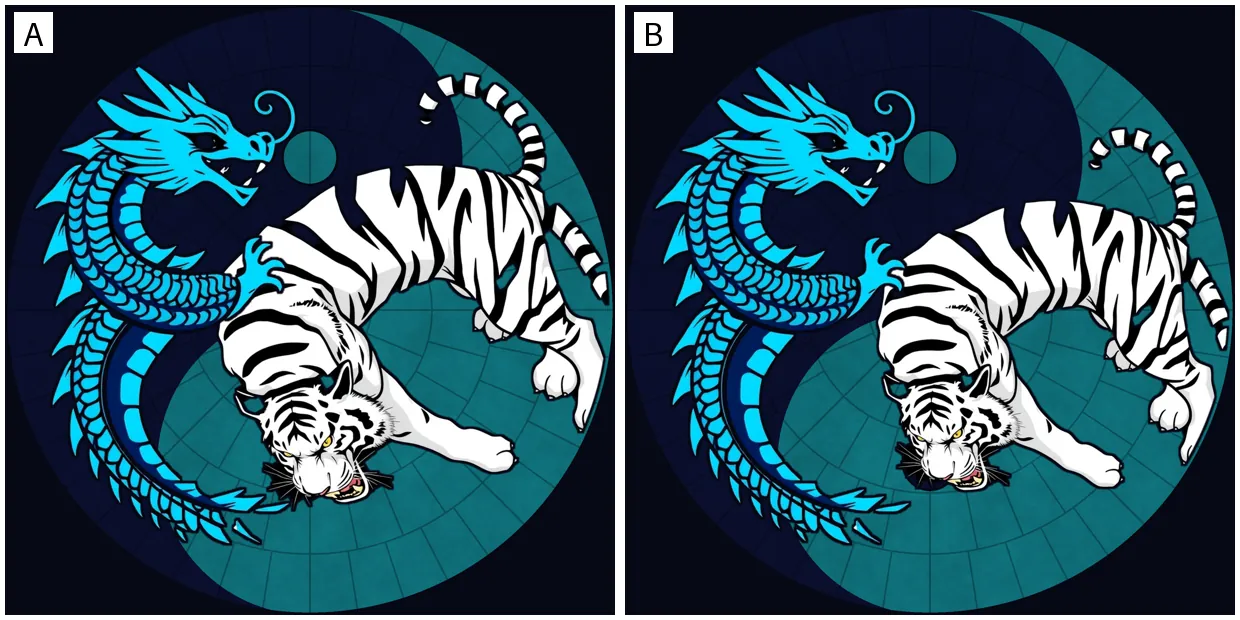
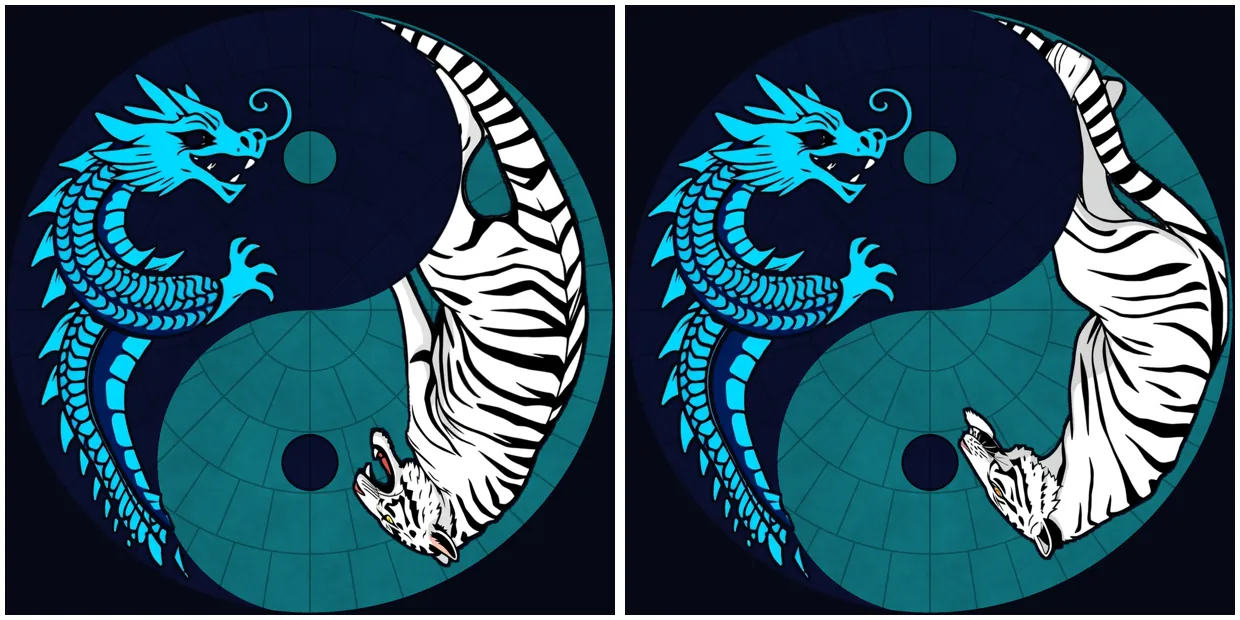
Up close they looked cool. In the game, from a player's height, mid-match? You couldn't tell what you were looking at. It was busy, it fought with the balls and the hit rings, and the "facing opposite ways" part never quite worked. My rule was: if the creatures don't work, go plain. So we went plain: a clean glowing yin-yang.
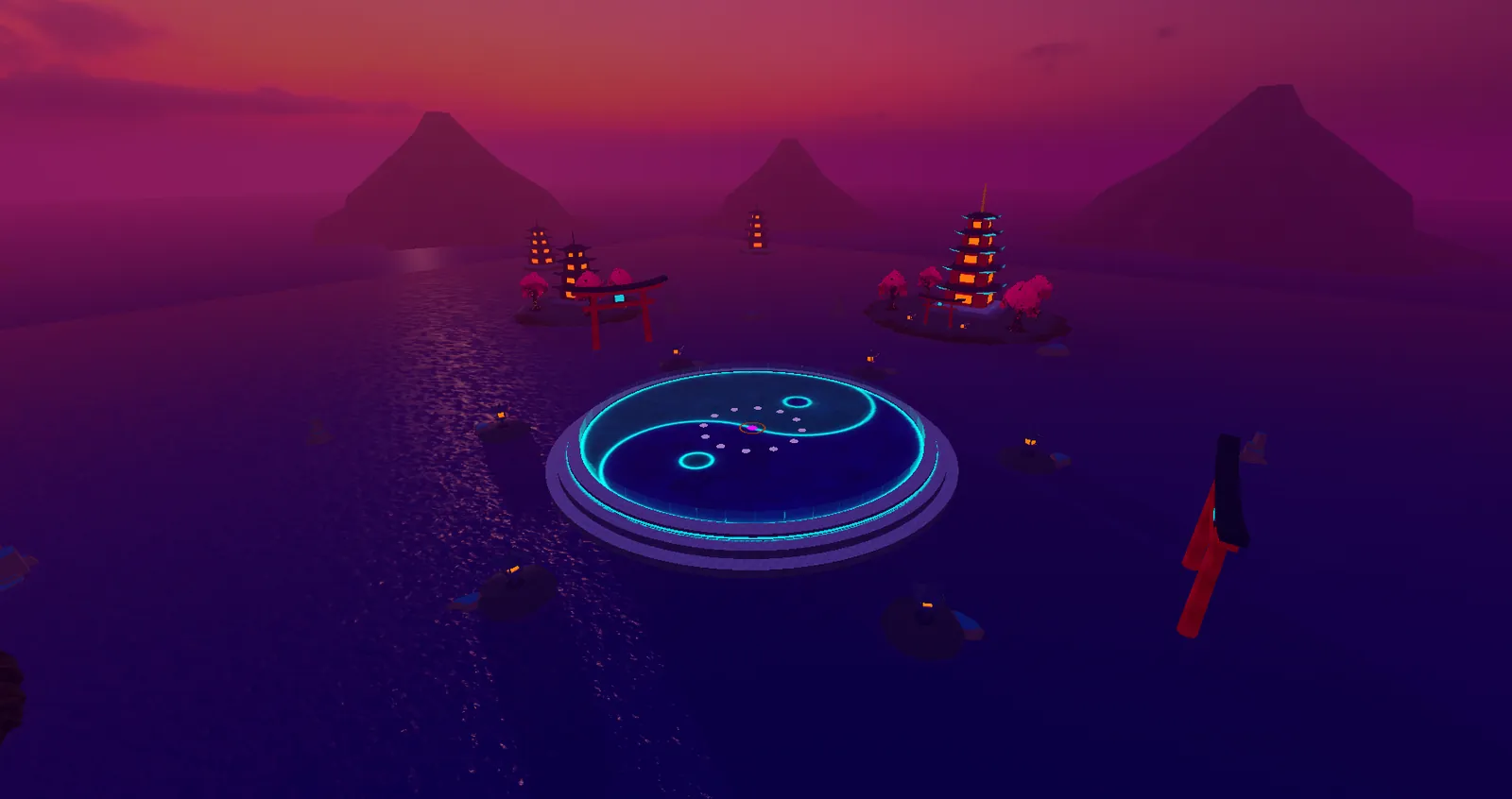
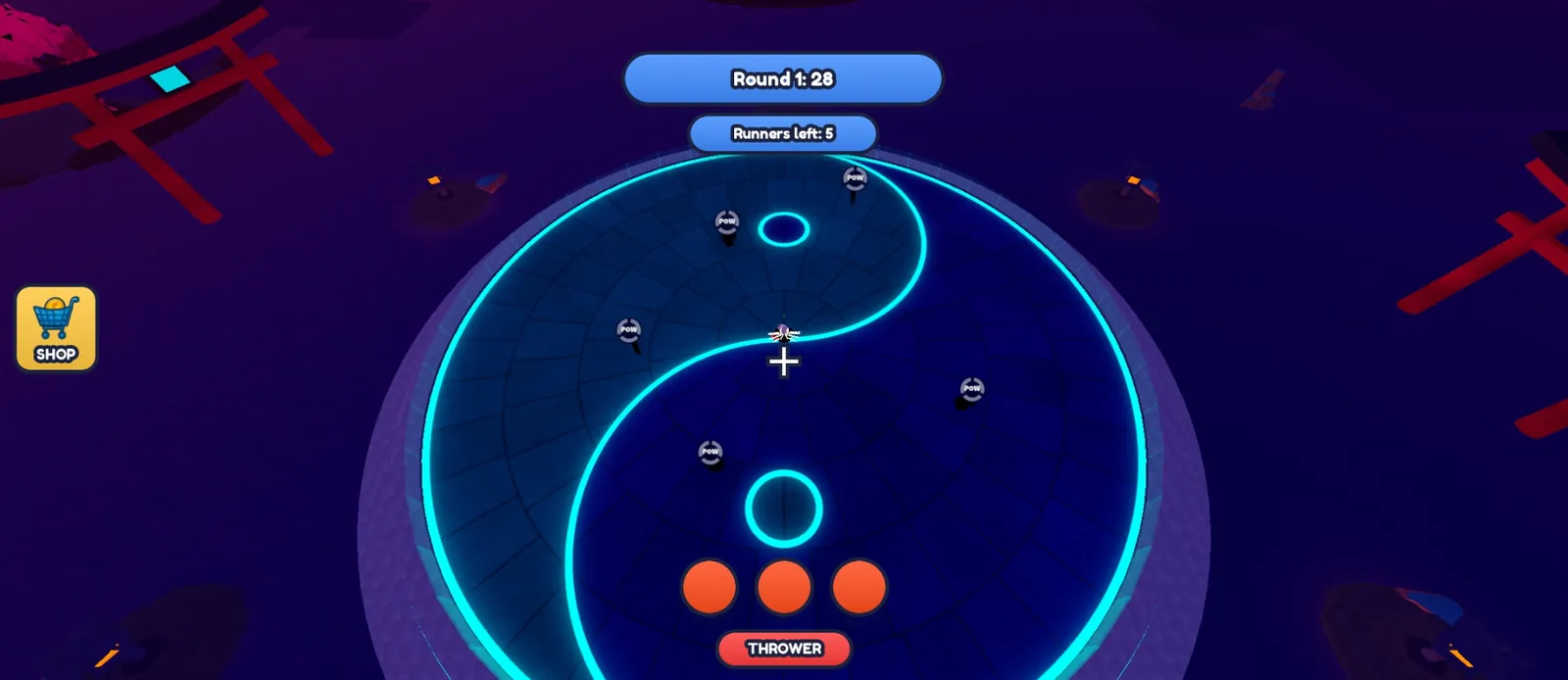
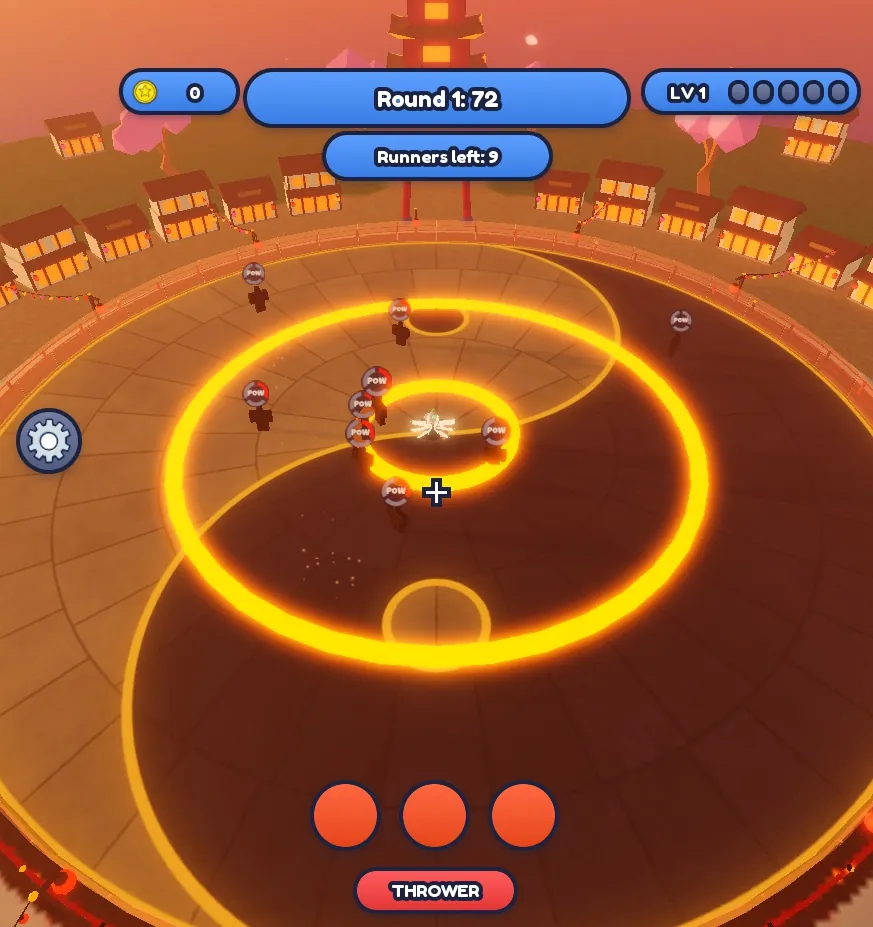
Then I made Neon City, and the two dark, glowing maps looked way too similar. So the Japanese arena got a whole new identity: a warm festival town at golden hour, with shops, stalls, lanterns and cherry trees, and a new name, Sakura Festival. The yin-yang stayed. The dragon and tiger didn't.
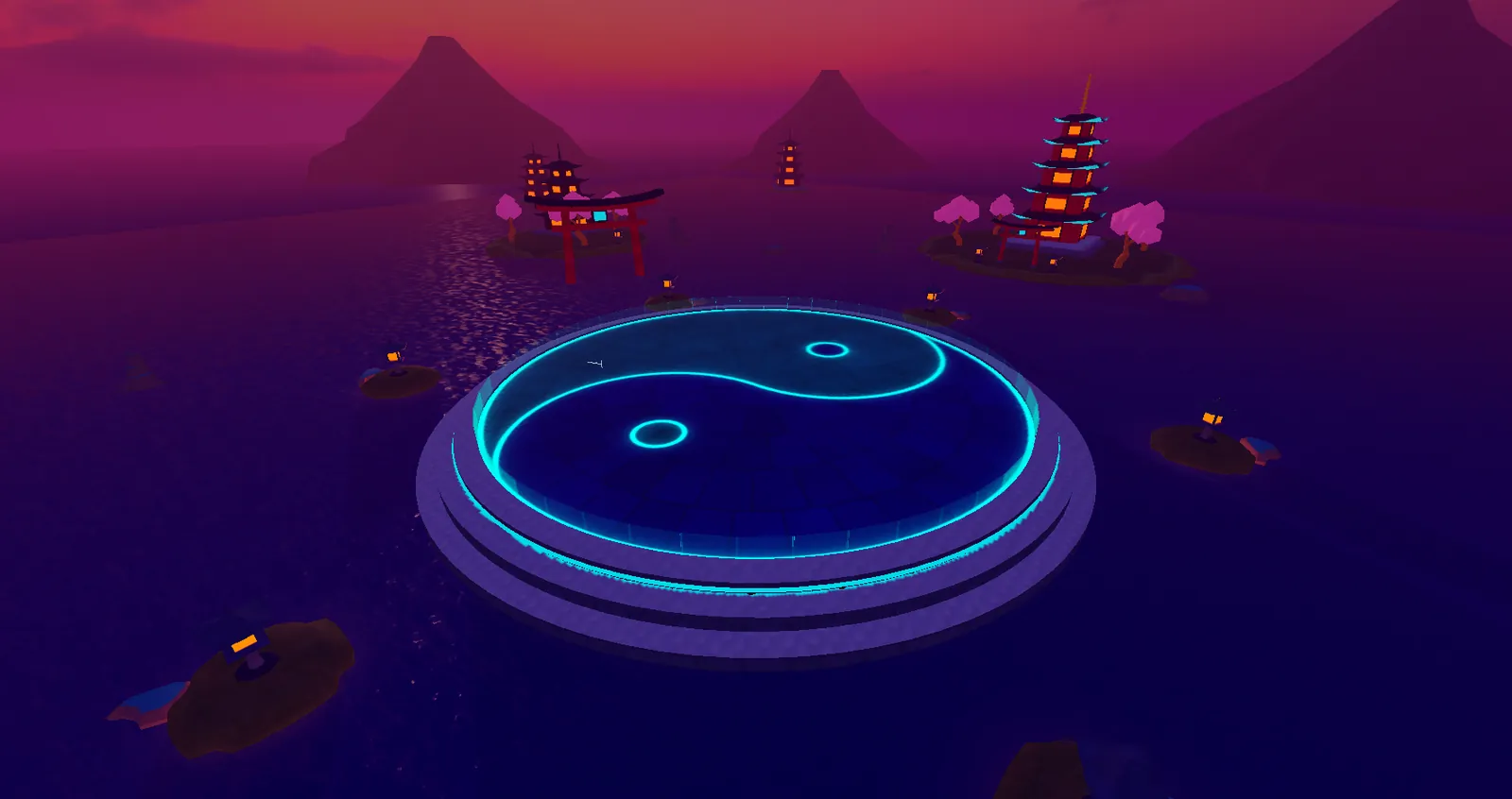
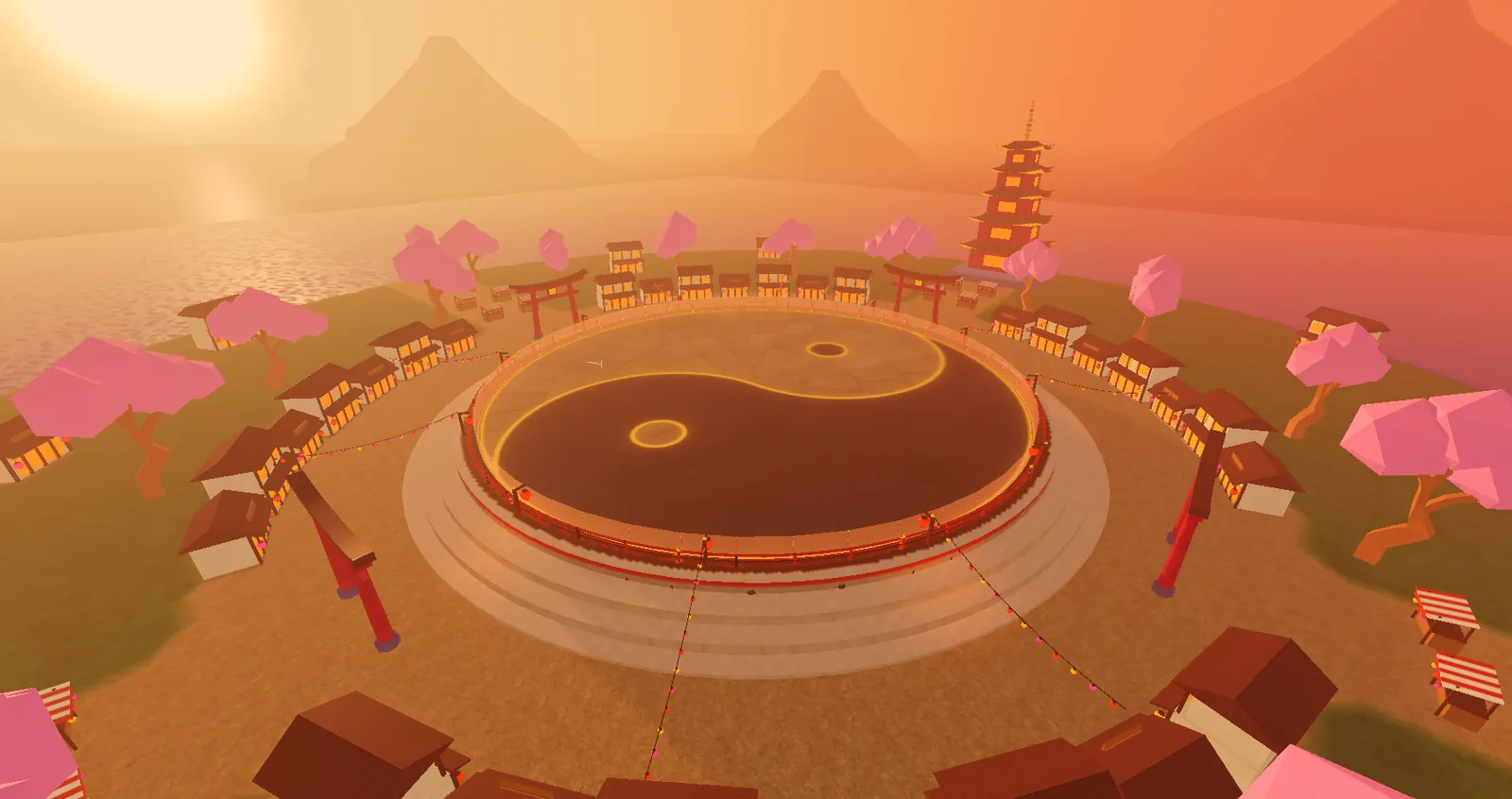
Then came Neon City (cyberpunk, with signs full of my own easter eggs like "LinkNova Ramen" and "Zydan Zap") and Magic Academy (a bright, floating-candle castle).
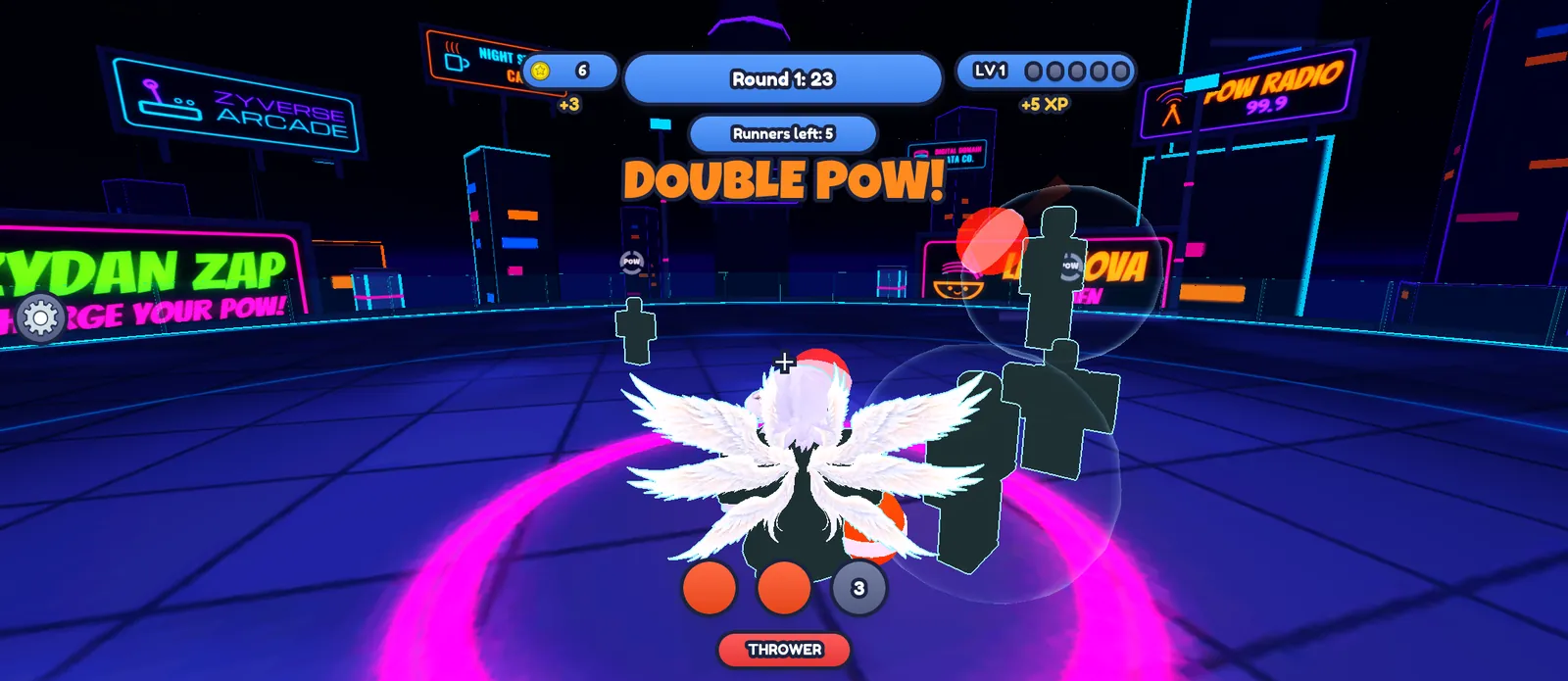
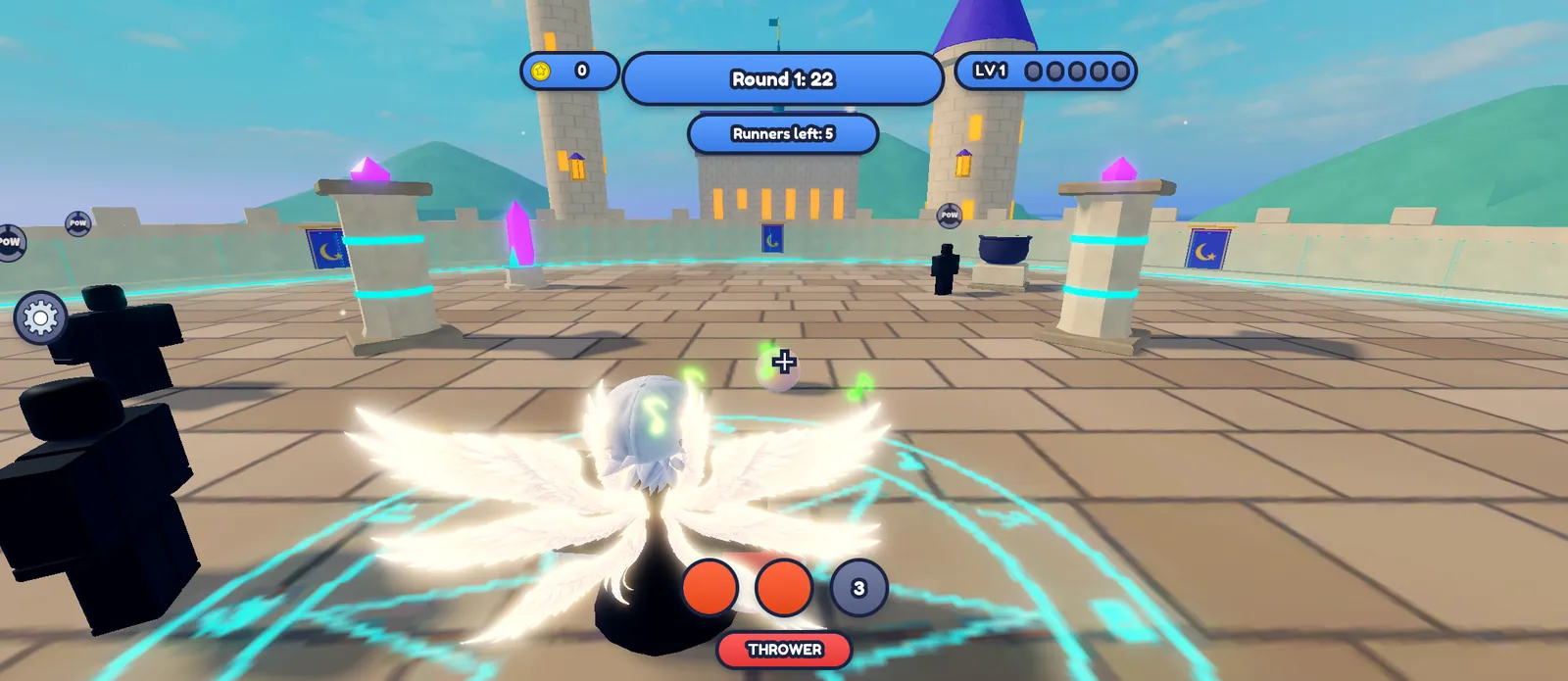
My one hard rule for every map: the arena floor stays open and flat. No pillars, no cover, nothing that blocks a throw or hides a player. All decoration lives outside the edge. It sounds boring. It's why the game is fair.
Step 5: making our own 3D art vs. grabbing free models (and why I'm scared of free models)
At first, Claude made everything itself. We built a whole pipeline on my PC: an AI image for the concept, then an AI tool that turns the image into a 3D model, then cleanup. It worked, and some of POW's props came out of it.
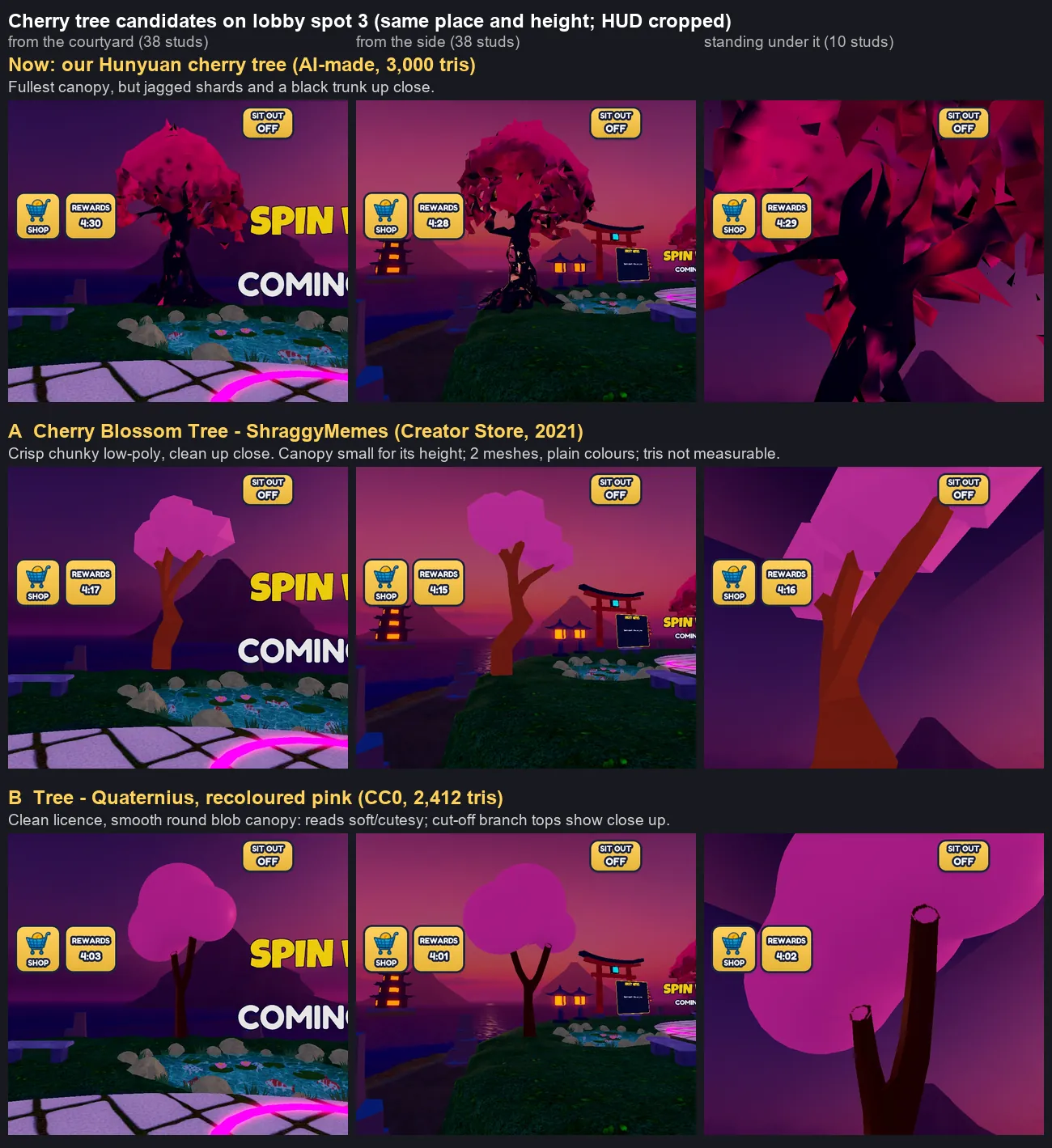
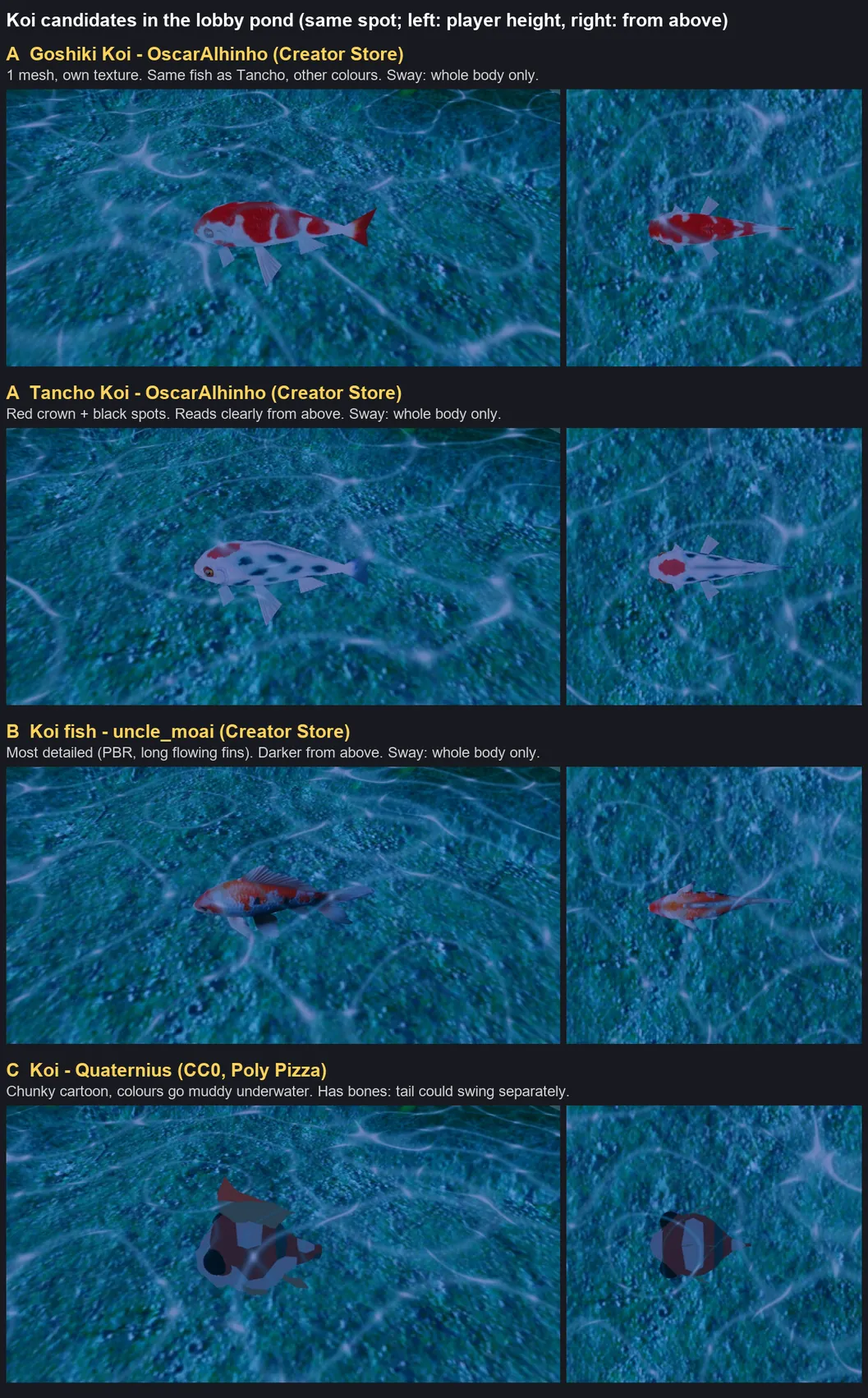
But for common stuff (trees, fish, rocks, lanterns), we were spending hours making things that already exist for free. So we changed the rule: check free libraries first (Roblox's Creator Store, Kenney, Quaternius) and only make something when nothing fits.
We compared side by side. For the lobby's cherry trees, our own AI-made tree went up against a Creator Store tree and a free low-poly one. The store tree won. Same with the koi in the pond.
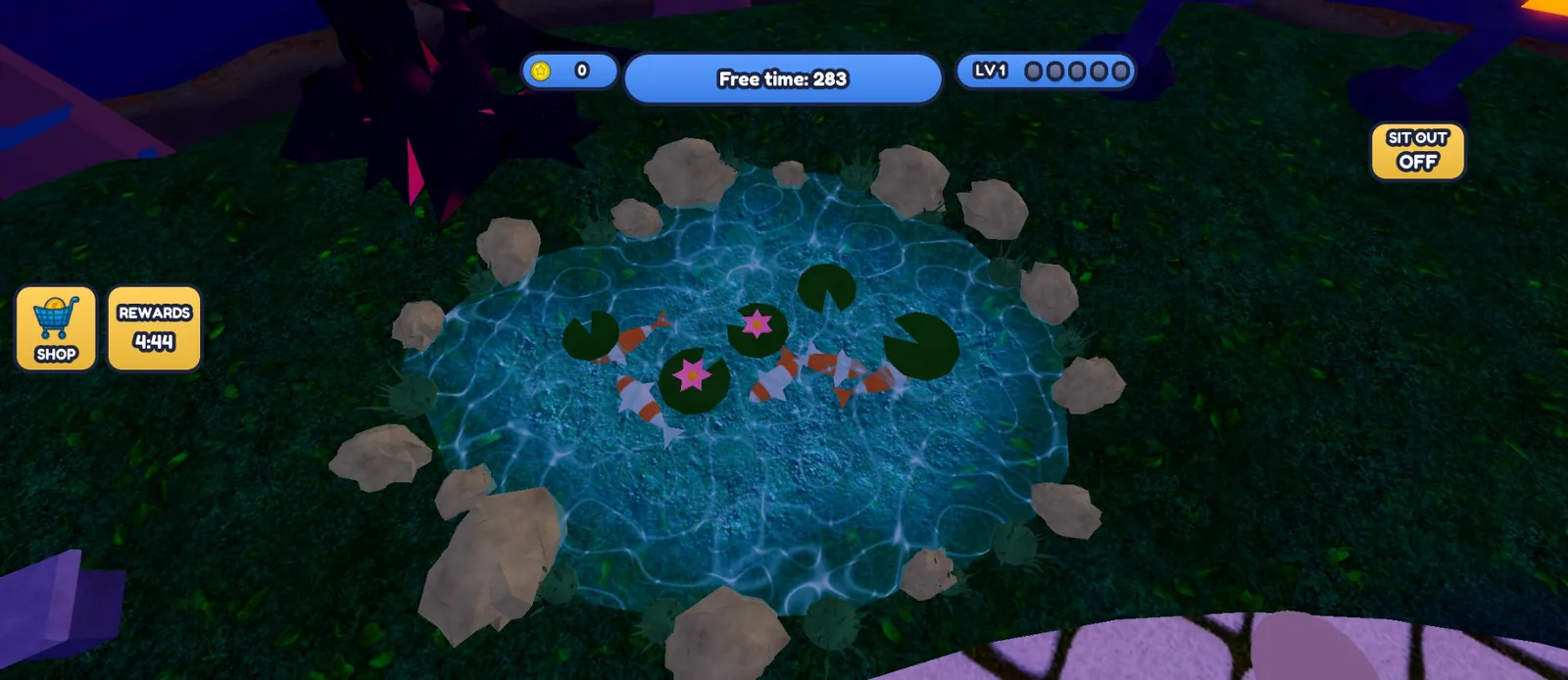
Now the warning. Free models on Roblox can hide scripts. Some are harmless leftovers. Some are backdoors: code that lets a stranger run commands in your game, give themselves admin, or wreck your servers. They can be buried deep inside a model where you'd never look.
So POW's rule is strict: we take the mesh (the shape) and the textures only, and delete every single script inside anything we download. Claude writes any behavior itself. Every asset and its license goes in a list, so I can prove where everything came from.
If you take one thing from this post: never drop a free model into your game without checking it for scripts. "It has 50,000 likes" doesn't mean it's safe.
Some of POW's 3D props were made with AI tools, and the game description says so. The music is original too, made on my own PC with a free local AI music model.
Step 6: the lobby, saving, and a dressing room
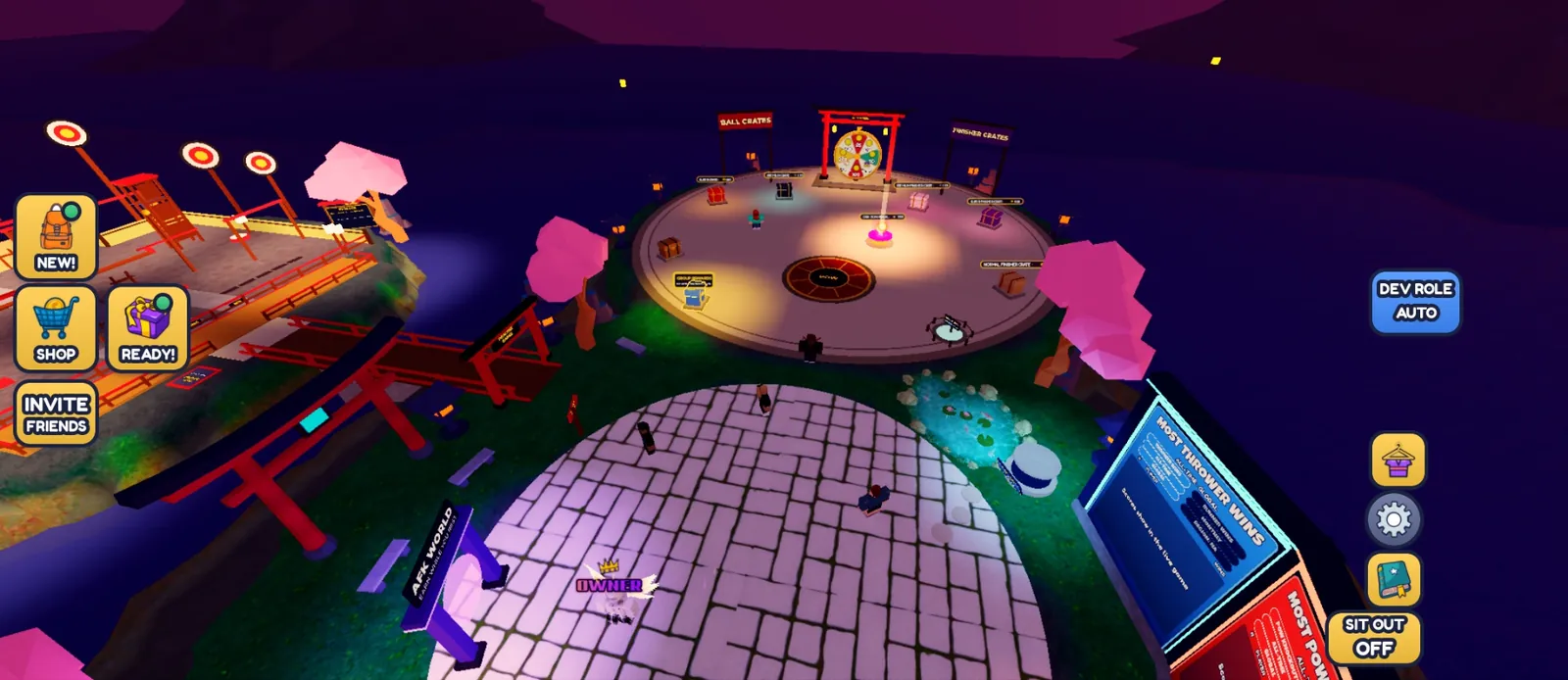
A match is maybe 3 minutes. What keeps people around is everything between matches. So POW got a lobby island with:
- a spin wheel with a free spin every 12 hours,
- crates for balls and finishers (knockout effects), with the odds shown up front,
- a practice range with targets and its own leaderboard,
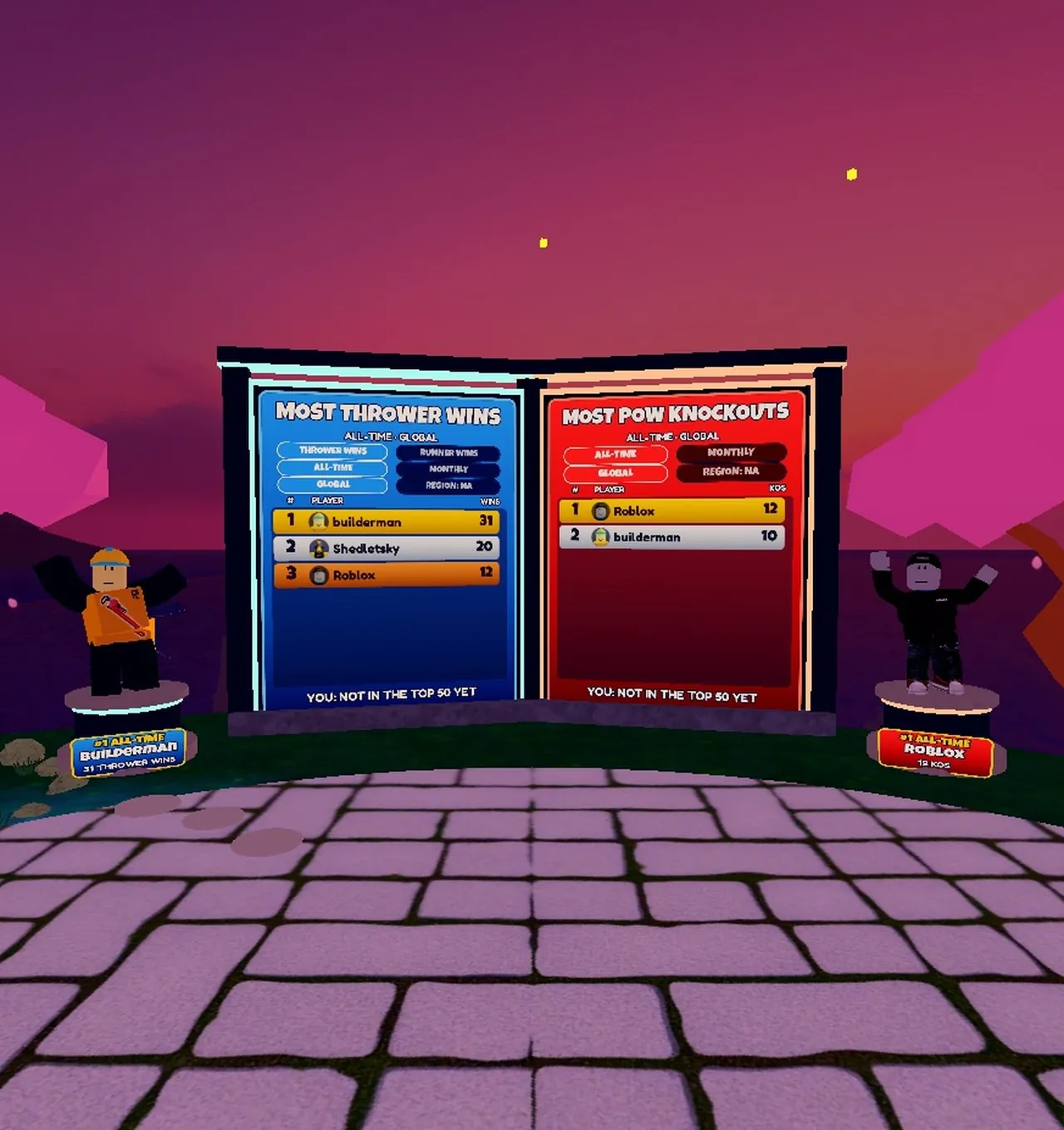
- leaderboards for wins and knockouts, with the #1 player's avatar on a pedestal,
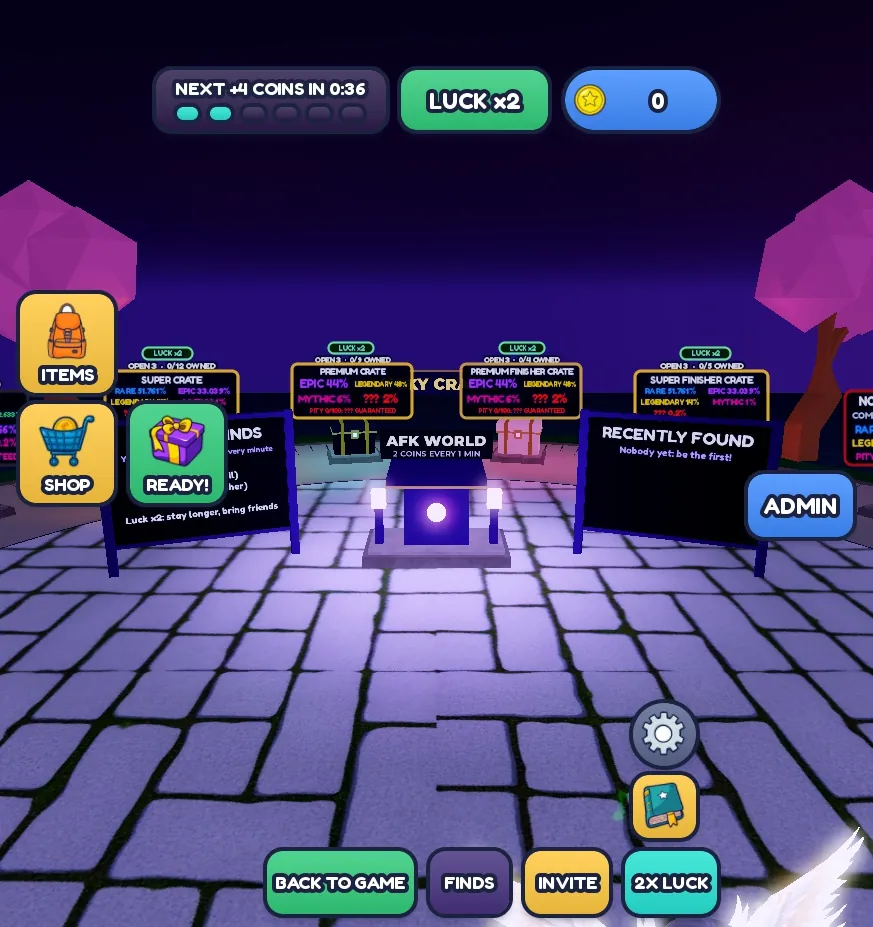
- an AFK World portal: a second place where you chill and earn rewards while you're away. It also catches players before Roblox's 20-minute idle kick and moves them there instead.
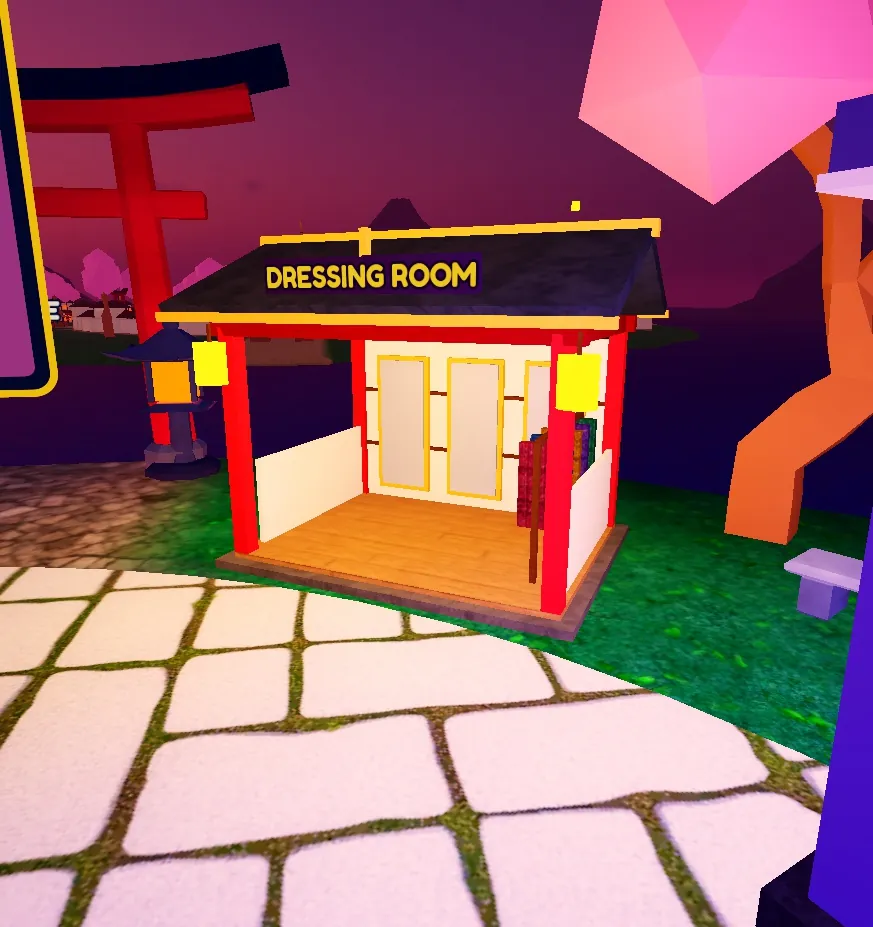
The dressing room is one of my favorite little features. There's a small booth in the lobby, and inside you can browse real Roblox catalog items, try them on your avatar right there, and buy them without leaving the game. Players love messing with their look between matches, and I get a small cut of catalog sales made in my game.
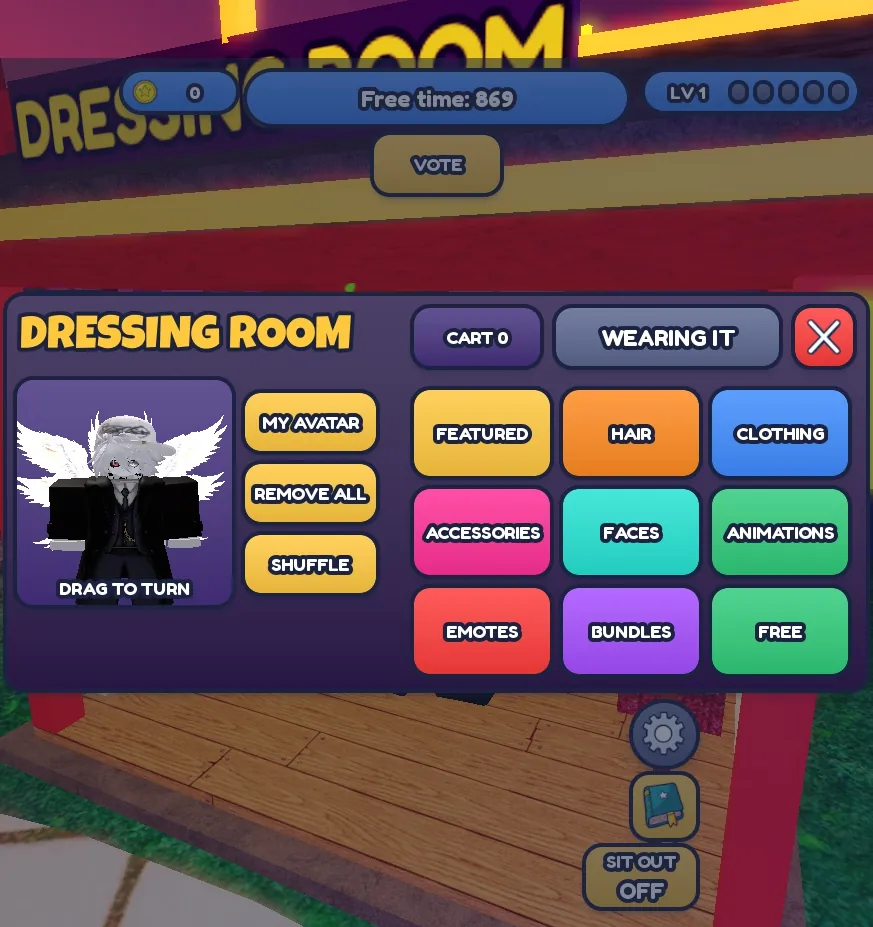
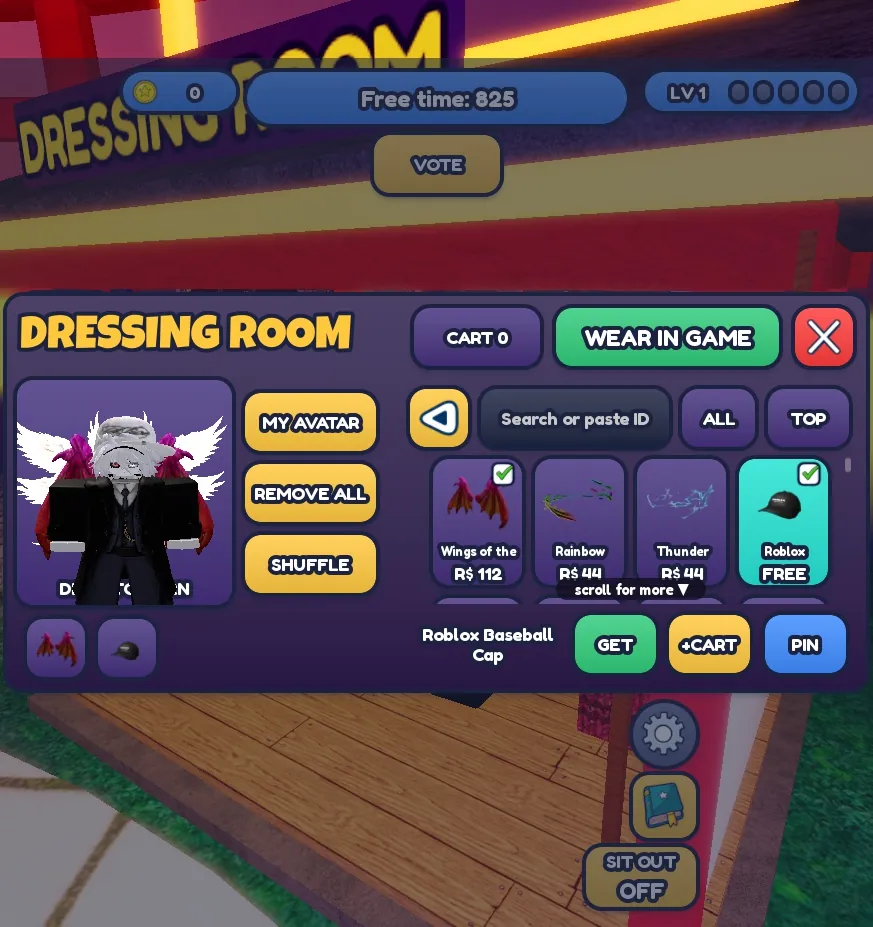
Saving came early and carefully. Player data is the one thing you can't "just fix later." Once the game was public, every job prompt has said: never rename or reset a data store, never touch saved player data. No exceptions.
Step 7: playtesting with real people
The first real playtest was with my son LinkNova, and then with viewers on stream. Real players break everything in ways bots never do.
- Throwers almost never won. We rebalanced: knocked-out runners become throwers right away, plus a once-a-round RAPID FIRE ability. I tuned it with simulated matches until it landed near 50/50.
- A Hot Potato bug sent blown-up players to the wrong place, and the mode wouldn't start with two players when I forced it.
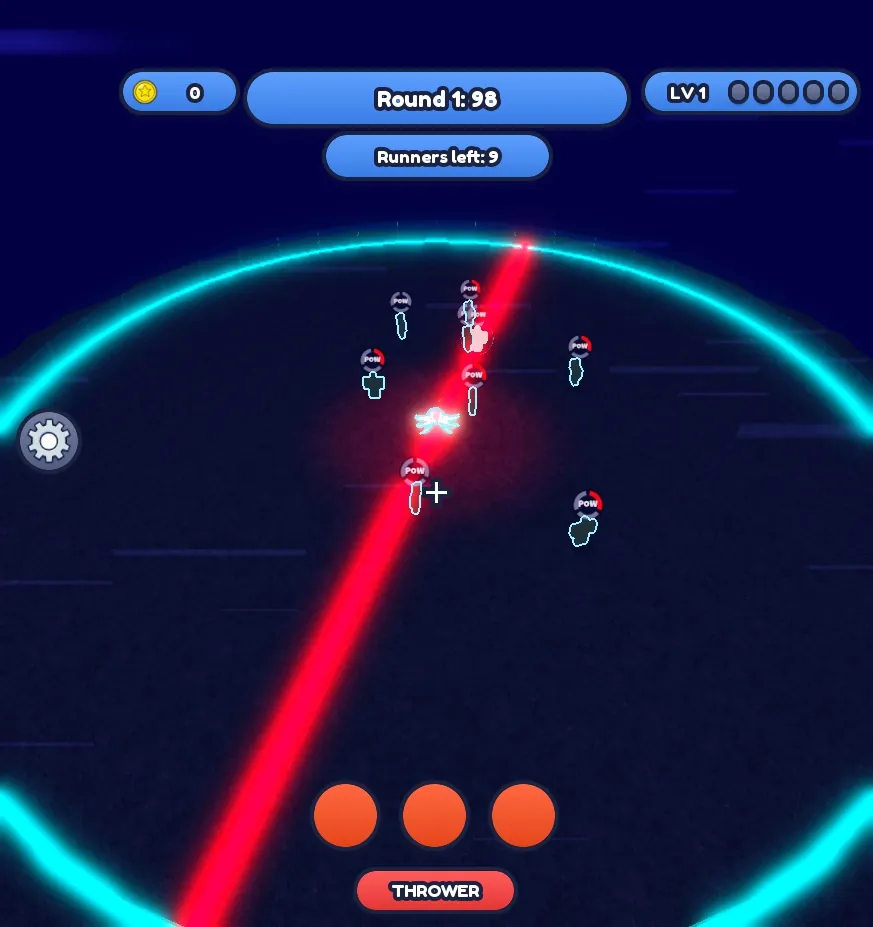
Playtests also gave us match events: a warning, then a hazard for the whole round. Meteors with landing shadows, a sweeping laser wall, firework barrages, lava tiles, a swinging pendulum, and fun ones like Mega Ball and Multi-Ball. Every event shows its warning first, so a hit always feels fair.
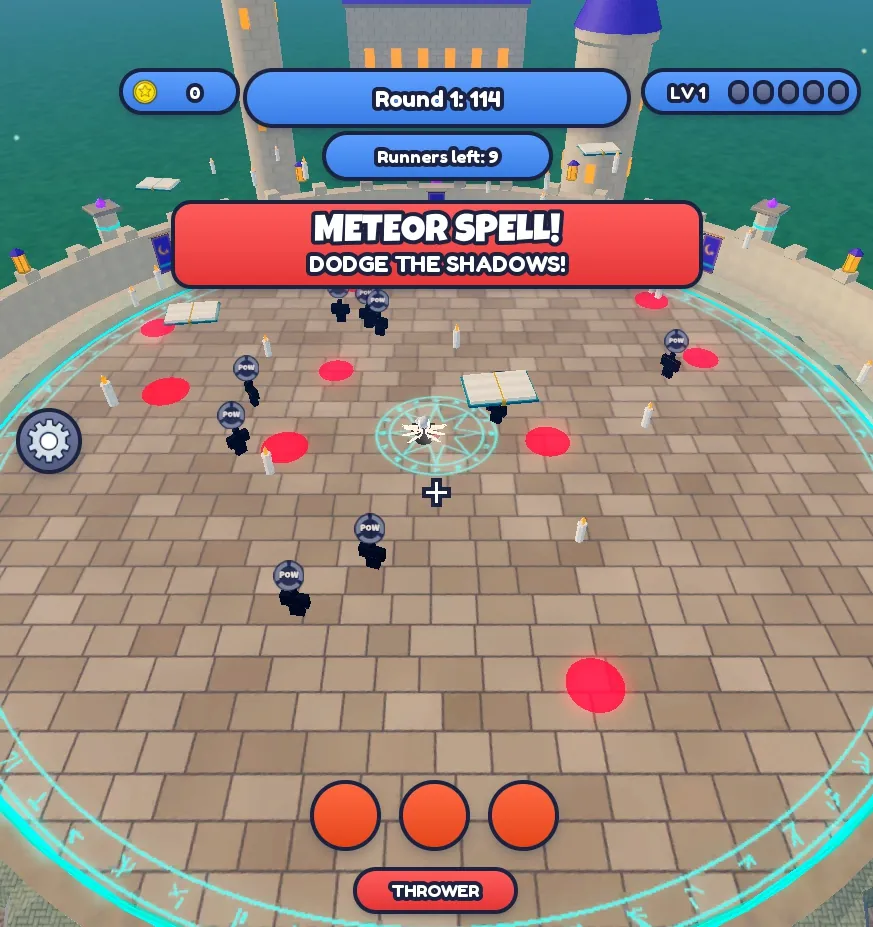
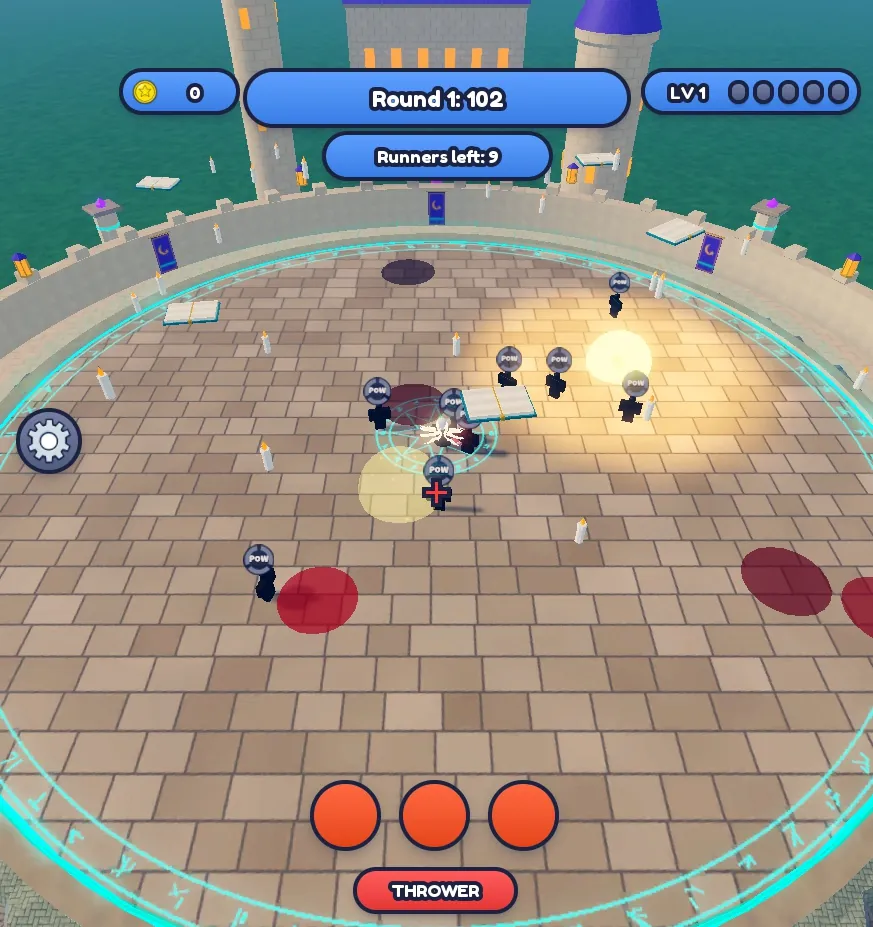
The biggest change from playtests: everything got a live switch. My admin panel has a SWITCHES tab where I can change balance, turn features on and off, and tune numbers in every server at once, without republishing. It saved me more than once during launch week.
Step 8: the launch content
For launch week I wanted something new to show, so in one big push POW got:
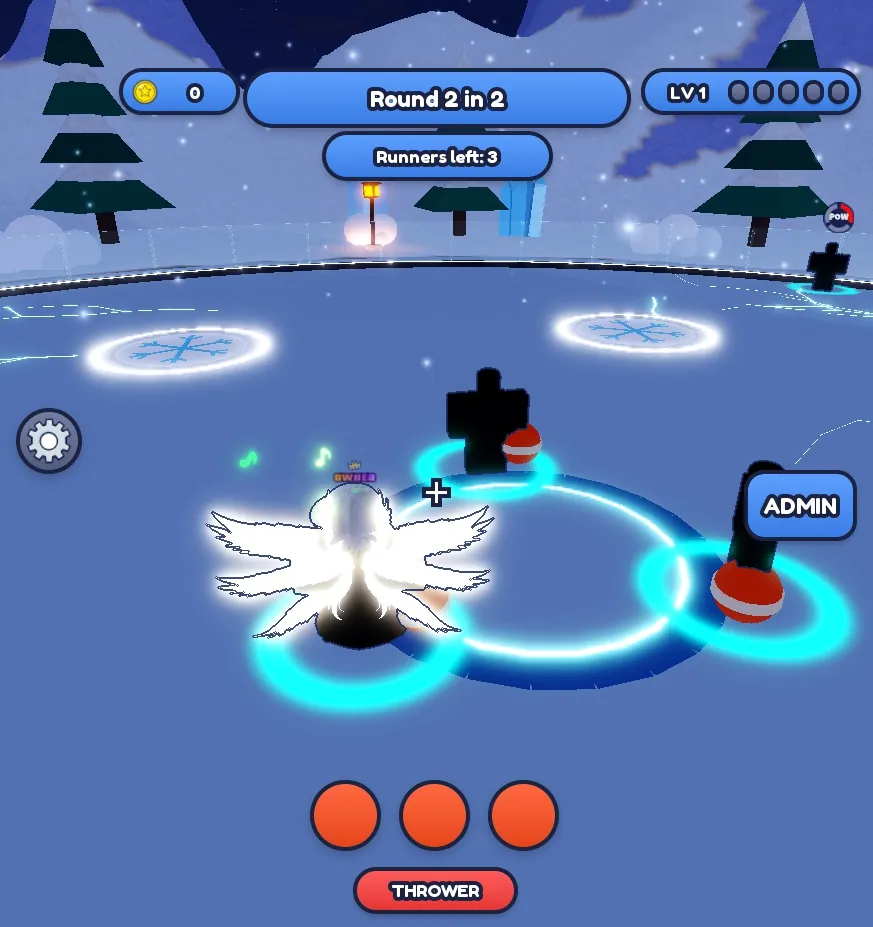
- Frozen Peak: the whole arena floor is ice. You slide when you stop.
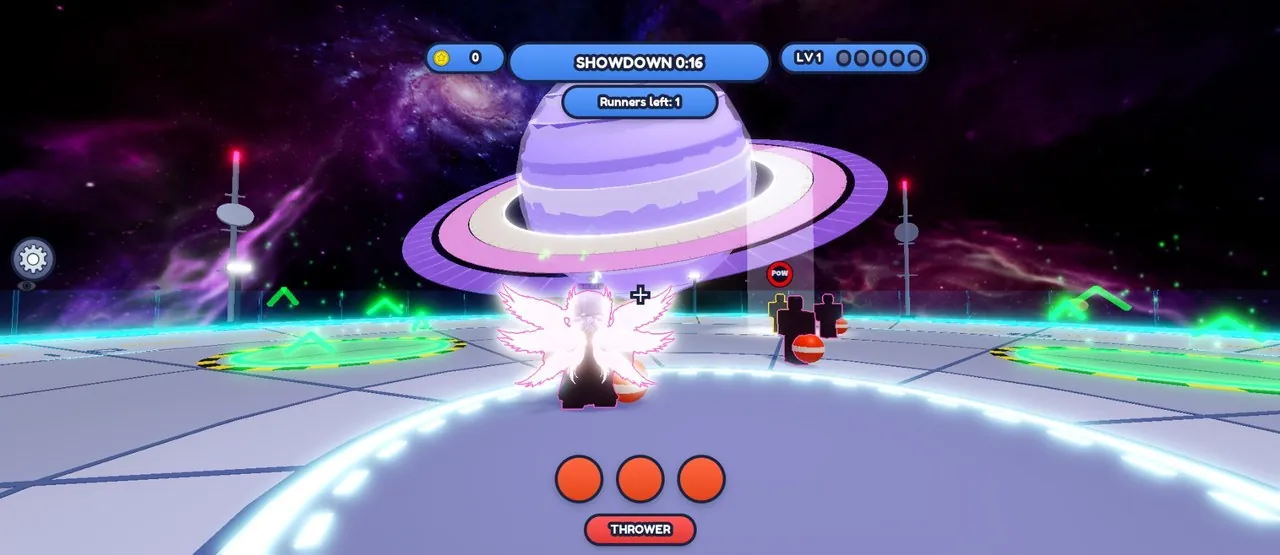
- Star Station: a floating platform in space with low-gravity pads.
- Hot Potato mode: everyone plays, one ticking bomb, pass it by hitting someone. The bomb blinks faster as the fuse runs down, but there's no countdown number, so nobody can time it.
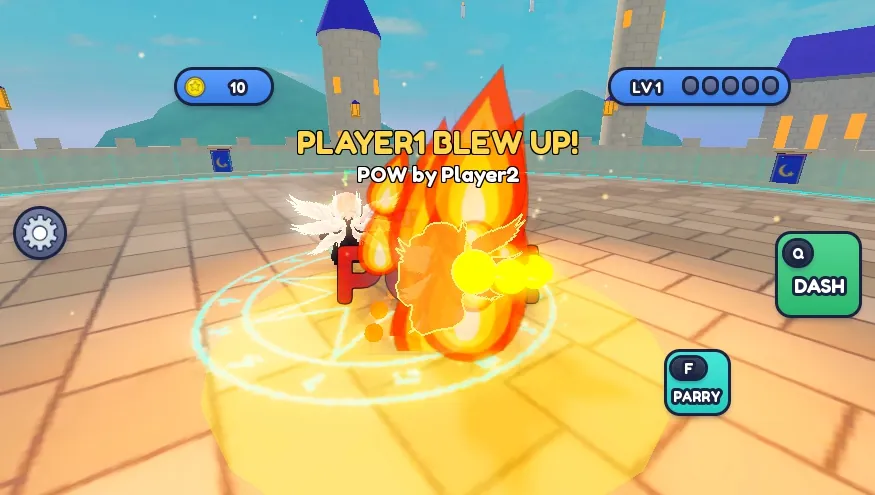
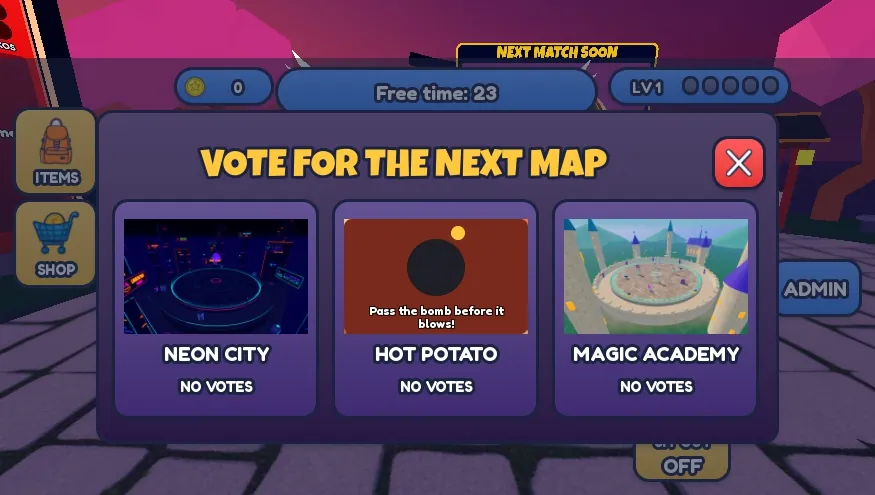
Then a fresh-eyes audit: a brand-new Claude session that hadn't written any of the code read the whole thing looking for anything that could lose player data, double-charge a purchase, or break Roblox's rules. It found real bugs. I'd do this before every launch.
Step 9: Robux, done by the rules
POW has game passes (2X Coins, VIP, Triple Open, luck boosts) and products (coins, spins, crates, the R$ 999 Dragon Pearl ball). Claude created all 31 of them on Roblox through Roblox's own API, from one list file, so the names, prices and descriptions match exactly.
Two things I made sure of:
- Paid crates show their odds before you buy, including the Secret items, by name and picture. That's a Roblox rule, and it's also just fair.
- Purchases only count once Roblox confirms them, so nobody gets charged without getting their item (or gets an item twice).
Step 10: keeping players inside the arena
This one turned into a saga.
Round 1: head stacking. I loved that players could stand on each other's heads. It was a fun way to dodge, so I told Claude to keep it. Then during a playtest with viewers, players stacked up, jumped off the top, and went right over the fence. Out there, nobody could hit them, so they just... won.
The fix: invisible walls 160 studs high around every arena, the ground outside the edge turned into a fall-through zone, and a safety net: anyone outside the arena during a match is knocked out instantly. We also blocked every path from the lobby island to the arenas, because people had found a way to walk along the shore and into a match from outside.
Round 2: still getting out. On launch eve, a player was getting outside the arena without jumping and winning from out there. The safety net had a gap. Now it checks every single frame with a small buffer inside the wall, and logs every catch so I can see it. Emotes are also turned off during matches, in case they were part of it.
Round 3: flying. The same night, players discovered that jumping on each other's heads over and over let them basically fly. So head stacking is gone. Player bodies now pass right through each other. Floors and walls still work, ball hits still work, and nobody can use anybody as a ladder anymore.
Every fun physics trick in your game is also an exploit somebody will find. Test what happens when players work together to break it.
Step 11: early access, cheaters and phones
I opened POW to the public on Sunday night, three days before launch. 117 visits the first night. Then the real world showed up.
The flinger. On stream, someone spun their character so fast that anyone they touched got launched across the map. That night POW got a server-side anti-cheat, a FLAGGED list in my admin log, automatic kicks and bans for repeat offenders, and a REPORT button so players can flag cheaters to me. (I'm not going to explain how any of it works. Nice try.)
Phones. A player sent me a screenshot of their phone with arrows all over it: too cluttered, buttons too big, the THROW button in a weird spot. So the HUD got a compact phone layout: one small round bar, THROW right by your thumb, and the lobby buttons folded behind one MENU button.
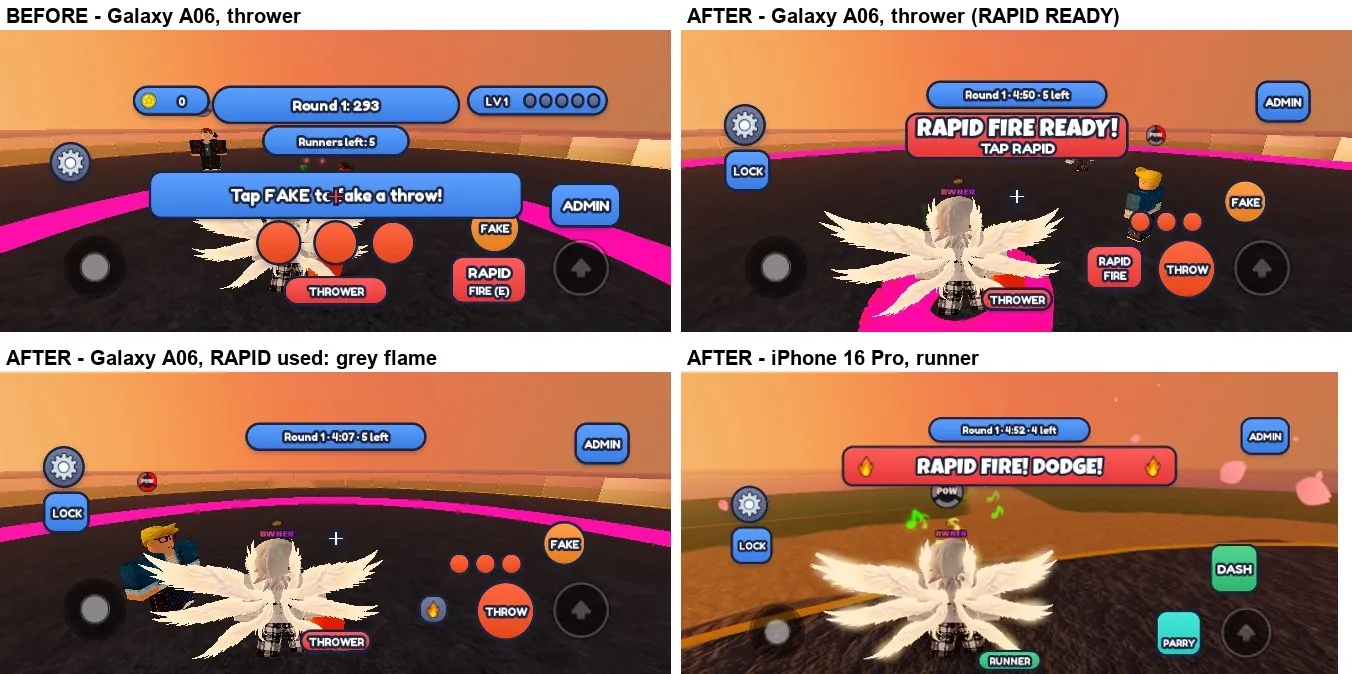 The phone HUD before and after.
Green dots now lead you straight to anything new: MENU, then ITEMS, then the tab, then the item itself, until you click it.
Step 12: AI players that actually move
Nobody wants to join a game and wait alone. A brand-new game has a lot of empty servers. So POW got AI players: when a server is quiet, bots fill the match so you always have someone to play with. They're disclosed right in the game description and in How to Play, and they never count toward leaderboards, rewards or badges.
Getting them to feel like players took way more work than I expected:
- They needed to look like players. Each bot wears a real outfit made from Roblox catalog items, with different hair, clothes and skin tones, and no two bots in a server look the same. Never a real person's avatar.
- They fell over and couldn't get up. At the start of every round, Roblox briefly handed each bot to a player's computer to control, and new bots spawned in the air and landed face-first. Now the server keeps control of every bot, and a safety net stands them back up.
- They glided. Then they stood up but slid around in one pose, like statues on a conveyor belt. Roblox's walk animations only run on a real player's own computer, so bots never got them. Now the server plays every bot's idle, walk, run and jump animations, matched to how fast it's moving.
- They froze on ice. On Frozen Peak, bots just stood there. The ice code nudges everyone every frame, and every nudge cancelled the bot's walk. That also explained why one meteor event wiped out three "players" at once: they were frozen bots. I almost nerfed the event for no reason.
- They walked into hazards. Real players see a meteor warning and move. Bots walked right in. Now bots read the same warnings players see and dodge, a little late on EASY, almost perfectly on ELITE.
- They camped the middle. Bot throwers stood in one spot and threw. Now they chase: pick a target, close the distance, cut angles and spread out.
- They wait in the lobby. The bots that will fill the next match walk around the island between matches, jump, check out the crates, and walk into the arena with everyone. When enough real players show up, they fade out.
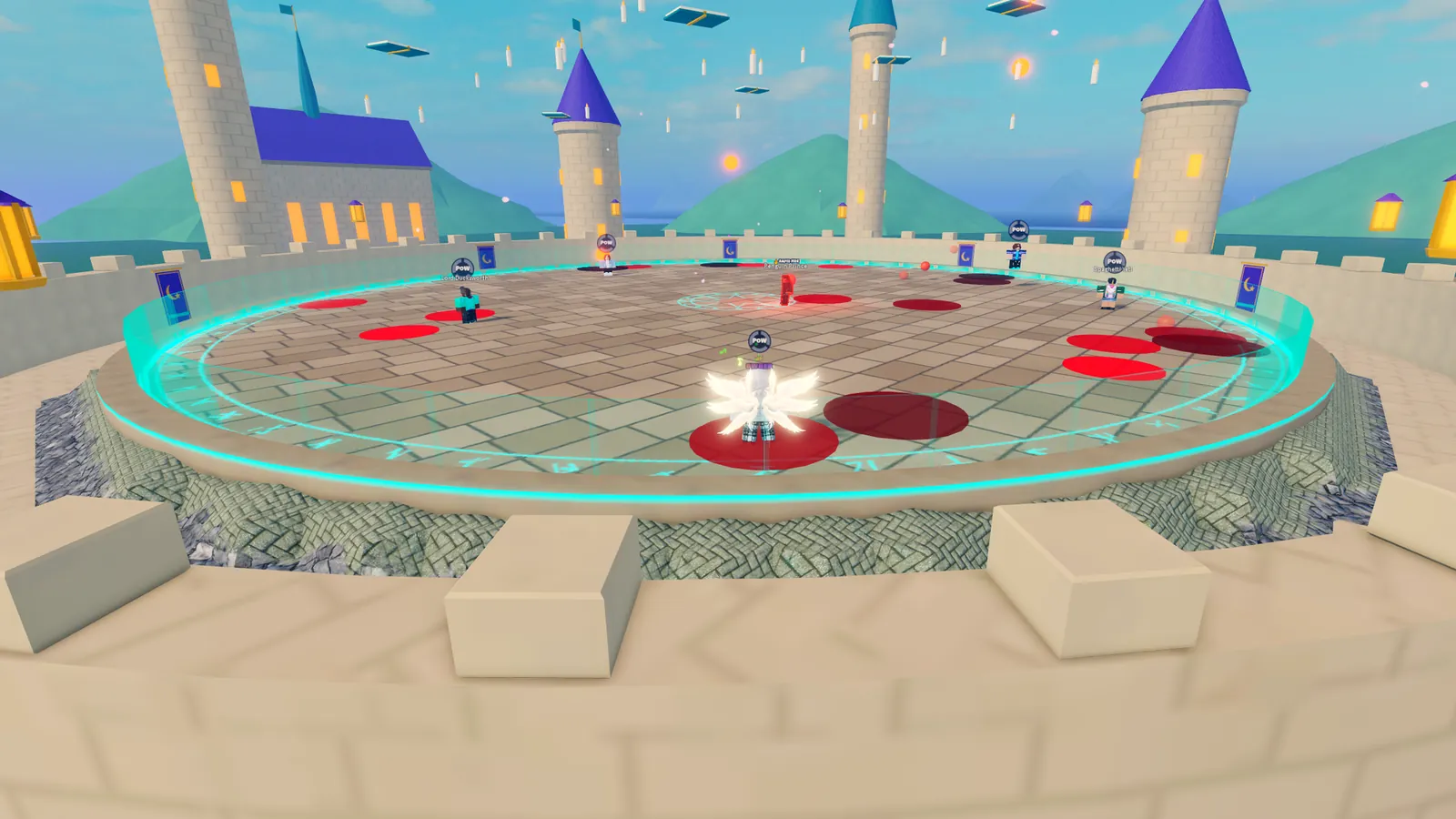
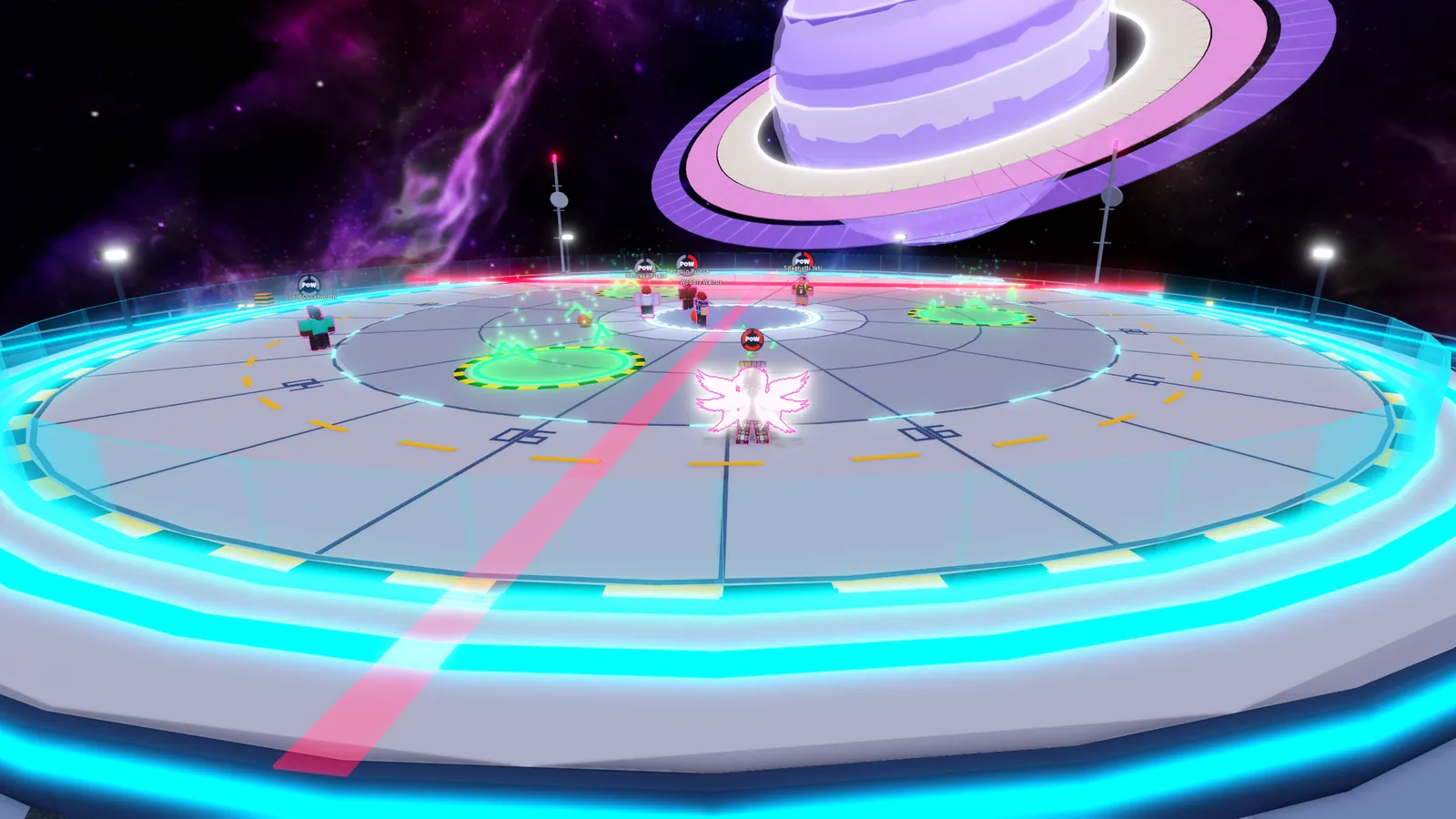
Bot skill is a live switch too. After the chase update, HARD bots were winning way more than real players do, and MEDIUM turned out to play closest to real people.
The mistakes (my favorite part)
Some of these are funny. Some cost me sleep. (The bot and arena ones are above, so here's the rest.)
The cooldown that grew. Throwers' ball cooldown was supposed to be 3 seconds. It quietly grew by a second for every thrower past three. Nobody could figure out why throwing felt slower in big lobbies.
The bug I found the morning before launch. The first player in a server got sent back to the lobby on any knockout instead of becoming a thrower. That's the person who joins an empty server. That's every new player from an ad. Found it by accident while testing something else.
Hot Potato on phones. The phone layout put DASH and PARRY right on top of THROW. In Hot Potato you need all three, so phone players holding the bomb literally couldn't throw. A test now checks that no buttons ever overlap, on every screen size.
Mega Ball put a glowing ring around a normal ball instead of making the ball big. A notification dot pointed players into a menu that didn't have the thing in it. The dragon and tiger floor took days and never made it into the game. And my first ad campaign quietly saved with the wrong goal. Read the summary page before you pay for anything.
And the big one: I wish I'd made POW under my Roblox group from day one. Moving a live game later means closing it for a bit. If you're starting out, publish under your group.
Almost every bug in this post was found by a real person playing, not by a test. Play your own game. Get your friends to play it. Get strangers to play it.
Where POW is now
POW officially launched on Thanksgiving Eve, November 25, 2026. Five arenas, two modes, AI players, a dressing room, AFK World, a Robux shop, an admin panel with live switches, and a lot of bug fixes.
Next up: making the admin switches easier to use, a Neon City remaster, and Update 1 with trails and the Trail Shrine. I've also got ideas for a "hold to throw harder" charge throw.
Play POW on Roblox (opens Roblox in a new tab)My POW vs the kit
I'm not selling POW's code. That's my game. What I'm selling is how I built it: the exact workflow, the prompts and the checklists, so you can build your game the same way.
Want to build your own? The Kit Behind POW is out now. It's a step-by-step guide plus the prompt pack and templates I used, for $19.99:
- the full guide, from "I have an idea" to "my game is public and making Robux,"
- 27 copy-paste prompts, from the first prototype to live bug fixes, including AI players, arena bounds and a dressing room,
- a Roblox playbook template that carries every lesson into your next game,
- my project rule file template (the most important file in the whole build),
- the free model safety checklist, the launch checklist, the Robux product planner and the playtest feedback sheet,
- the mistakes list, so you skip mine.
Built with Claude Code. The workflow also works with other AI coding agents (the guide has a page on that), but Claude Code is the one I used and tested.
It's not ready-made game code, and it won't make your game for you. It's the system I used, written so a non-coder can follow it.
