I Built My Own Stream Alerts (and My Alerts Have a Heavenly Choir Now)
Build logBy SuperZydan9 min read
- Streaming
- Twitch
- YouTube
- Claude
- ZydanAlerts
Part of ZydanAlerts: custom stream alerts built with Claude Code
I was setting up custom alerts in Streamlabs one night, uploading my own GIFs and sounds, and three things kept bugging me:
- My files lived on someone else's server. If I ever moved to OBS, I'd start over.
- Everyone's alerts look the same. Same layouts, same fade in, same fade out.
- I was stuck with their animations.
So I asked Claude Code a simple question: could we build our own? A day and a half later, ZydanAlerts was running on my stream: a supernova blast, animated blocky emotes of me, angelic sounds, a heavenly choir for raids, and Twitch and YouTube alerts in one queue. It starts by itself when I turn on my PC and fixes itself if it crashes.
I still can't code. Here's how it happened.
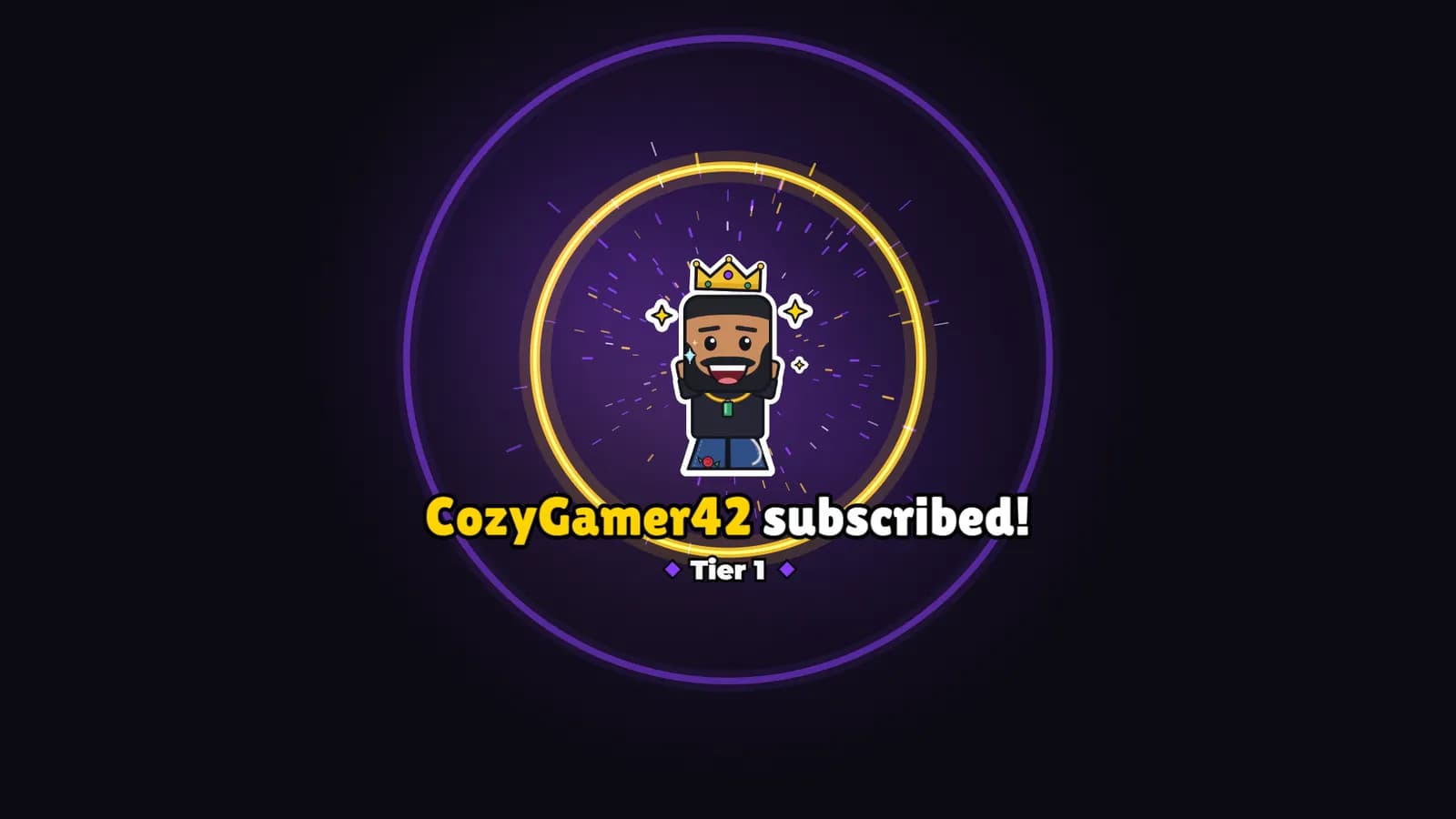
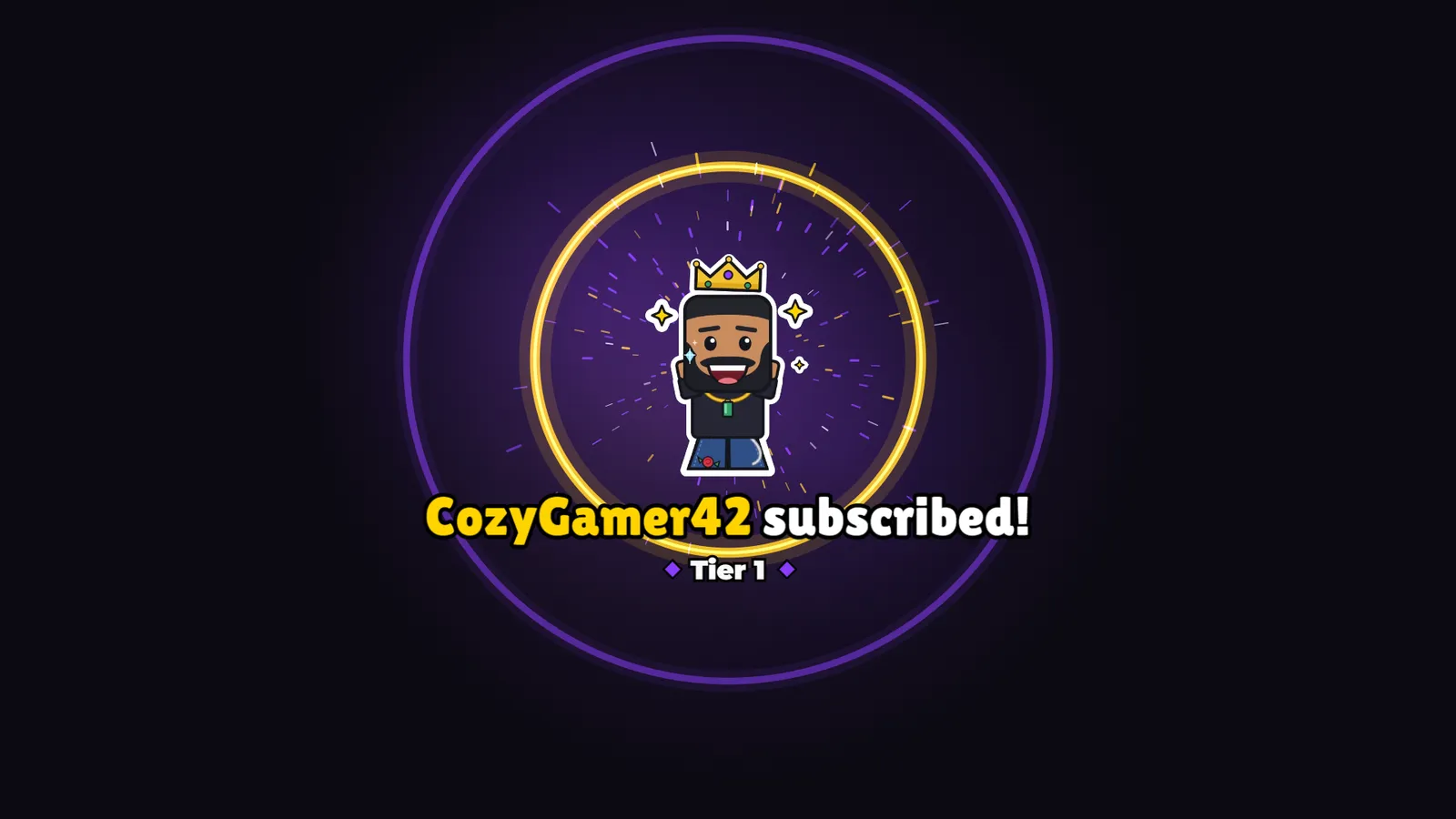
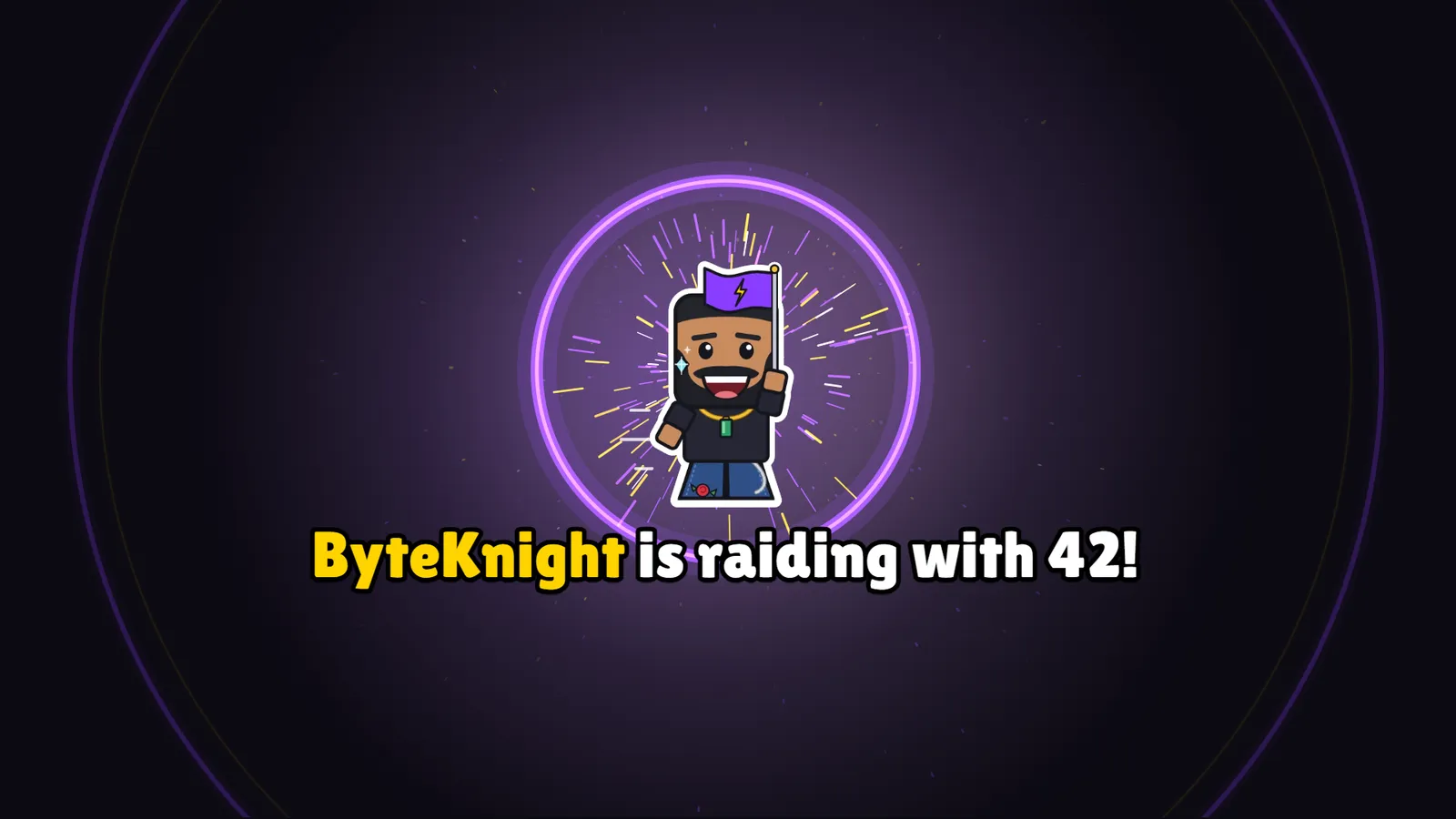
Follow, sub and raid. The blast gets bigger with the moment.Taking the hard road on purpose
There were three ways to do this:
- Stay on Streamlabs and keep a copy of my files. Easy, but nothing really changes.
- Use a free tool called Streamer.bot for the Twitch connection and only build the alert page.
- Build the whole thing myself, including the Twitch connection.
I picked number 3. It's more work, but I want my portfolio as big as possible, and I don't want to always take the easy way out.
The app is small and simple: it runs on my PC, listens to Twitch, and sends alerts to a web page that sits in Streamlabs as a Browser Source. Zero extra packages, just Node.js. Logging in to Twitch is a short code you type at twitch.tv/activate, with no secret password anywhere in the app.
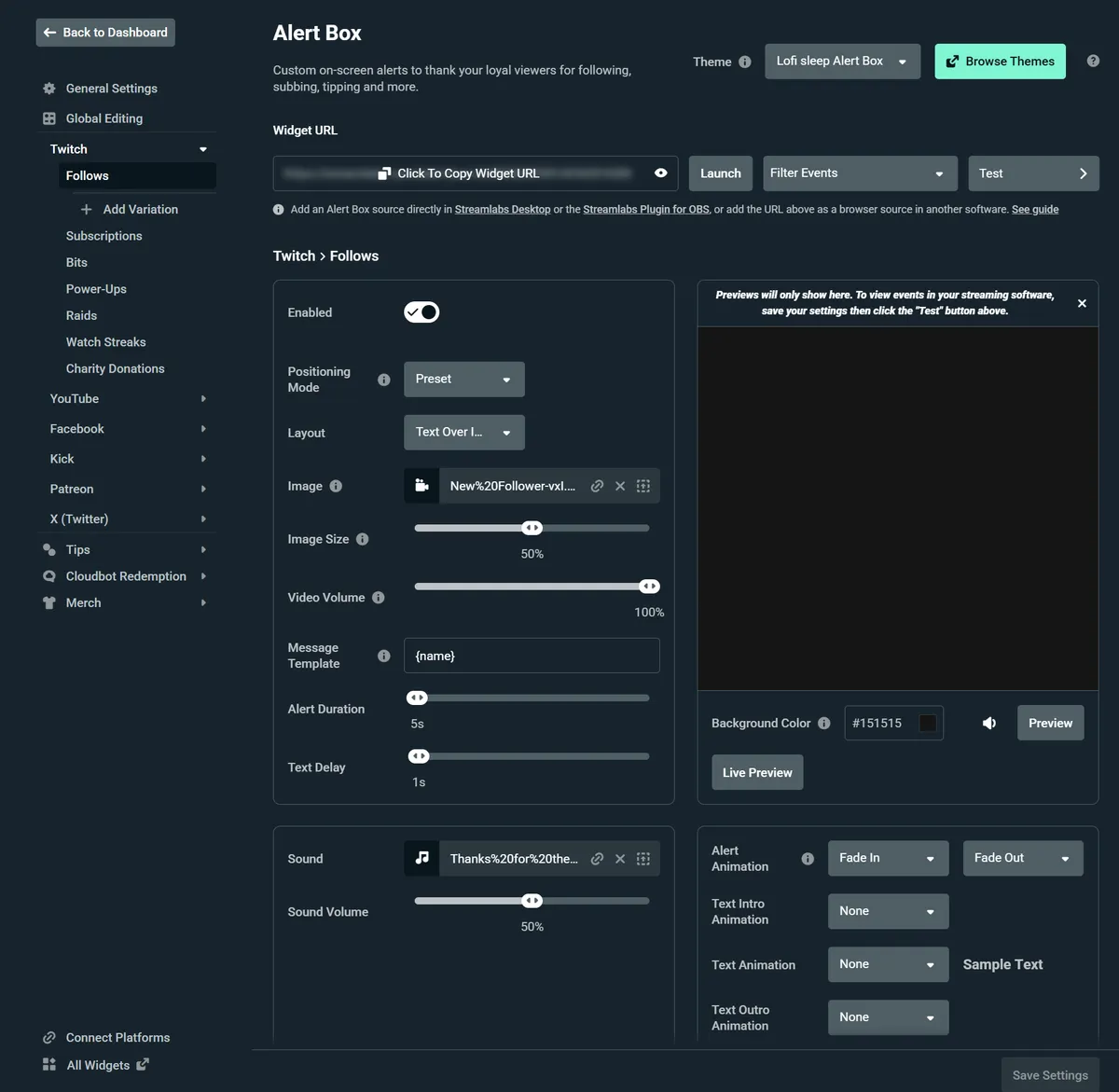 Before: the Streamlabs Alert Box.
I thought about having my AI voice assistant react to every alert, but she'd get interrupted all day. Text-to-speech is enough for her. Every tool should do one job well.
From "kiddie clown" to Supernova
The first version showed a spinning purple and yellow starburst. It worked. It also looked like a kiddie clown thing, and my channel is moving in a more grown-up direction.
So we mocked up four animated styles: Supernova (a flash, shockwave rings, flying particles), Shockwave (hard white flash and sparks), Trippy (spinning rainbow kaleidoscope) and Energy Vortex (particles sucked into a ring with lightning). Seeing all four moving made it easy. Supernova won: it feels like a big moment without being cartoony, and it sticks to my purple and yellow.
It's all drawn in code, so it stays sharp at any size and runs at about 0.1 milliseconds a frame. It even gets bigger for bigger moments: one ring for a follow, three for a sub, and for a raid, a double blast with a little screen shake.
Putting me in the middle
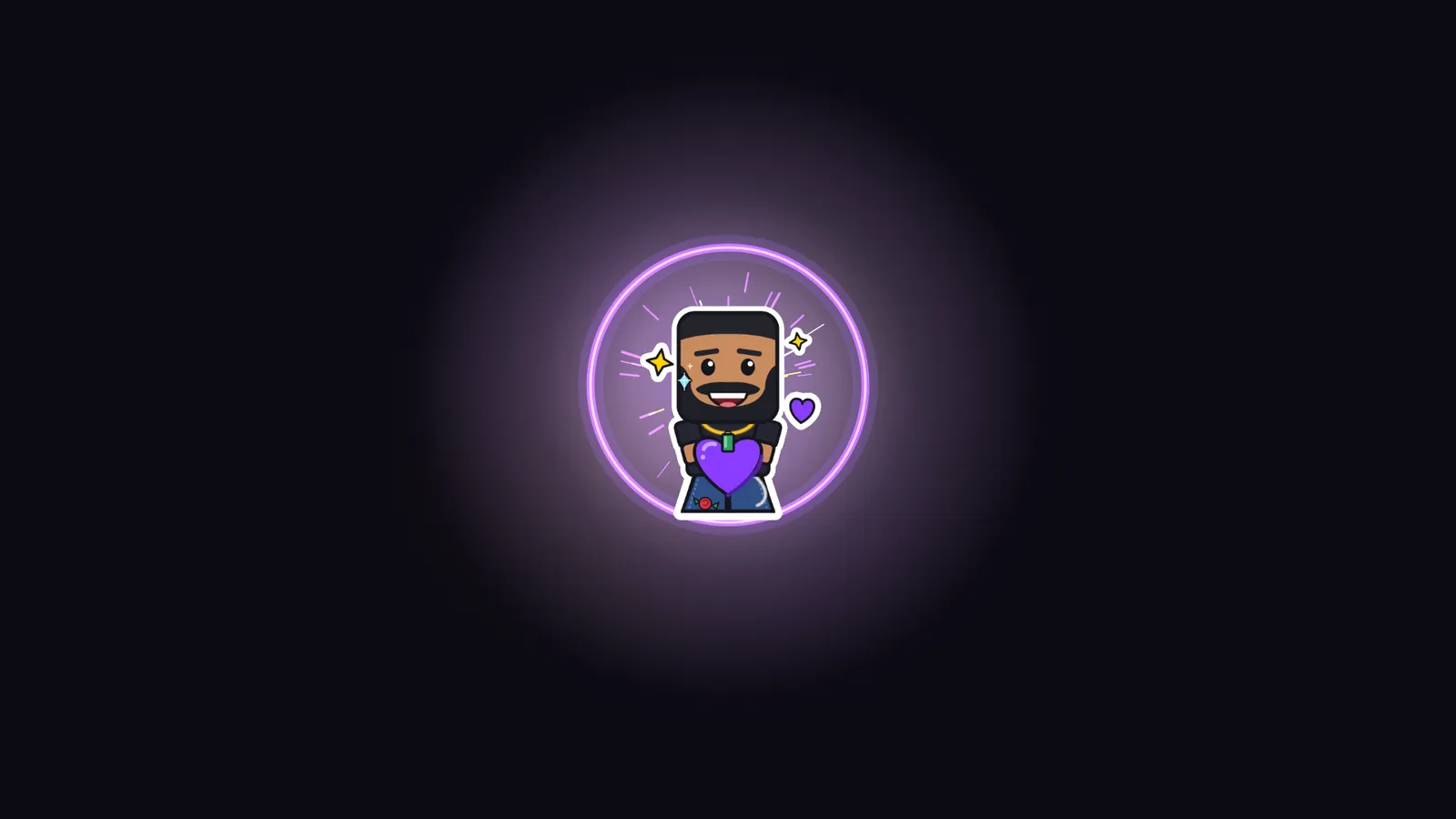
Instead of a generic graphic, I wanted my own Roblox-style emotes in every alert: holding a heart for follows, a crown for subs, a present for gift subs.
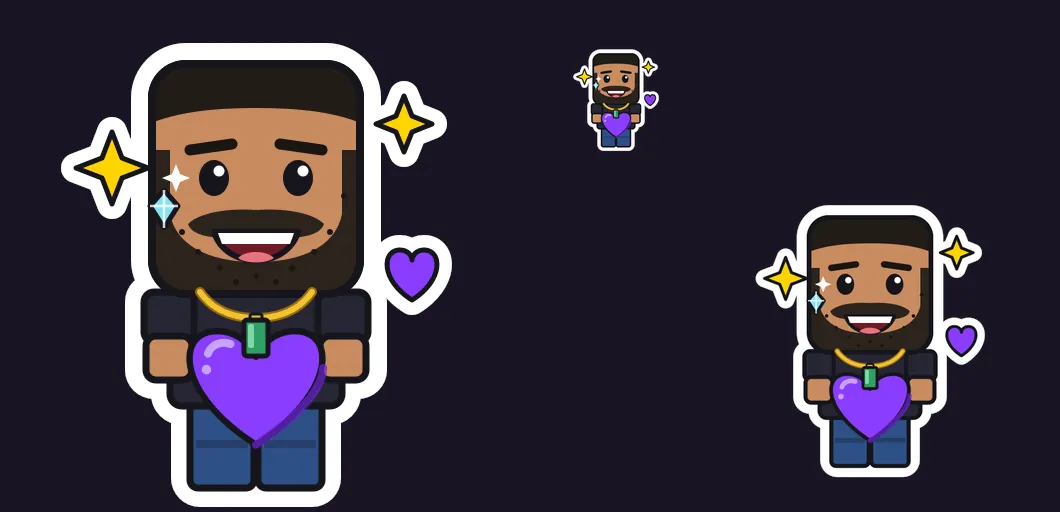
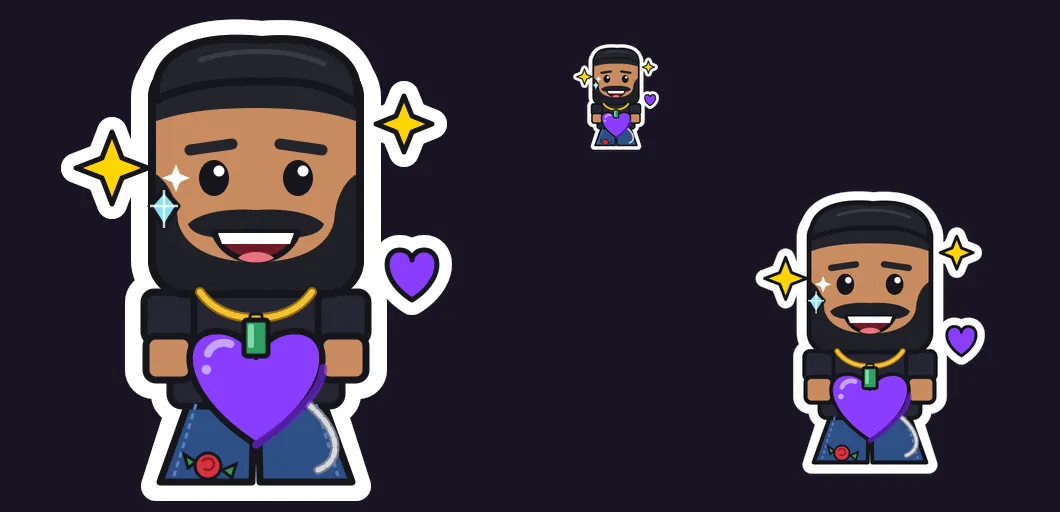
I had emotes from before, but they were Twitch-sized (112 pixels) and didn't cover alerts, so we drew a new set from scratch at 512 x 512. The follow emote took three rounds:
- v1: gold chain with a rectangular jade pendant, because that's what I wear.
- v2: black hair and beard instead of brown, the "stubble dots" gone (they looked like spots), and wide-leg JNCO jeans with a wallet chain and a red rose, like my real pair.
- v3: a buzz cut, because that's how my hair is right now.
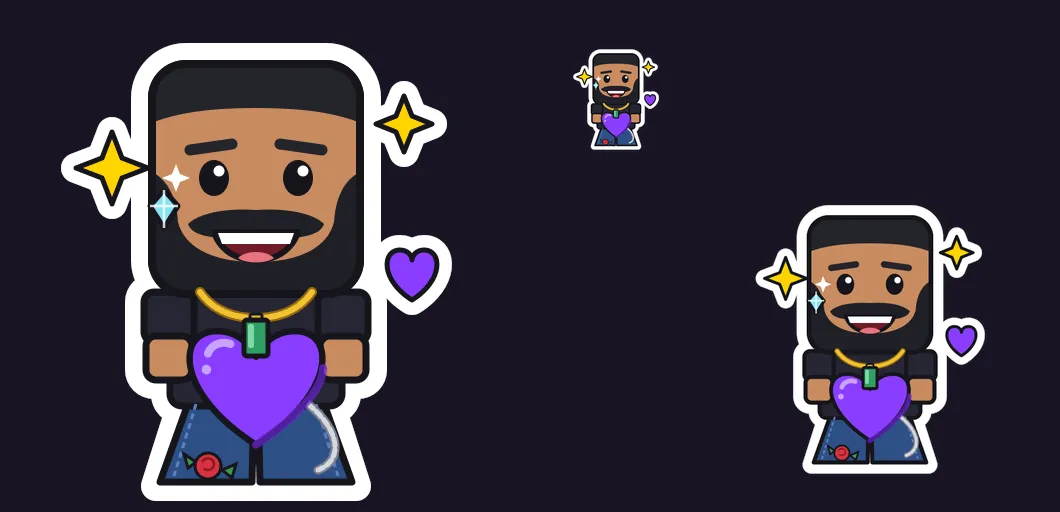
Then we animated all of them. A small "rig" draws the character from parts so every emote matches: the heart beats, the crown hops on, the trophy shines, the present pops open, gems fountain out of my hands, the flag waves on raids, and I wink for channel points.
All eight, animated.Pure black hair blended into the black outline and made me look like I was wearing a helmet. Near-black fixed it.
The sound journey
Claude Code can make sounds in code, but it can't hear them. So every round was me listening and describing what I wanted.
Round 1: dark and sinister. A church bell, a falling "dun dun DUNNN" organ, a ghostly choir, a cursed music box. I didn't like it at all.
The rejected dark raidWar drums into a brass roar.Round 2: angelic. A soft bell for follows, a harp for subs, a music box for gift subs, fairy dust for bits, and trumpets for raids. Loved all of them except raid. Raid is the biggest moment on stream. I told it: "raid should be majestic, like the holiest sound, the light comes from heaven and it's like ahhhhhh."
So the trumpets went, and raid became a 4-second scene: light coming down, a huge choir, a deep organ underneath, bells and shimmer.
The raid that made the cutI almost spent a weekend generating "real" music with AI models after that: 20 GB of downloads, sign-up forms, trimming clips. Then I realized the sounds were already good. I kept them.
Streamlabs, and the sound mystery
The overlay goes into Streamlabs as one shared Browser Source. Separate copies would each play the sound, so every alert would sound three times. I put it under my webcam, about the same size, so it never covers gameplay.
Then I fired a test and heard... nothing. Claude Code went deep on Streamlabs audio settings. Was it the monitoring device? (No, and changing it would've moved my PS5 sound.) The real cause: my Wave Link monitor output was set to my headphones, and I was on speakers.
Check the simple stuff first. The app was working the whole time.
To be sure viewers heard it right, I made a 15-second recording with a raid test and played it back: the choir plays once, clean, on both my horizontal and vertical layouts.
Making it unbreakable
I don't want to think about my alerts. So:
- It starts hidden when I log in to Windows.
- A small watchdog restarts it 5 seconds after a crash.
- If it restarts, the overlay in Streamlabs reconnects by itself. That one came from a test: the app recovered from a crash, but the overlay stayed disconnected, so alerts would have silently died mid-stream.
- We tested reconnects with Twitch's own testing tool, including Twitch moving the connection to a new server mid-stream. Everything recovered on its own.
Then the real test: I restarted my PC, didn't touch anything, opened Streamlabs, and the panel said Connected, 1 overlay. And on stream, the first real alert went off.
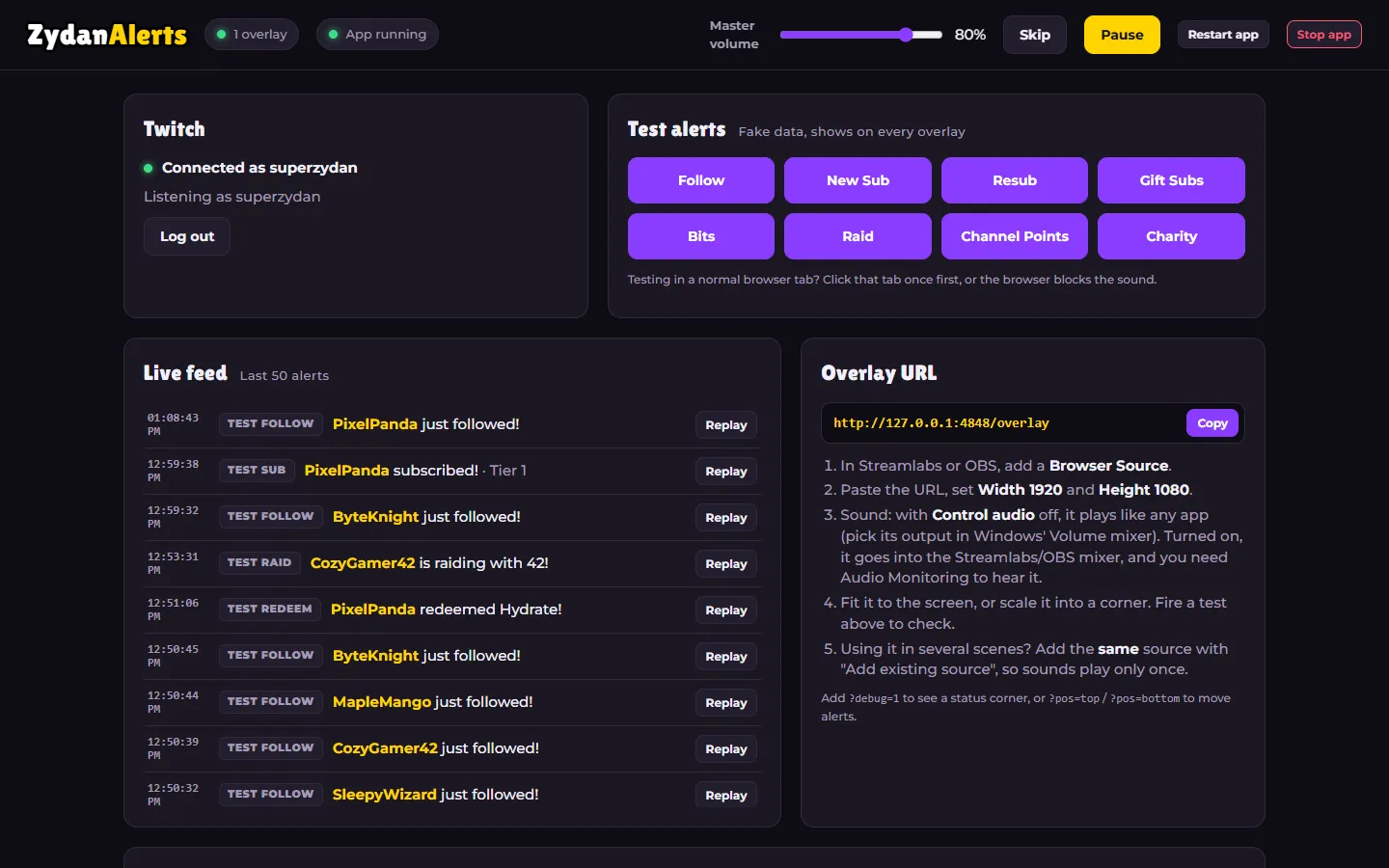 The control panel.
The mystery beeps
During testing I kept hearing a really loud "beep beep beep." It turned out an install script's yes/no prompt was beeping at fake key presses during automated tests. Now the scripts use a silent prompt, and nothing in the app can beep during a stream.
Adding YouTube
YouTube works differently from Twitch. Twitch pushes events to the app; YouTube makes the app ask by reading live chat, and Google gives you a free daily budget for that.
What it alerts on: Super Chats, Super Stickers, new members, member milestones, gifted memberships and Jewels gifts, the TikTok-style gifts on vertical streams. A Jewels combo counts up on one alert (x2, x3, x5) instead of spamming duplicates.
What it can't do: new-subscriber alerts. YouTube doesn't offer a live subscriber event, and it rounds sub counts over 1,000, so a sub counter would only move every 100 subs. (The ticking counters you see on big streams are either YouTube Studio's own live count captured on screen, or sites guessing between the rounded steps.)
The setup taught me a few things:
- Only read-only access. Google's permission list offered "manage," "edit," "delete" and "upload." My alerts app gets none of that.
- Its own Google project, so my website can't eat its daily budget.
- Google wanted a privacy policy and terms first, and mine only described my video uploader. They now cover both tools, honestly.
- A bug where saving my Google login "didn't save." It did; the app just never re-checked. Fake-data tests can't catch everything.
It also made me rethink YouTube itself. My YouTube audience is a Shorts audience, and my horizontal YouTube stream mostly duplicates Twitch. So I'm trying vertical-only on YouTube for a few weeks.
The mistakes (my favorite part)
- A kiddie starburst before I'd seen any real options.
- Twitch-sized emotes that looked blurry in an alert.
- Pure black hair that looked like a helmet.
- "Stubble" dots that looked like spots.
- Blaming the app for a sound problem that was my headphones setting.
- Testing on my speakers only, instead of recording what viewers hear.
- An overlay that didn't come back after a crash.
- Loud beeps from an install script during tests.
- Almost giving my alerts app permission to delete videos.
- Pointing Google at a privacy page for a different tool.
- Chasing AI-generated sounds when the ones I had were already good.
- Writing down that I had a tool installed, but not where. I almost re-downloaded 15 GB of a model I already had.
My ZydanAlerts vs the kit
I'm selling a kit so you can have your own version: The Kit Behind ZydanAlerts. You get the actual working app, ready to make yours:
- a Make it yours form that rebrands it with your name, colors and fonts in one prompt,
- an emote maker that turns your Roblox avatar into animated alert emotes,
- four effects (Supernova, Shockwave, Trippy, Vortex) and two sound sets (Angelic and Dark), plus prompts to make your own sounds from any vibe,
- YouTube alerts with a step-by-step Google setup,
- a 25-prompt pack, a full guide, checklists, and the mistakes list, so you skip mine.
My personal emotes stay mine. In the kit you make your own.
Built with Claude Code. The prompts work best there, but the app itself runs without it.