Your First IRL Streaming Setup: A Budget-Friendly Guide for 2025
ElectronicsBy SuperZydan9 min read
So, you wanna stream IRL (In Real Life)? Awesome. You've probably seen those streamers with the slick, high-tech backpacks and thought, "Man, that must cost a fortune." And yeah, a lot of times, it does.
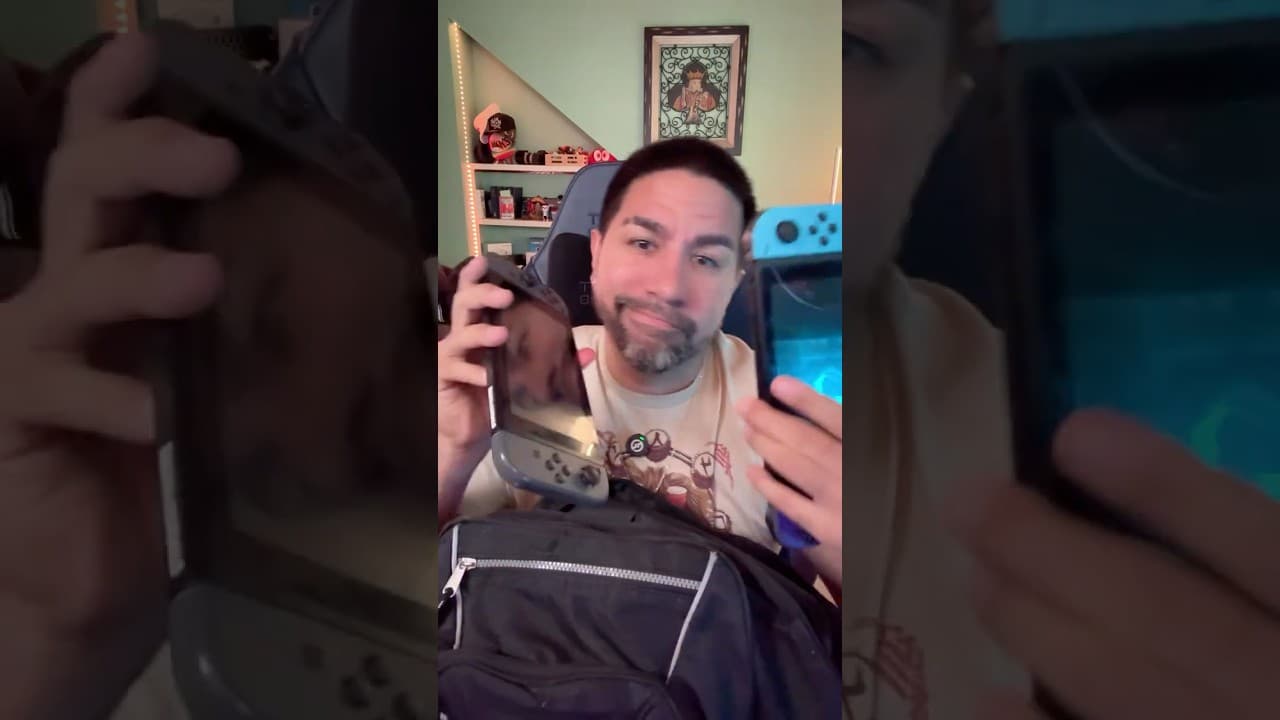
But what if I told you that you could get a rock-solid, high-quality IRL streaming setup for a fraction of the price? I'm talking about everything you see on me right here.

This guide is all about how to stream on a budget. We're going to break down every single piece of gear I use, how much it costs, and how it stacks up against those pricey pre-made IRL bags. The best part? It's super simple, crazy easy, and uses the phone you already have in your pocket.
Let's get started and dive into the gear.
(Just a heads-up, the product links I'm sharing are affiliate links. If you click and buy, I get a small kickback, which helps a ton. Thank you! If not, no worries at all!)
My Go-To Gear for Budget IRL Streaming
Here’s a look inside my bag at every piece of kit I use to make my IRL streams happen.
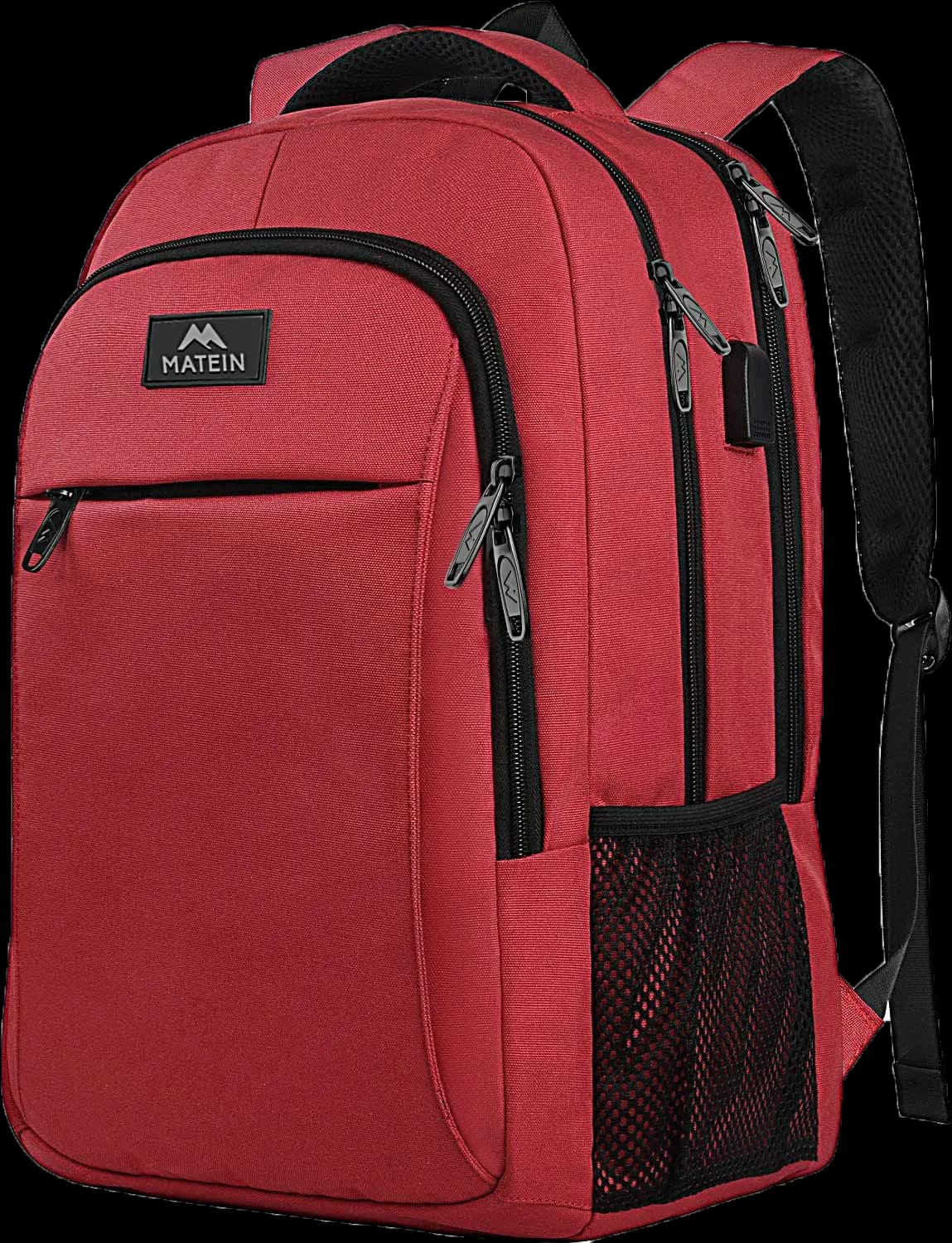
The Backpack: Matien Anti-Theft Travel Backpack
First up, the backpack. Honestly, I just found this Matien backpack on Amazon and it’s been fantastic. The absolute best feature is the built-in USB port on the outside. You just plug your power bank in on the inside, and you've got a charging port right on your strap. No more messy cables hanging out of your bag! Plus, it looks pretty slick, and it comes in a bunch of different colors.
► Check out the Matien Backpack on Amazon
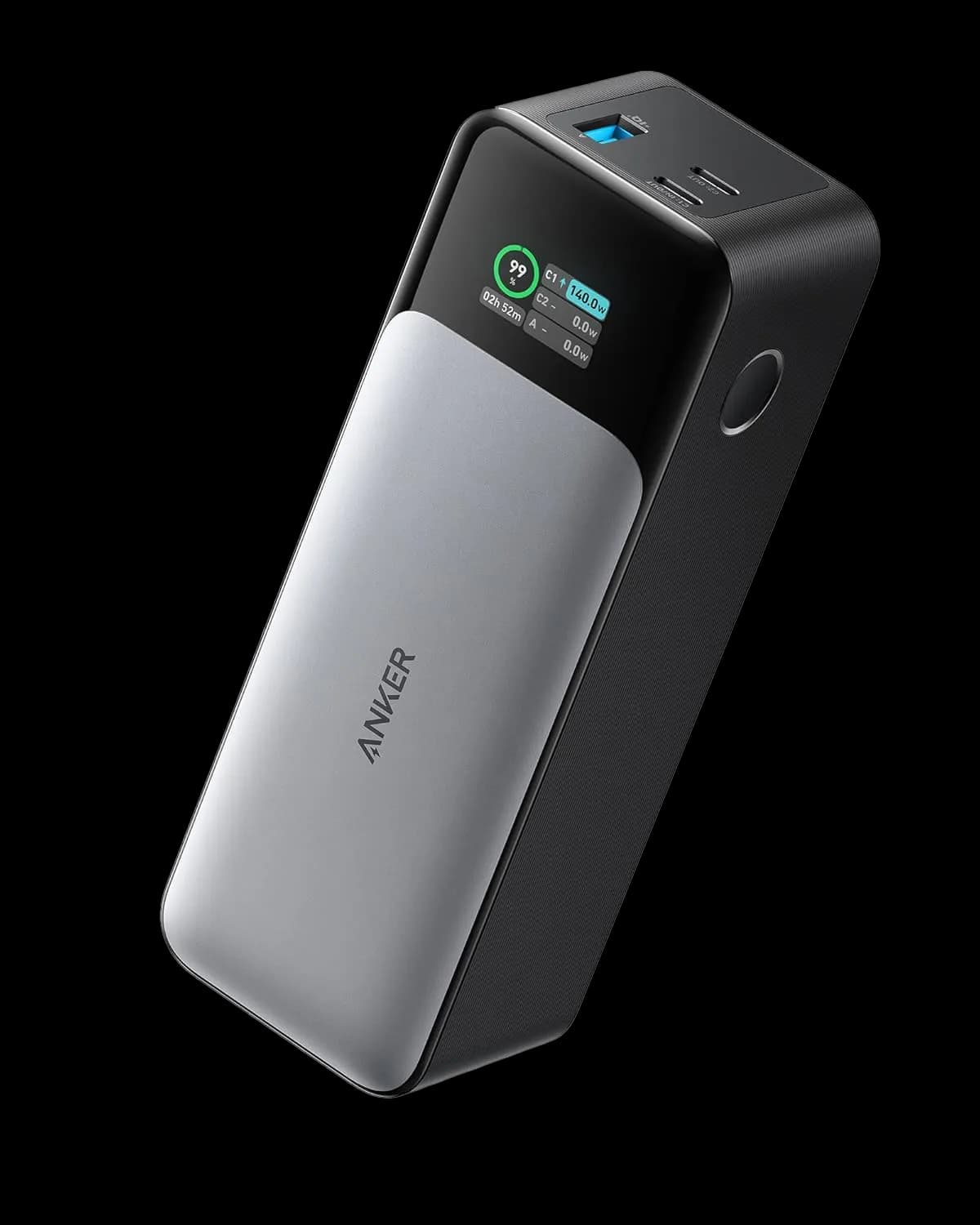
The Power Bank: Anker 737 Power Bank (PowerCore 24K)
You can't stream for long without power, and this Anker 737 Power Bank is an absolute beast. This thing is huge, with a 140W fast-charging output and a slick little digital display that tells you exactly how much juice is left. With two USB-C ports and one USB-A, you can charge multiple devices at once. You could stream all day with this thing and not even worry. I love it.
► Get the Anker 737 Power Bank on Amazon
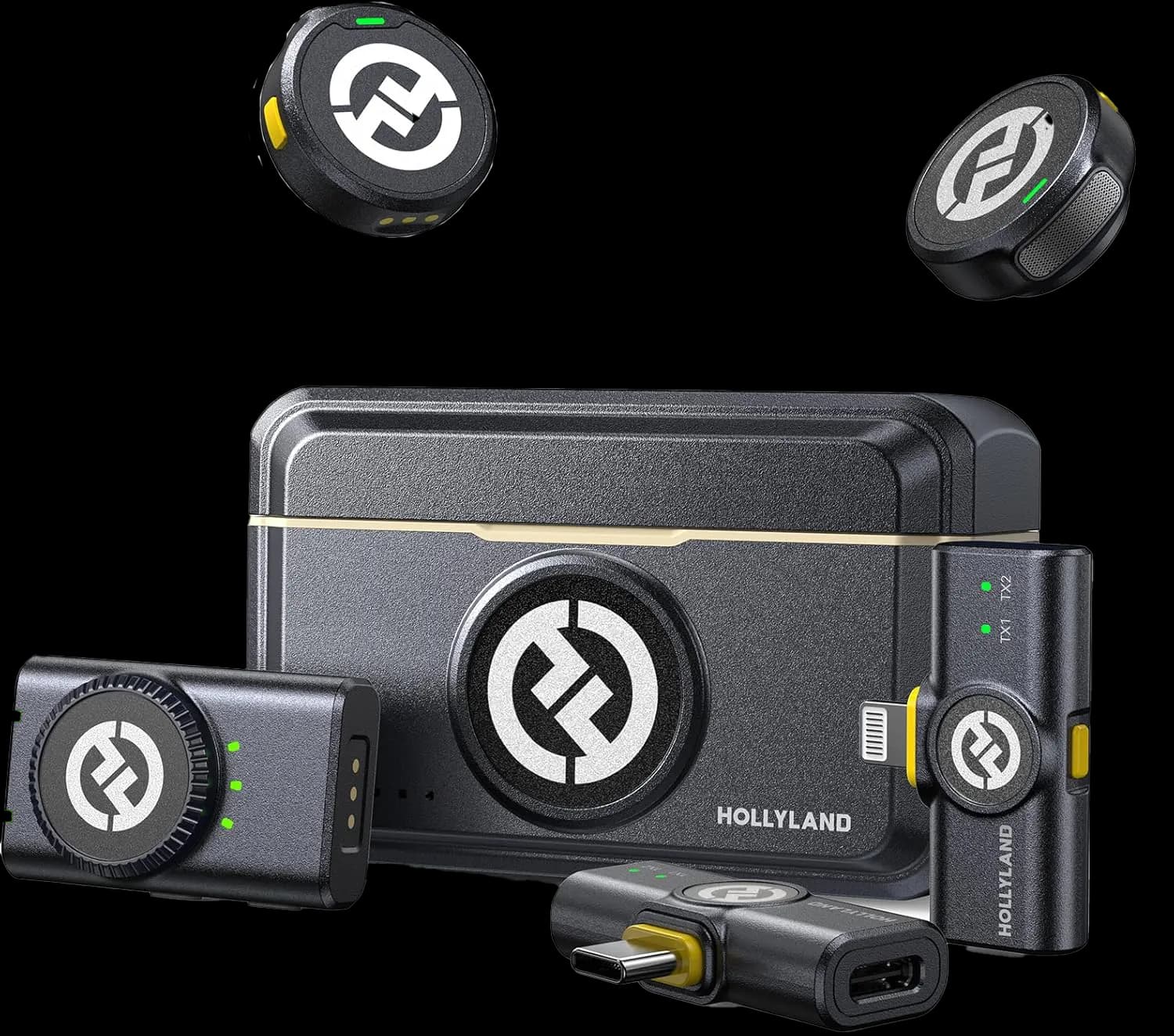
The Microphone: Hollyland Lark M2 Wireless Lavalier Mic
Okay, let's talk audio. When you're just starting, the microphone on your phone is probably good enough. But if you want to seriously step up your quality, an external mic is the way to go. I use the Hollyland Lark M2 wireless lavalier mics.
They're great. The kit comes with two mics and a receiver that plugs right into your phone. The coolest part is that the receiver has a pass-through charging port, so you can keep your phone juiced up while you're using the mic. It all comes in a neat little case that charges the mics for you. Super easy, super nice.
► See the Hollyland Lark M2 Mics on Amazon
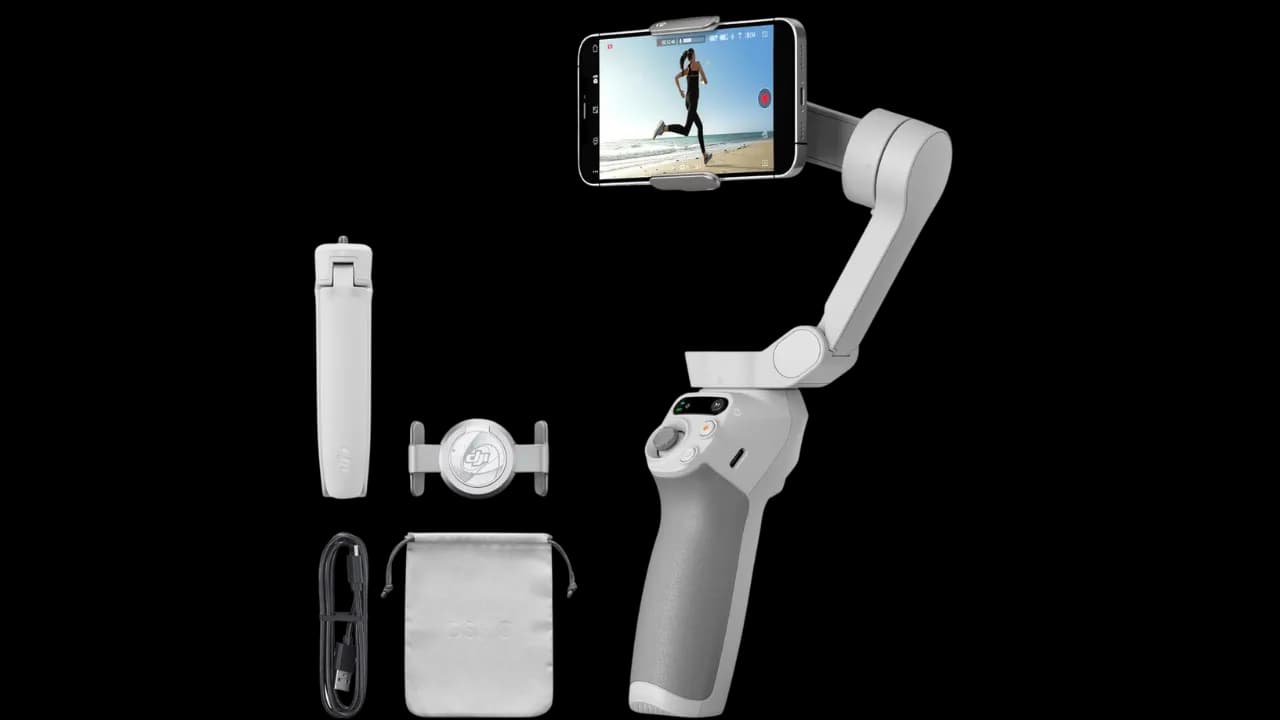
The Gimbal: DJI Osmo Mobile SE (Now the Osmo Mobile 7)
This is the heart of the setup for smooth, stable video. I personally use the newer Osmo Mobile 7P, but if you're looking to save some serious cash, the DJI Osmo Mobile SE is an incredible choice and the one I recommend for the super-budget setup. It gives you that buttery-smooth stabilization that makes your stream look professional. No more shaky-cam! It has great face-tracking and a ton of cool features in the DJI app. For the price, you just can't beat it.
Update: The SE isn't sold anymore; the Osmo Mobile 7 is DJI's current budget option.
► Find the DJI Osmo Mobile 7 on Amazon
The "Nice-to-Have" Accessories (My Full Kit)
The gear above is the bare minimum you need to get going. But if you have a little extra in the budget, here are the other items I carry in my bag to make life easier.
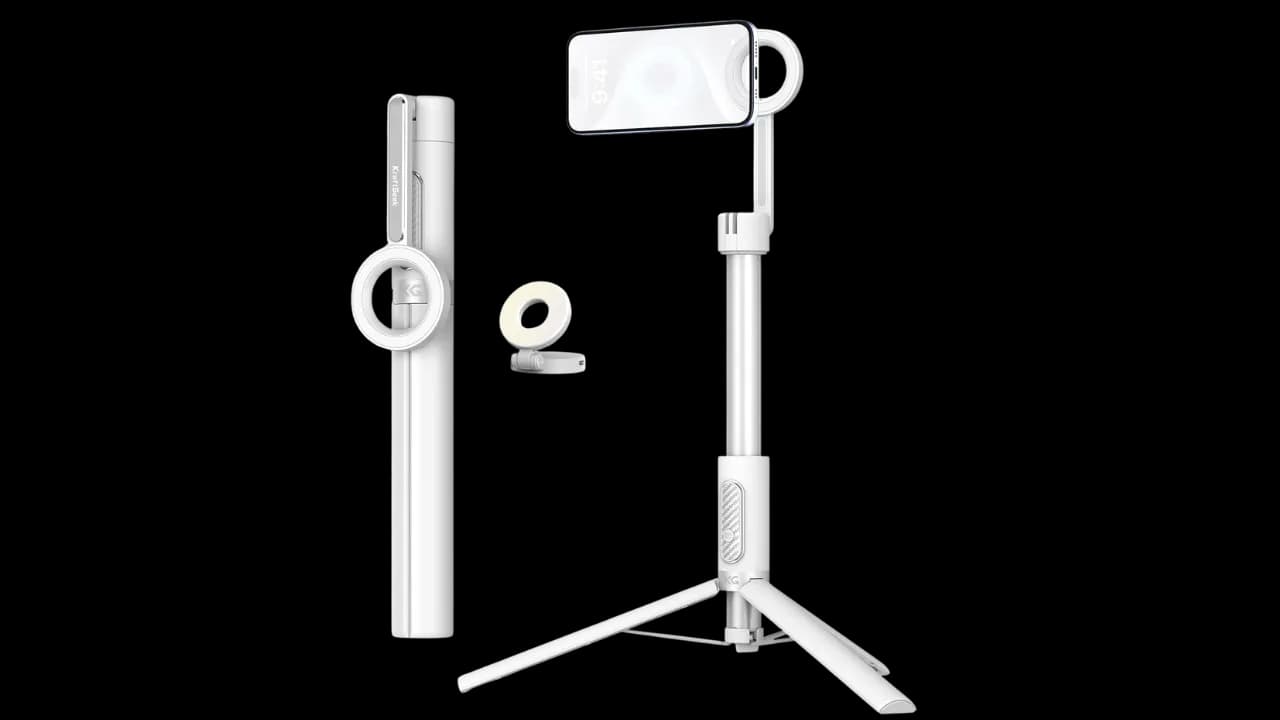
KraftGeek Tripod & Selfie Light
I love this tripod. It’s compact, extends to be as tall as me (I'm 5'7"), and has a MagSafe mount so you just snap your phone on. In hindsight, I’d get it in black to be more low-key, but the white one is still awesome. The optional Selfie Light is a cool little magnetic add-on for when you need a bit of fill light.
► KraftGeek Selfie Light on Amazon
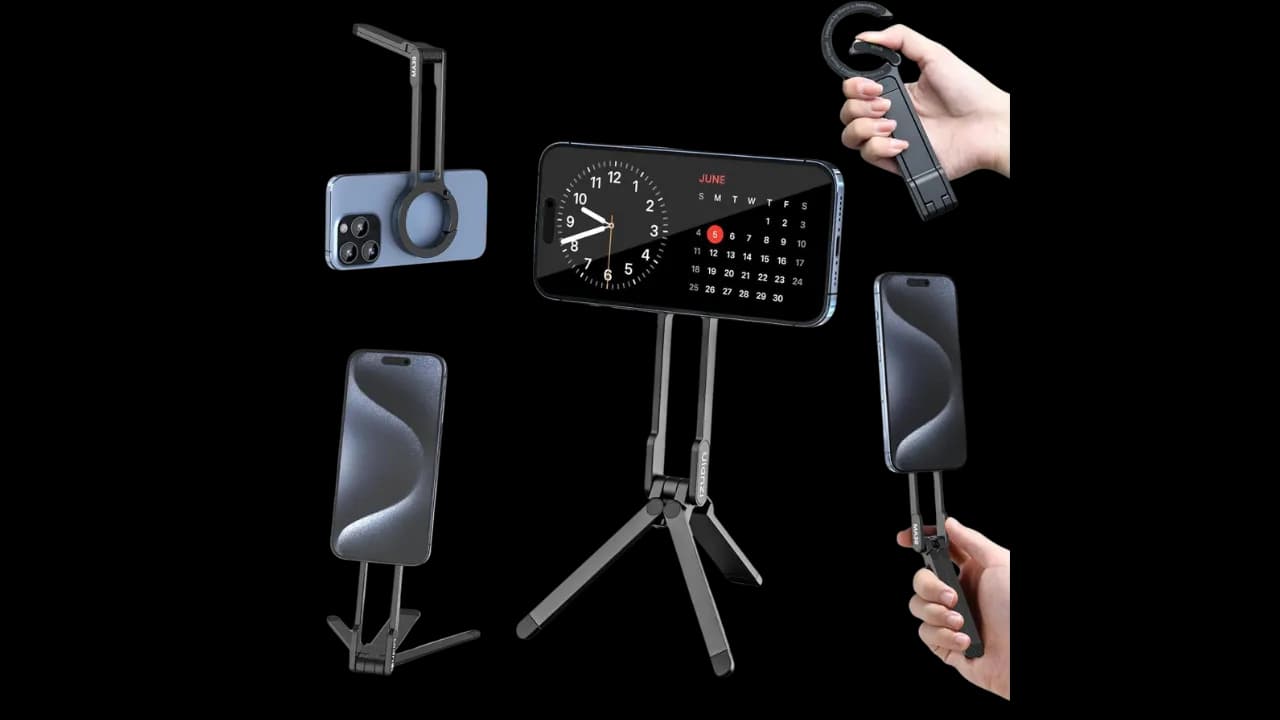
Ulanzi MA30 Magnetic Tripod
Believe it or not, this little clip is a tripod! It clips onto your pants, your bag, whatever. It looks like a fashion accessory, but it unfolds into a tiny, MagSafe tripod. It's perfect for on-the-go shots. I love this thing.
► Ulanzi MA30 Tripod on Amazon
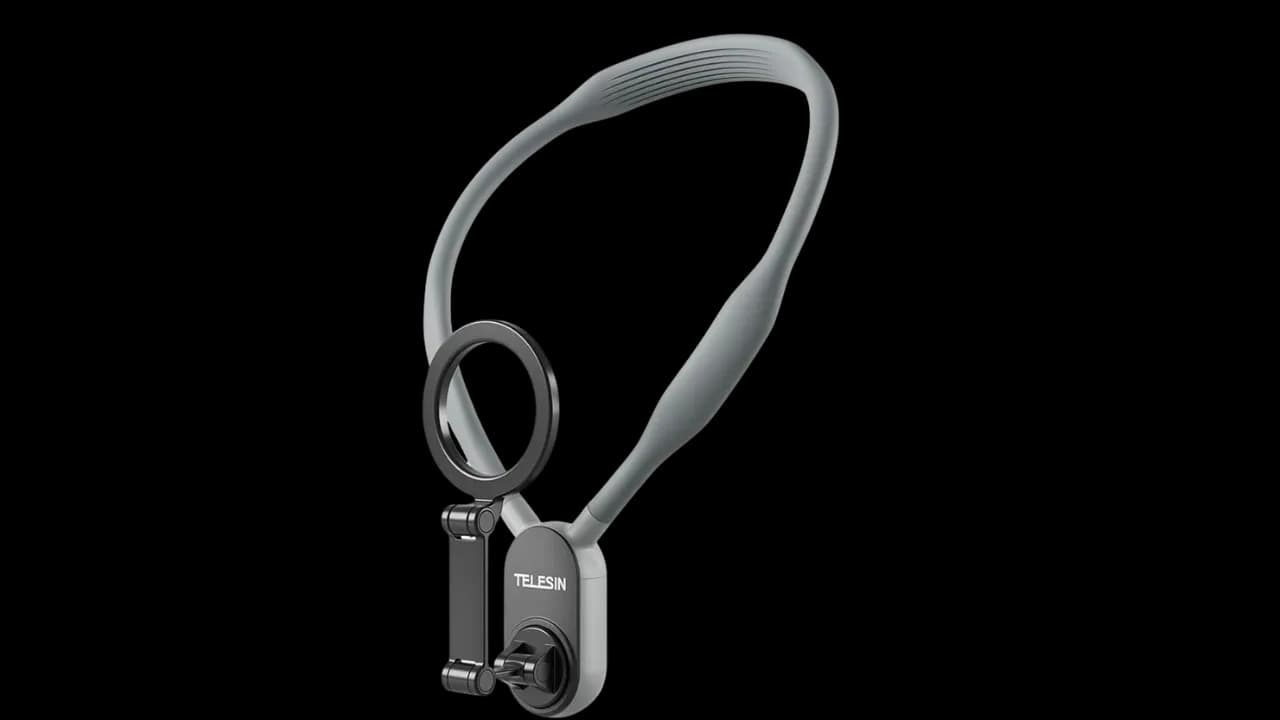
Magnetic Neck Mount
Looking for a hands-free, POV-style shot? This is it. It goes around your neck and has a MagSafe mount to hold your phone. It's great for showing your viewers exactly what you're seeing.
► Magnetic Neck Mount on Amazon
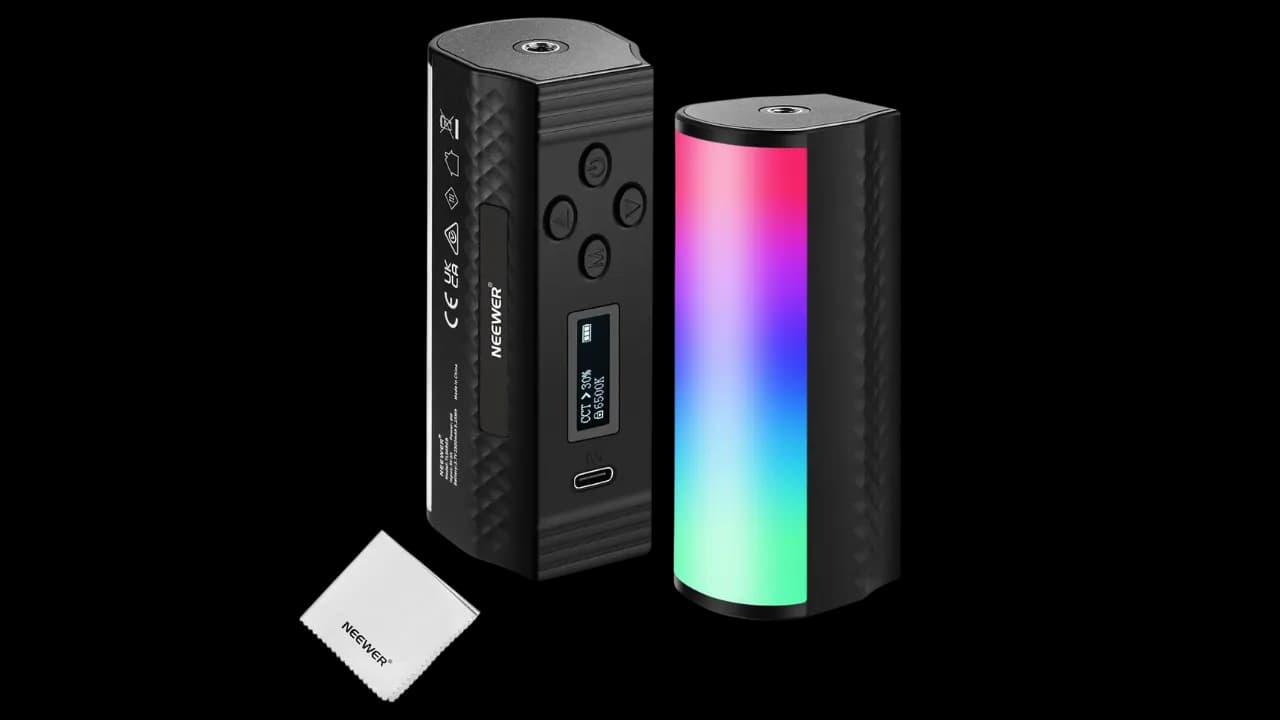
Neewer Handheld Magnetic Light
You can never have too much light! This little handheld LED light bar is magnetic, super bright, and can cycle through a ton of colors and special effects. It's great to have for any lighting situation.
► Neewer Handheld Light on Amazon
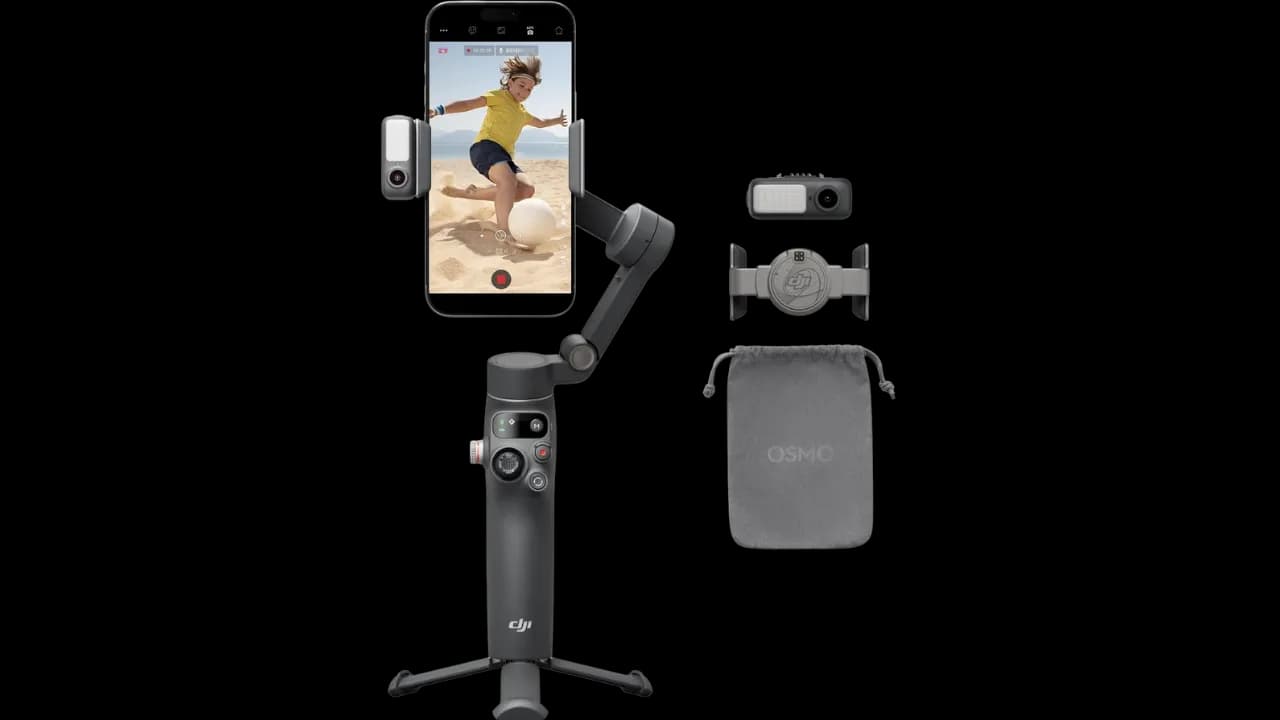
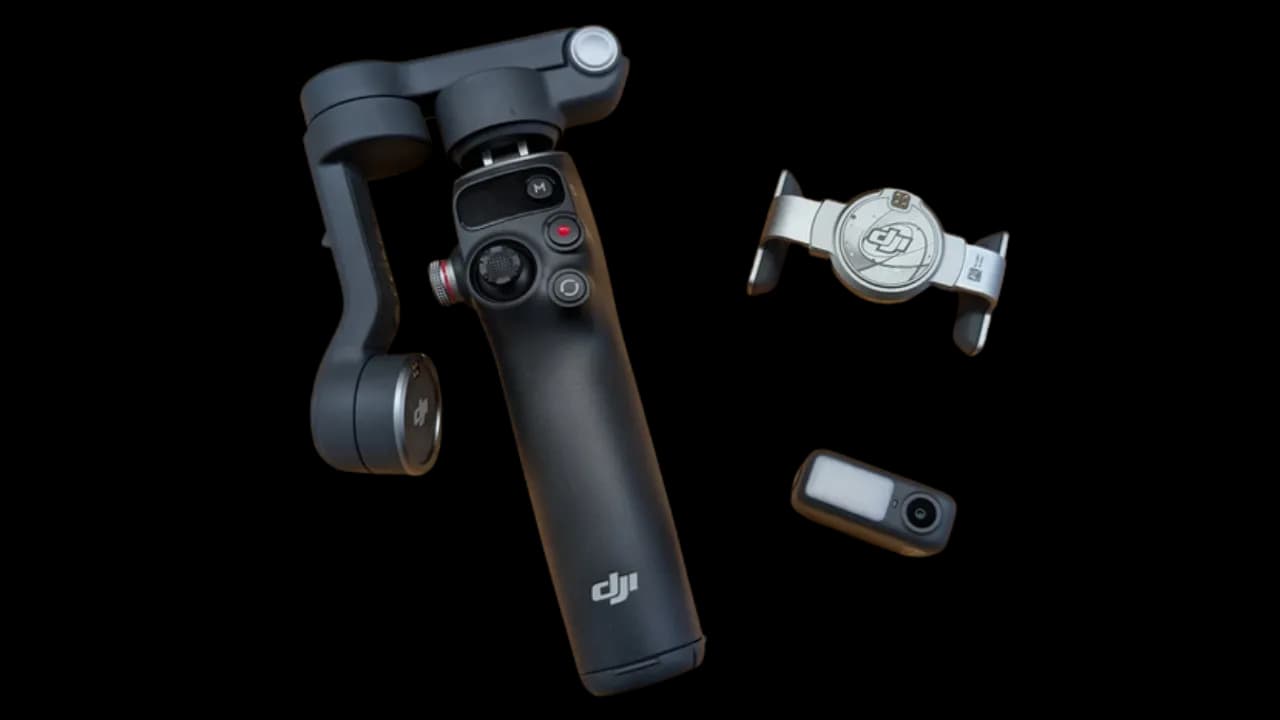
The Gimbal: DJI Osmo Mobile 7P (My Personal Choice)
Alright, so in the budget setup, I recommended the DJI Osmo Mobile SE, and it's a fantastic, affordable choice. But for my main kit—the one I use day in and day out—I splurged a little on the DJI Osmo Mobile 7P. Let me tell you why.
This thing is the real deal for a few key reasons. First, it has a built-in extension rod. If you're doing selfie-style streaming, that extra length is a game-changer for getting a better, wider shot of you and your surroundings. It also has a built-in tripod, which is clutch.
But the killer feature of the 7P model is the separate Multifunctional Module. This little magnetic puck is a powerhouse. It gives you intelligent AI tracking that works outside of the DJI app. That means you can use your phone's native camera app or other streaming software and the gimbal will still follow your face flawlessly. It even has a small built-in light for a little extra pop. For me, that tracking flexibility and the selfie-stick extension made the upgrade a no-brainer. It’s the top-tier mobile gimbal for a reason.
► Check out the DJI Osmo Mobile 7P on Amazon
The Pro-Level Backpacks (For Comparison)
Now, you've seen my setup. Let's really dig into what the "pro" streamers are using. These bags are incredible pieces of tech designed for one thing: the most stable, reliable stream possible, no matter what. But that power comes with some trade-offs.
UNLIMITEDIRL ‘GUNRUN’ IRL Backpack
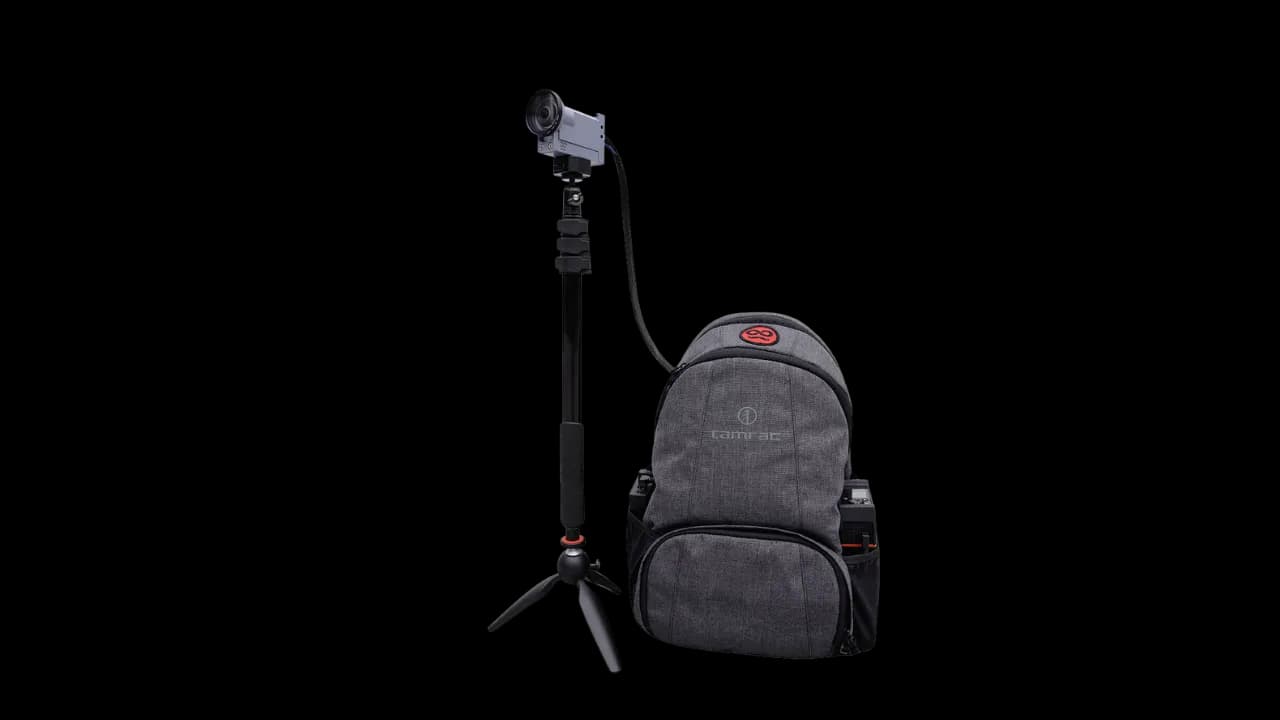
This is the OG, the one you see on many of the biggest streamers. It’s built around the powerful LiveU Solo PRO encoder, a piece of professional broadcast hardware.
- Pros
- Rock-Solid Connection: This is its biggest selling point. It uses a technology called "bonding," which combines multiple internet connections (4-6 cellular modems, Wi-Fi, Ethernet) into one super-robust signal. This means you can stream from a packed convention or a remote area with a much lower chance of your stream dropping or lagging.
- Broadcast Quality: The hardware allows for high-bitrate, 4K streaming. It’s essentially a portable TV studio on your back.
- Turnkey Solution: It comes ready to go. You buy it, you get the gear, you subscribe to the data plan, and you’re streaming like a pro. It’s trusted by major streamers and brands for a reason.
- Cons:
- The Cost is INSANE: Let's not sugarcoat it. The backpack itself starts at $2,095 (and that's often without the camera).
- The Real Cost is Monthly: The hardware is just the beginning. The real expense is the bonded data service, which starts at $165/month for a basic plan and can easily exceed $520/month for worldwide or more robust coverage. This is a serious recurring business expense.
- Complexity & Bulk: While it's a "solution," it's still complex broadcast equipment. It’s heavier and bulkier than a simple phone-based setup.
► Check them out at unlimitedirl.com
The Final Breakdown: What This Actually Costs
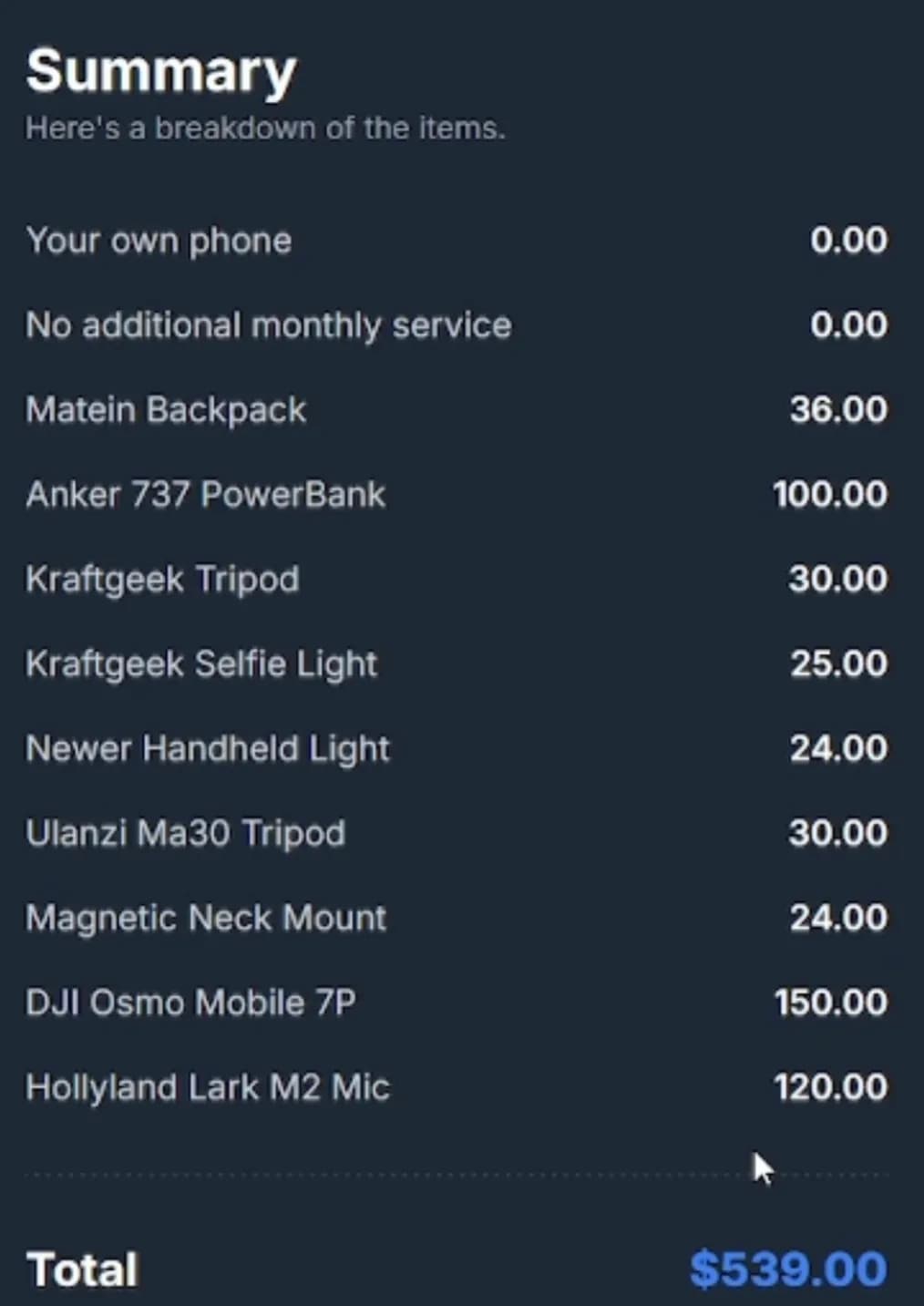
Okay, let's tally it all up. Those pro bags are thousands of dollars upfront, plus hundreds more every month. Here’s what my setup cost when I made the video in June 2025, with NO monthly service fees beyond your regular phone plan. These are the prices I paid back then, not today’s prices.
My "Full-Featured" Budget Setup (~$550)
This includes all the bells and whistles I mentioned for maximum versatility.
-
Your Own Phone: $0
-
Additional Monthly Service: $0
-
Matien Backpack: $36
-
Anker 737 Power Bank: $100
-
Hollyland Lark M2 Mics: $120
-
DJI Osmo Mobile 7P (My specific gimbal): $150
-
KraftGeek Tripod: $30
-
KraftGeek Selfie Light: $25
-
Neewer Handheld Light: $24
-
Ulanzi MA30 Tripod: $30
-
Magnetic Neck Mount: $24
-
Grand Total: $539
The "Get Started Today" Setup (Under $200!)
Ready for this? This is the bare minimum you need for a fantastic stream.
-
Your Own Phone: $0
-
Additional Monthly Service: $0
-
Your Own Backpack: $0 (You have one lying around, right?)
-
Anker 737 Power Bank: $100
-
Budget gimbal: $69 (what the DJI Osmo Mobile SE cost then. The SE isn't sold anymore; the Osmo Mobile 7 is DJI's current budget option.)
-
External Microphones: $0 (Use your phone's mic to start!)
-
Extra Lights/Tripods: $0 (Not necessary at first!)
-
KraftGeek Tripod: $30
-
Grand Total: $199
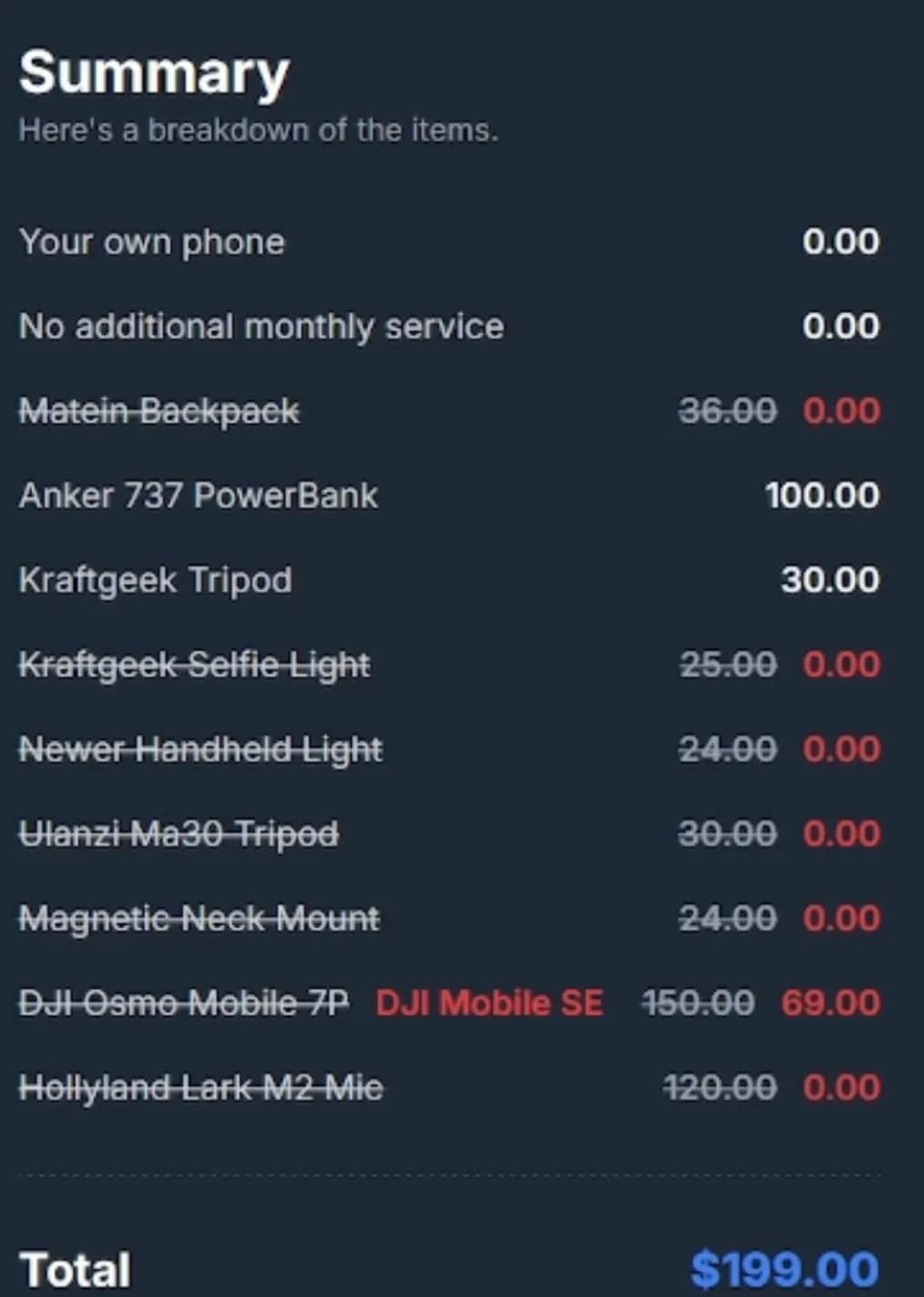
That's it! For under $200, you can have a high-quality, stable, and reliable IRL streaming setup. That's... what, like one-tenth of the price of a pro bag? Insane!
So there you have it. You don't need to break the bank to share your adventures with the world. I hope this guide was helpful! Check out the links for all the gear, and let me know if you have any questions in the comments.
Now get out there and start streaming! Peace.